TL;DR
Smart home security cameras record video, send motion alerts, and let you view a live feed, but image quality, useful alerts, and reliability depend on placement, Wi-Fi, storage, and power. Start with the area you want to monitor, then compare local and cloud recording, privacy controls, subscription limits, and outage behavior before choosing a system.
A camera can show you a delivery on the porch in seconds, yet still miss the face you hoped to identify. Smart home security cameras are useful when their view, alerts, and storage match the job you need them to do.

Get home appliances delivered free with Prime
- Fast, free delivery on millions of items
- Prime Video, Amazon Music and more included
- Member-only deals all year
This guide explains what cameras actually provide, how to compare indoor, outdoor, and doorbell models, and what power, Wi-Fi, storage, and subscriptions mean in daily use. You’ll also get practical steps for choosing a location and reducing privacy risks, so the camera serves your home without recording more than it needs to.
For example, checking whether your dog is sleeping on the sofa calls for different settings from watching a dark driveway overnight. Start with the moment you want the camera to help you understand. Then choose the features around that moment.
Start with the event and area you want to monitor, then choose indoor, outdoor, or doorbell hardware to match.
Check the camera’s actual view, night lighting, and Wi-Fi at its proposed mounting location.
Compare local and cloud storage, retention periods, subscription features, and outage behavior before buying.
Use unique passwords, multifactor authentication, software updates, and careful sharing permissions to reduce account risk.
Treat person and activity alerts as clues that need checking; AI detections can be wrong.
What a smart camera can tell you—and what it can’t
A smart home security camera records video, sends motion alerts, and lets you view a live feed through an app; some models also add two-way audio, night vision, or alerts for people, pets, and vehicles. These tools help you check what happened at a door or in a room, but they do not guarantee that a clip will identify someone clearly. Placement, lighting, lens coverage, and network conditions shape what you actually see.
Think of the camera like a window with a doorbell attached: you need to point it at the right approach, and the glass still affects what you can make out. A camera aimed across a wide porch might show that a parcel arrived, while a narrower angle focused on the front path may capture more detail of someone walking toward the door. In dim light, night vision can show movement without making a face easy to recognize.
Resolution is only one part of image quality. A high-resolution camera mounted too far from the entrance may provide less useful detail than a well-placed camera with a tighter view. A wide field of view covers more space, but objects near the edges may look smaller or distorted.
For instance, if you want to check whether a delivery driver left a box beside the garage, aim to see the drop-off spot and the route leading to it. Don’t assume that a camera will identify a person just because it records video. Treat it as one layer of home security, alongside good locks and safe household habits.
Products Worth Considering

TCL 55-Inch T7 Series 4K QLED Smart Google TV (55T7)

eufy E25 Robot Vacuum and Mop with HydroJet Roller Mop, 20,000 Pa Suction

Philips Hue Smart Light Starter Kit with Bridge and 4 White and Color A19 Bulbs
As an affiliate, we earn on qualifying purchases.
Match the camera to the place you want to watch
Indoor cameras, outdoor cameras, and video doorbells serve different locations: indoor models watch rooms, outdoor models handle exposure to weather, and doorbells focus on activity at an entrance. Start by choosing the area and event you care about, then check the camera’s mounting options, operating conditions, and privacy settings. The right camera is the one that fits the location and the job.
A living-room camera used to check on a pet may benefit from a physical privacy shutter or a schedule that pauses recording while you’re home. A driveway camera needs a weather-resistant housing and a suitable operating temperature range. A video doorbell can show who is at the front entrance, but it may not cover a side gate or the end of a long driveway.
For example, imagine that packages are usually left around a corner beside the porch. A doorbell pointed straight ahead could miss the drop-off, even if its video looks sharp. You may need to adjust its angle or cover the corner with an additional outdoor camera. Check the device’s view from the intended mounting height before you commit to a position.
Use this short checklist to narrow your options:
- Indoor room: Check for privacy modes, schedules, or a physical shutter.
- Outdoor approach: Check weather resistance, temperature range, power access, and night vision.
- Front entrance: Check whether a doorbell camera covers the actual delivery spot.
Camera placement can capture household members, visitors, neighbors, or public space. Keep the view on useful approaches and away from private areas where possible, and check relevant local requirements before recording spaces shared with other people.
Compare video storage before a monthly fee catches you off guard
Smart home security cameras store clips on a camera, a local hub, a home server, in the cloud, or through a mix of these options. Local storage can reduce reliance on a monthly plan, while cloud storage can make clips available remotely and may add longer history or richer alerts. The plan details determine what you can review later.
Imagine a motion alert arrives while you’re on the train. Live viewing may let you check the porch, but a recording history could let you replay when the visitor arrived and what happened just before the alert. Some camera makers include basic live viewing but put longer video history or advanced detection behind a paid subscription. The exact features vary by model and plan, so check the current terms before buying.
Ask what happens if you cancel the plan or lose your internet connection. A camera with local recording may keep clips during an outage, but remote access and cloud backups usually need a connection. Some systems may also limit recording, alerts, or account features if their cloud service changes or ends. Look for automatic overwrite rules, retention periods, storage limits, and deletion controls.
Here’s a useful comparison:
| Storage choice | What it can offer | What to check |
|---|---|---|
| Camera or hub | Local clips and fewer monthly storage fees | Capacity, overwrite rules, theft or damage risk |
| Cloud service | Remote clip access and possible extended history | Subscription cost, retention, and cancellation limits |
| Both | A local copy plus a cloud backup | Which features stop when the plan or internet ends |
For a front door where a missed delivery matters, check how many days of clips you can keep and whether important footage survives an internet outage. Don’t judge the ongoing cost by the camera price alone.
Choose power and Wi-Fi that won’t leave you guessing
A smart camera depends on dependable power and a usable network connection: weak Wi-Fi can interrupt live video and alerts, while battery cameras may need charging more often when they detect frequent movement. Check the signal and power at the intended mounting spot before you rely on a camera to watch it.
Most smart security cameras use Wi-Fi, so a strong connection where you sit may not mean a strong connection at the back gate. If the camera struggles to upload a clip, a motion alert might arrive late or live video may buffer. Some cameras keep recording locally during an internet outage, but remote viewing, cloud backups, and many alerts usually need an internet connection.
Power changes the tradeoff. A wired camera avoids regular charging, but installation may require an available outlet or fixed wiring. A battery model is easier to position, though repeated motion events, cold weather, weak signal, and frequent live viewing can shorten the time between charges. Manufacturer battery estimates may assume lighter activity than a busy front path sees on a weekday.
For example, a camera facing a driveway may trigger every time a car passes. If the battery drains quickly, activity zones or motion sensitivity settings may reduce unnecessary events, though you should check that they still catch the activity you care about. A wired model may suit that busy spot better if you have a suitable power source.
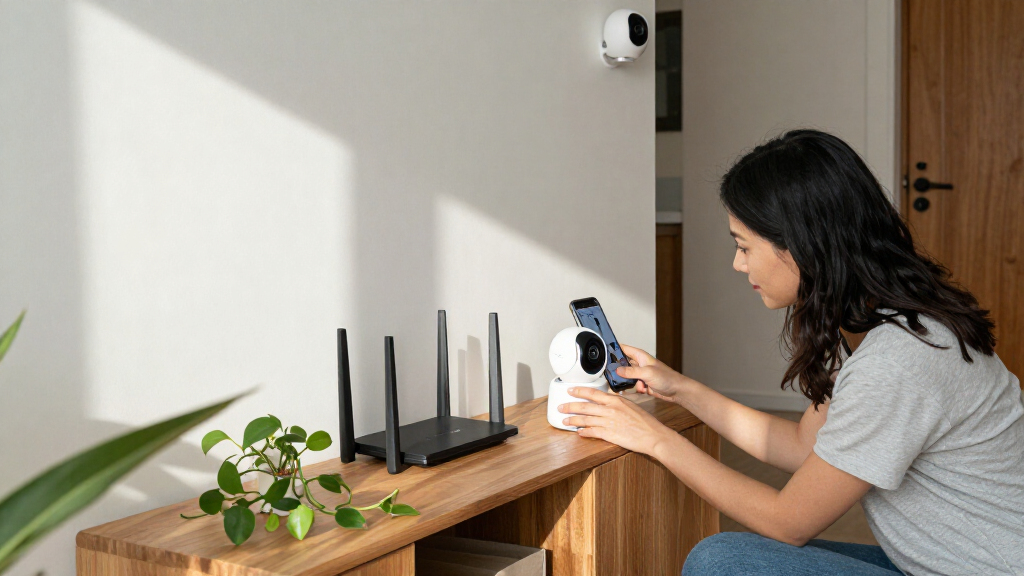
Before installation, test Wi-Fi in the exact location and try a live view at the time of day you expect to use it. For electrical work or a new fixed supply, use a licensed professional and follow relevant safety and permit requirements; switch off power before electrical work and use appropriate protective equipment. Don’t place the camera where a cable or mounting point creates a hazard.
Set privacy controls before anyone steps into view
Smart home security cameras can capture people beyond the intended subject, so use careful placement, strong account security, and clear recording settings from the start. A camera’s privacy depends on who can access it and what it records, not just whether the device has a privacy feature.
Begin with a unique account password and multifactor authentication, then keep the camera’s software updated. Review which household members can see live video, replay clips, or change settings. Also check the manufacturer’s privacy policy, retention options, deletion controls, and history of security support. These steps reduce risk, though no connected device is risk-free.
Physical shutters, recording schedules, geofencing, and local processing can give you more control. But check what each setting actually pauses. A “home” mode might stop recording, hide alerts, or simply mute notifications; those are different outcomes. For instance, if an indoor camera is there to check on a pet, a physical shutter can make it clear when the lens cannot see into the room.
Local processing may handle some person, pet, or vehicle detection on the camera or hub instead of sending every task to a cloud service. AI-assisted alerts can cut down on notifications from moving branches, but detection can misidentify events and advanced features may depend on a paid plan or cloud analysis. A person alert is a helpful signal, not proof of what happened.
Tell household members and guests about cameras where appropriate, and avoid pointing a lens into a neighbor’s windows or private spaces. If you’re monitoring a rental or vacation home, check local laws, lease terms, platform rules, and disclosure requirements. Recording expectations can differ sharply between outdoor approaches and private indoor spaces.
Follow five steps to pick a camera that fits your routine
To choose a smart home security camera, identify the event you want to see, check the view and connection, compare storage and power, then confirm privacy and compatibility. This order keeps flashy features from distracting you from basic fit. Choose for the real scene you need to monitor.
- Name the job. Are you checking a delivery, watching a pet, or monitoring a driveway after dark? For a delivery, the parcel drop-off spot matters more than a broad view of the street.
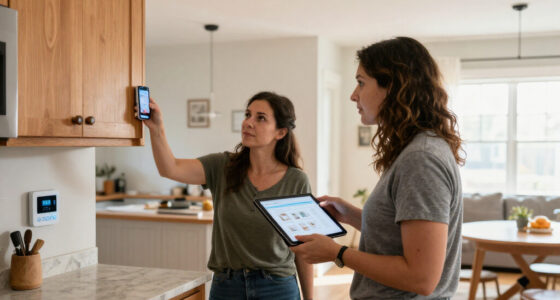
- Sketch the view. Note the mounting height, distance, lighting, and nearby private spaces. A quick phone photo from the proposed camera position can reveal a blind corner.
- Test power and Wi-Fi. Check the signal at the spot itself, not in the next room. If a battery camera will face frequent traffic, expect more charging than a quiet side entrance.
- Compare recordings and costs. Find out whether you need a subscription for video history, advanced alerts, or sharing. Confirm local recording and outage behavior as well.
- Check controls and ecosystem features. Confirm the exact camera supports your chosen smart-home platform and the features you want. Compatibility can vary by model; seeing a device in an app does not prove every feature works there.
For instance, a household that wants to see a parcel and talk to a visitor may choose a doorbell camera with two-way audio and enough clip history to review missed deliveries. A household that wants to check a cat during the day may care more about an indoor camera’s privacy mode and reliable live view. The feature list matters only when it answers your use case.
Make a short list of must-haves and nice-to-haves before comparing prices. Then check current product details: capabilities, plan prices, ecosystem support, and storage limits can change. If one feature is only available through a subscription, count that recurring cost over the time you expect to use the camera.
Frequently Asked Questions
Do smart security cameras work without Wi-Fi or internet?
Some cameras can keep recording locally without internet, but remote viewing, cloud backups, and many alerts usually need a connection. Check whether your specific model records during an outage and what you can access until service returns.
Do I need a subscription to use a smart camera?
Not always. Some cameras offer live viewing and local recording without a plan, while others charge for video history, advanced detection, or sharing. Check which features stop if you cancel before you buy.
Where is camera footage stored, and who can see it?
Footage may be stored on the camera, a hub, a home server, or a cloud service. Review retention settings, sharing permissions, account access, and clip deletion options so you know who can view recordings and for how long.
Are smart security cameras secure from hacking?
No connected device is risk-free, but a unique password, multifactor authentication, software updates, and limited account sharing help reduce risk. Secure your home Wi-Fi as well, and check the manufacturer’s privacy and security support information.
Can a night-vision camera identify a face in the dark?
Night vision can show movement, but distance, glare, camera angle, darkness, and video compression can make a face hard to recognize. Test the view at night from the camera’s planned position, and avoid assuming that a visible figure means identifiable detail.
How long does a battery camera last between charges?
It depends on motion activity, settings, signal strength, temperature, and how often you use live view. A camera facing a busy driveway can need charging sooner than one watching a quiet side entrance, even if both use the same battery.
Conclusion
Choose your camera around the moment you need help seeing: a parcel on the porch, a visitor at the door, or a pet stretched across the sofa. Then check the view, connection, storage, power, and privacy settings where the camera will actually live.
A camera works best as one useful layer in a home security setup, supported by sensible habits and secure locks. Set it up with care, and its alert can feel like a small porch light switched on from miles away.