TL;DR

Get home appliances delivered free with Prime
- Fast, free delivery on millions of items
- Prime Video, Amazon Music and more included
- Member-only deals all year
References found in HomeView Software 27.2 suggest Apple’s HomeView smart display may gain camera features such as motion detection, live streaming and recording through HomeKit Secure Video. Apple has not announced the feature, and it is not active in the current software.
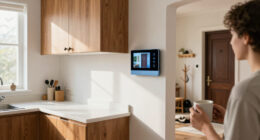
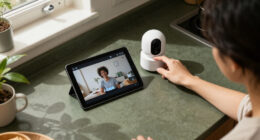
References in HomeView Software 27.2 suggest Apple’s recently unveiled smart display could use its built-in camera for motion detection, live streaming and video recording, in addition to FaceTime calls and facial recognition. The finding, reported by Digital Trends after a Reddit user spotted the entries and cited by The Verge, is not an Apple announcement: the functions are not active, and the company has not confirmed whether they will be released.
The software references point to several possible camera controls. Users could reportedly turn the camera off, allow motion detection without recording, enable live streaming, or switch on both streaming and recording. The device may also support recording through HomeKit Secure Video, Apple’s home-camera service. These are indications in software settings, not confirmation that the options work or will reach customers.
The report says camera behavior could be tied to household status, with separate settings for when residents are home, away or asleep. One possible setup would record activity while nobody is home and stop recording when someone returns. The source material does not establish how HomeView would determine those states or whether users would be able to customize such rules.
Reported privacy measures include a green indicator and audible alert when the camera is accessed or begins recording, plus notifications to household members when camera settings change. Those safeguards, like the camera functions themselves, have not been confirmed by Apple. The device already has a built-in camera for FaceTime and facial recognition, according to the report.
A Display Could Join Home Security
If Apple releases the functions described in the software references, HomeView could serve more than one role: a smart display and a connected home camera. That could let owners use hardware already in a shared room to check on activity, rather than relying only on a separate security camera. It may also make HomeKit Secure Video more relevant to people considering Apple’s smart-home products.
The same flexibility would make privacy controls central to the product. A camera in a household display can capture everyday activity, so clear indicators, alerts, recording controls and reliable home-or-away rules would matter to residents and visitors alike. The reported safeguards could address some of those concerns, but their design and operation are not yet known. For now, the practical impact remains conditional on Apple shipping the feature.
Products Worth Considering

eufy Security E30 4K Indoor Camera, 2-Pack

eufy Security SoloCam E42 4-Camera Kit, 4K Solar Security Cameras with HomeBase 3

Arlo Pro Wireless Security Camera, 2K HDR, 6th Generation, 4-Camera Kit
As an affiliate, we earn on qualifying purchases.
HomeView’s Camera Has Other Uses
HomeView was recently unveiled with a camera for FaceTime calls and facial recognition. The new software references suggest Apple may be considering additional uses for that existing hardware, rather than requiring a separate camera. The report describes the possible functions as being found in settings files, while also stating that they are not active in the current software.
Digital Trends also points to possible uses beyond home security, including checking on a baby or pet from another room or while away. It mentions a higher-end HomeView model that Bloomberg’s Mark Gurman has reported Apple is developing: a roughly nine-inch display on a robotic arm that can rotate. That model is described as rumored, and there is no confirmation in the supplied reporting that it will launch or support camera monitoring.
“Apple hasn’t officially announced anything about it yet.”
— Digital Trends, reporting on the software finding
No Release Plans Confirmed
Apple has not confirmed the feature, its availability or a release date. It is also unclear whether the software references describe a planned product function, a feature under development or code that will not reach users. The report does not establish which HomeView models might support it, whether HomeKit Secure Video would be required, or how video storage and access would work.
The suggested home, away and sleep modes, alerts and recording controls also remain unverified. No details are provided about camera coverage, household permissions, subscription requirements or how the device would identify that residents have returned. Until Apple provides details or the functions appear in a released product, they should be treated as possibilities, not confirmed features.
Watch for Apple’s Confirmation
The next clear milestone would be an Apple announcement or the appearance of working camera controls in a public HomeView software release. Until then, the reported settings offer a clue about potential development, not a timetable. Readers should look for official product specifications describing recording, notifications and privacy controls before treating HomeView as a security camera.
If Apple does release the functions, further details will be needed on HomeKit Secure Video compatibility, household access and recording behavior. The supplied reporting identifies no scheduled launch or follow-up from Apple, so the feature’s status remains developing and unconfirmed.
Key Questions
Can HomeView currently record video as a security camera?
No. The report says the feature is not active in the current software. The settings references suggest possible functions, but do not establish that users can record video now.
What camera functions may be added?
References in HomeView Software 27.2 reportedly point to motion detection, live streaming and recording, along with controls to disable the camera or use detection without recording. Apple has not confirmed these options.
Has Apple announced a launch date?
No. Apple has made no official announcement about the possible camera features, and the report provides no release date.
What privacy safeguards are described?
The report cites a possible green indicator and audible alert when the camera is accessed or recording, plus household notifications when settings change. These details remain unconfirmed.
Could HomeView be used as a baby or pet monitor?
That is a potential use suggested by Digital Trends, if the camera functions are released. There is no confirmation that Apple will market or support HomeView specifically as a baby or pet monitor.
Source: digitaltrends.com