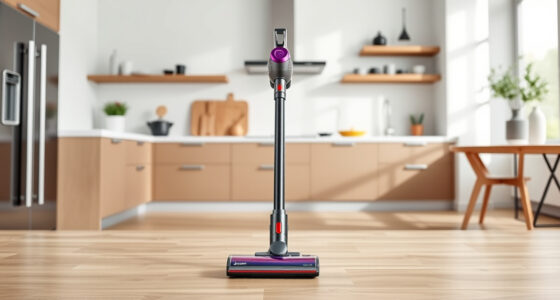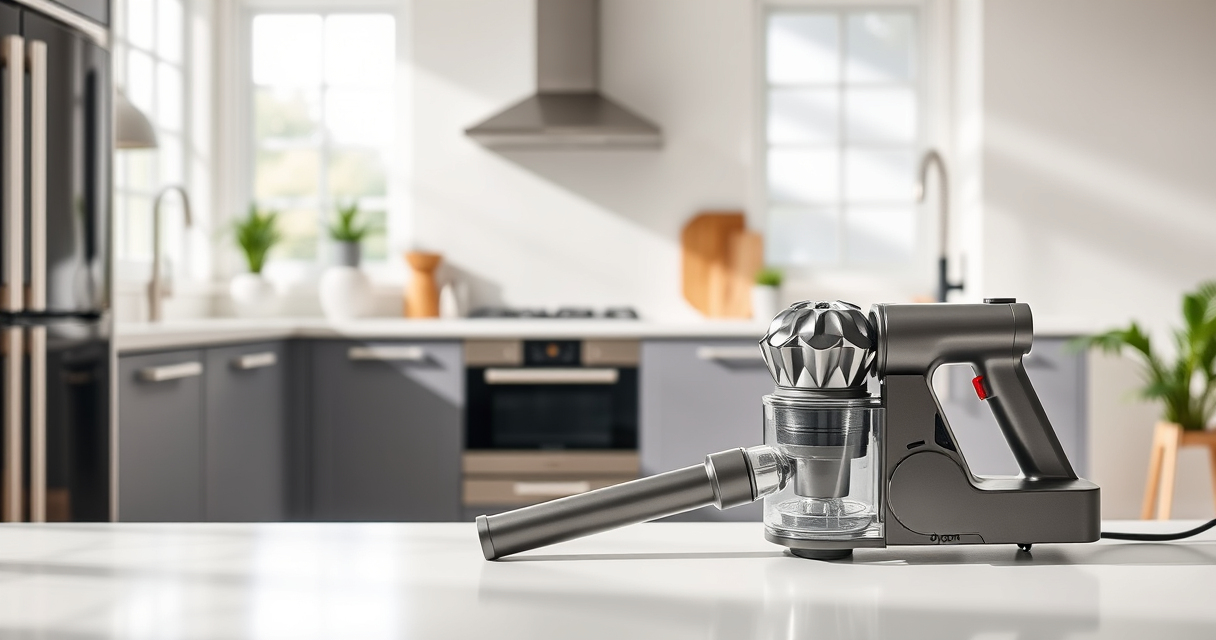
Keeping your Dyson V15 Detect™ Origin Cordless Vacuum in top shape ensures it performs at its best for deep cleaning your entire home. Regular maintenance not only prolongs the lifespan of your vacuum but also maintains its suction power and efficiency. This guide provides practical, step-by-step instructions on cleaning and maintaining your Dyson vacuum, troubleshooting common issues, and choosing the right replacement parts.

Get home appliances delivered free with Prime
- Fast, free delivery on millions of items
- Prime Video, Amazon Music and more included
- Member-only deals all year
Whether you’re a new user or a seasoned pro, understanding the essentials of vacuum upkeep will help you get the most out of your device. From filter replacements to clearing blockages, this comprehensive guide covers everything you need to know for safe and effective maintenance.
Key Takeaways
| Regular Filter Maintenance | Replace or clean filters every 2-3 months for optimal suction. |
| Keep the Brush Bar Clear | Remove hair and debris from the brush bar regularly to prevent clogs. |
| Check for Blockages | Inspect and clear obstructions in the wand and cleaner heads. |
| Battery & Power Troubleshooting | Ensure the battery is charged and replace if performance drops. |
| Use Recommended Accessories | Attach tools like crevice or fluffy heads for specific cleaning needs. |
Cleaning and Replacing Filters
- Turn off and unplug your Dyson vacuum to ensure safety.
- Remove the filter from the cyclone assembly or housing, depending on your model. For the Dyson V15 Detect™, locate the pre-filter at the cyclone inlet.
- Wash the filter under cold water until the water runs clear. Do not use detergents or brushes.
- Allow the filter to air dry completely, ideally 24 hours, before reinserting it. Avoid using a dryer or direct heat.
- Replace filters every 2-3 months to maintain suction power. Use compatible replacements such as the 3Pack Pre Filters for Dyson V6/V7/V8 models or the V10 filters if applicable.
- Reassemble the vacuum and run it briefly to ensure proper installation.
Tip: Mark your calendar for filter replacement to keep your vacuum performing at its best. A clean filter improves airflow and suction, especially on hard floors and carpets.
Cleaning the Brush Bar and Cleaner Heads
- Detach the cleaner head from the wand or main body, following your model’s instructions.
- Inspect the brush bar for hair, string, or debris winding around it. Use scissors or a small tool to cut away and remove tangled hair.
- Clean the brush bar with a damp cloth if needed, and ensure the bearings are free of dust.
- Check for blockages in the airways or the cleaner head’s openings. Clear any obstructions carefully.
- Reattach the cleaner head securely and test for proper function.
Tip: Regularly removing hair from the brush bar prevents motor strain and keeps your vacuum operating smoothly. For pet owners, this step is especially crucial.
Inspecting and Clearing Blockages
Over time, debris can cause blockages in the wand, hose, or cleaner heads, reducing suction and cleaning efficiency. To troubleshoot:
- Detach the wand and check for visible obstructions. Use a long, slender tool or your fingers to remove debris carefully.
- Inspect the inlet ports and airways within the cleaner head for blockages. Clear them with a soft brush or cloth.
- Use a flashlight to identify hidden clogs in tight spaces or small holes.
- If you find a blockage, remove it gently to avoid damaging internal components.
- Reassemble and test the vacuum for improved suction.
Tip: Regular inspection prevents buildup that can cause motor strain or reduced battery life.
Troubleshooting Power and Battery Issues
If your Dyson vacuum is not powering on or the runtime has diminished, follow these steps:
- Ensure the battery is fully charged. Connect the vacuum to the charger and wait until the indicator shows full charge.
- Check for any error alerts on the LCD screen. Follow prompts for maintenance or repairs.
- Reset the vacuum by turning it off, removing the battery if possible, and then reinstalling it after a few minutes.
- If power issues persist, consider replacing the battery or contacting Dyson support for assistance.
Tip: Using genuine Dyson batteries and accessories ensures compatibility and safety.
Recommended Accessories for Enhanced Cleaning
The Dyson V15 Detect™ Origin comes with two advanced cleaner heads: the Fluffy Optic and the Digital Motorbar. For hard-to-reach areas or specific surfaces, consider adding the LANMU Crevice Tool Vacuum Attachments. This slim, flexible nozzle is ideal for tight corners, car interiors, and upholstery.
Using the right tools can significantly improve your cleaning efficiency and reach.
The Products in This Guide

Dyson V15 Detect™ Origin Cordless Vacuum
- ✔ Weight: Approx. 6.8 lbs
- ✔ Runtime: Up to 60 mins
- ✔ Filter Type: Advanced cyclone and pre-filters

LANMU Crevice Tool Vacuum Attachments Compatible
- ✔ Length: 15 inches
- ✔ Weight: Under 1 lb
- ✔ Compatibility: Multiple Dyson models
Dyson V15 Detect™ Origin Cordless Vacuum
The Dyson V15 Detect™ Origin Cordless Vacuum offers powerful suction, intelligent cleaning features, and versatile attachments for home and car cleaning. Regular maintenance keeps it performing at its best, ensuring long-lasting, reliable use.
Pros:
- Powerful 100% more suction
- Intelligent debris detection
- Long battery life (60 mins)
- Multiple cleaning heads for various surfaces
Cons:
- Requires regular filter cleaning
- Can be heavy for extended use
- Filter replacements add ongoing cost
Best for: Whole-home cleaning, pet hair removal, hard floors, carpets
Not ideal for: Light, quick cleaning tasks or minimal maintenance users
Bottom line: A high-performance vacuum that combines power, intelligence, and versatility for comprehensive cleaning.
LANMU Crevice Tool Vacuum Attachments Compatible
The LANMU Crevice Tool Vacuum Attachments are compatible with Dyson V15 models and other Dyson cordless vacuums, providing a narrow, flexible nozzle perfect for detailed cleaning. It’s especially useful for cars, baseboards, and upholstery where precision matters.
Pros:
- Narrow, flexible design
- Easy to maneuver
- Compatible with multiple Dyson models
- Effective in tight spaces
Cons:
- Limited to crevice areas
- Requires attachment removal for storage
- Not a replacement for larger heads
Best for: Cleaning corners, car interiors, keyboards
Not ideal for: Large debris removal or broad surface cleaning
Bottom line: A versatile accessory that enhances your Dyson vacuum’s reach and precision.
Frequently Asked Questions
How often should I replace the filters on my Dyson V15?
It’s recommended to replace or clean the filters every 2-3 months to maintain optimal suction and filtration effectiveness.
Can I wash the filters?
Yes, most Dyson filters, including pre-filters, can be washed with cold water. Ensure they are completely dry before reinstalling to prevent mold or damage.
What should I do if my vacuum loses suction?
Check for blockages in the wand, cleaner head, and airways. Also, inspect and clean or replace filters if necessary.
How do I troubleshoot power issues?
Ensure the battery is fully charged, check for error alerts on the LCD, and reset the vacuum if needed. Consider replacing the battery if performance degrades.
Are accessories necessary for good cleaning?
Using specific tools like crevice or fluffy heads can improve cleaning efficiency, especially in tight or delicate areas.
Keeping Your Dyson V15 Detect™ in Prime Condition
With proper maintenance, your Dyson V15 Detect™ Origin Cordless Vacuum will deliver powerful, efficient cleaning for years to come. Regularly cleaning filters, inspecting for blockages, and using the right accessories not only ensures peak performance but also extends the life of your device. Follow these practical steps, troubleshoot issues promptly, and select suitable replacement parts to keep your vacuum running smoothly and effectively.
A little regular care goes a long way in maintaining the high standards of Dyson cleaning technology, making your home spotless with minimal effort.
Affiliate disclosure: As an Amazon Associate we earn from qualifying purchases. Prices and availability are accurate as of the time of publishing.
Fall yard work Picks
leaf blowers
As an affiliate, we earn on qualifying purchases.