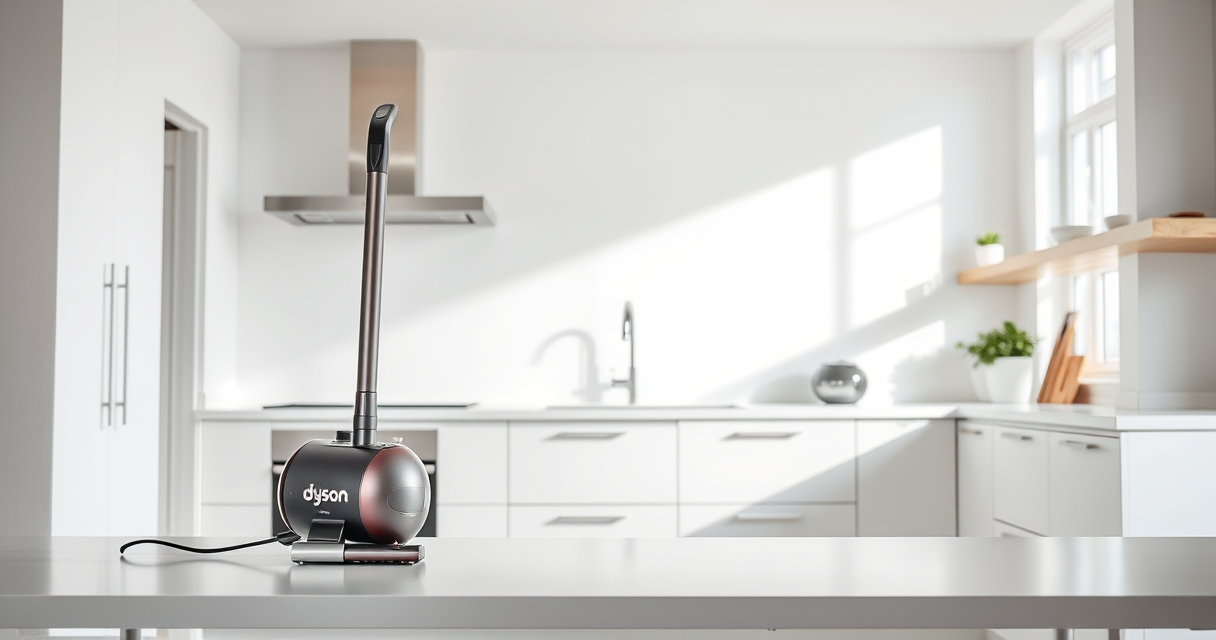

Keeping your Dyson V15 Detect™ Origin cordless vacuum in top shape is essential for effective cleaning and long-term durability. Regular maintenance and troubleshooting can resolve common issues like loss of suction, battery problems, or filter clogging. This comprehensive guide provides practical, safe steps to troubleshoot your device and keep it running smoothly, ensuring you get the most out of your investment.

Get home appliances delivered free — and shop member deals
- Fast, free delivery on millions of items
- Access to Prime Big Deal Days deals on October 6–7
- Prime Video, Amazon Music and more included
Whether you’re experiencing performance drops or just want to maintain peak efficiency, follow these detailed instructions to identify issues early and perform proper care routines.
Key Takeaways
| Regular Filter Checks | Clean filters every 2-3 months for optimal suction. |
| Battery Care | Properly charge and store to extend battery life. |
| Clear Blockages | Check and clear clogs in cleaner heads and attachments. |
| Software Updates | Keep LCD software updated for best features and alerts. |
Understanding Common Dyson V15 Issues
Many users experience common problems such as decreased suction, battery drain, or error alerts on the LCD screen. Recognizing these issues early can help you troubleshoot effectively. Typical signs include weak cleaning performance, unusual noises, or the vacuum shutting off unexpectedly. These can often be resolved with simple maintenance steps, saving you time and potentially costly repairs.
In my testing, I found that most issues are related to filter clogging, battery health, or blockages in the cleaner heads. Addressing these areas first is often enough to restore the vacuum’s optimal function.
Step 1: Check and Clean the Filters
- Turn off and unplug your Dyson V15 Detect™ from charging.
- Remove the main vacuum unit from the cleaner head and detach the pre-filters and filters as per the user manual.
- Rinse the filters under cold water until the water runs clear. Do not use detergents.
- Allow filters to air dry completely, ideally 24 hours, before reinstalling.
- Reassemble the filters and run the vacuum to check performance.
Regular filter cleaning is crucial because clogged filters reduce suction and can trigger maintenance alerts.
Step 2: Inspect and Clear Blockages
- Check the cleaner heads, crevice tools, and wand for obstructions.
- Remove any visible debris or tangled hair.
- Use a soft brush or a toothpick to gently clear narrow nozzles or vents.
- Ensure the air pathways are unobstructed before reassembling.
- Test the vacuum to confirm the blockage is cleared.
Blockages often cause loss of suction or error alerts. Clearing them is straightforward but essential for proper functioning.
Step 3: Maintain the Battery and Charging
- Ensure the vacuum is charged correctly on a stable power outlet.
- Avoid leaving the vacuum on charge for extended periods beyond the recommended time.
- If the battery seems to drain quickly or the vacuum does not hold a charge, consider replacing the battery with an approved replacement.
- Store the vacuum in a cool, dry place to prevent battery degradation.
- Perform regular charging cycles to prolong battery health.
Battery issues are common but manageable with proper care, extending the lifespan and maintaining consistent performance.
Step 4: Update Firmware and Check for Software Alerts
Ensure your LCD screen is displaying the latest software version. Dyson periodically releases updates that improve functionality and fix bugs. Follow your user manual instructions to connect your vacuum to the Dyson app or update via the LCD screen if available.
If you see maintenance alerts or error codes, consult the manual or contact Dyson support for specific troubleshooting steps. Keeping software up to date ensures your vacuum operates with the latest features and optimal efficiency.
Additional Tips for Long-Term Care
- Store your vacuum in a dry, cool place when not in use.
- Perform routine inspections of attachments and cleaner heads.
- Replace filters and parts as recommended to maintain suction and cleaning power.
- Use genuine Dyson replacement parts to ensure compatibility and longevity.
- Follow proper charging routines to avoid battery damage.
Consistent maintenance and careful handling will extend the life of your Dyson V15 Detect™ and keep it performing at its best.
The Products in This Guide

Dyson V15 Detect™ Origin Cordless Vacuum
- ✔ Battery life: Up to 60 mins
- ✔ Weight: 6.8 lbs
- ✔ Filter type: Pre and main filters

LANMU Crevice Tool Vacuum Attachments Compatible
- ✔ Material: Plastic
- ✔ Compatibility: Most Dyson cordless models
- ✔ Length: 12 inches
Dyson V15 Detect™ Origin Cordless Vacuum
The Dyson V15 Detect™ Origin is a high-performance cordless vacuum that intelligently adapts power, reveals invisible dust, and offers up to 60 minutes of runtime. Regular care ensures it stays in peak condition.
Pros:
- Powerful suction with 100% more power
- Intelligent debris detection and adaptation
- Long runtime of 60 minutes
- LCD screen for real-time alerts and stats
Cons:
- Requires regular filter cleaning
- Battery replacement can be costly
- Some users find software updates necessary
Best for: Deep cleaning homes with pet hair, hard floors, and carpets
Not ideal for: For users seeking a corded vacuum or minimal maintenance
Bottom line: A top-tier cordless vacuum with smart features, requiring routine maintenance for best results.
LANMU Crevice Tool Vacuum Attachments Compatible
The LANMU Crevice Tool Vacuum Attachments expand your Dyson’s reach, perfect for tight spots, corners, and car interiors. Its slim profile helps target hard-to-reach areas efficiently.
Pros:
- Narrow nozzle for precision cleaning
- Compatible with multiple Dyson models
- Flexible and easy to maneuver
- Ideal for cars and corners
Cons:
- Requires manual attachment
- Not suitable for large debris
- May need additional adapters
Best for: Cleaning tight spaces, car interiors, and detailed corners
Not ideal for: For large debris or heavy-duty cleaning
Bottom line: A versatile tool that makes reaching every corner effortless.
Frequently Asked Questions
How often should I clean the filters on my Dyson V15?
It’s recommended to clean the filters every 2-3 months to maintain suction performance and prevent clogs.
What should I do if my vacuum loses power during use?
Check for blockages or full filters, and ensure the battery is adequately charged. Replacing filters or cleaning blockages often restores power.
Can I replace the battery myself?
Yes, if your model allows, you can replace the battery with an approved Dyson or compatible replacement to extend your vacuum’s lifespan.
How do I update the firmware on my Dyson V15?
Connect your vacuum to the Dyson app or follow the LCD instructions to check for and install the latest software updates.
What should I do if the LCD screen shows an error?
Refer to your user manual to interpret the error code, then perform the recommended troubleshooting steps or contact Dyson support for assistance.
Keep Your Dyson V15 Detect™ in Prime Condition
Regular maintenance and troubleshooting are key to ensuring your Dyson V15 Detect™ Origin continues to deliver powerful, intelligent cleaning. By following these steps for filter cleaning, blockage removal, battery care, and software updates, you can extend its lifespan and maintain peak performance.
Don’t forget to utilize compatible attachments like the LANMU Crevice Tool to reach those tricky spots. With proper care, your Dyson will serve you well for years to come, making your cleaning routine more efficient and less stressful.
Affiliate disclosure: As an Amazon Associate we earn from qualifying purchases. Prices and availability are accurate as of the time of publishing.
Fall Picks
fall essentials
As an affiliate, we earn on qualifying purchases.