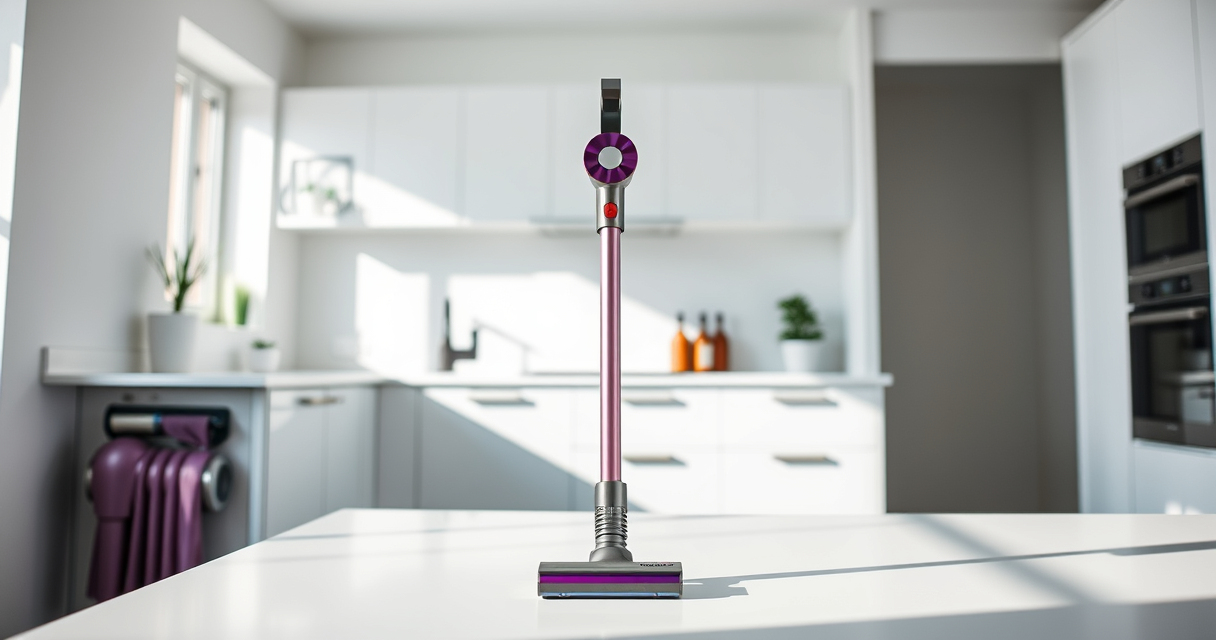
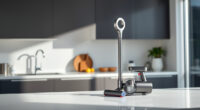
If your Dyson V15 Detect™ Origin Cordless Vacuum starts pulsing on and off during use, it can be frustrating and hinder effective cleaning. This issue often relates to blockages, filter problems, or battery concerns. Fortunately, most causes are straightforward to diagnose and fix with basic maintenance and troubleshooting steps.

Get home appliances delivered free with Prime
- Fast, free delivery on millions of items
- Prime Video, Amazon Music and more included
- Member-only deals all year
In this guide, we’ll walk you through practical, safe steps to identify and resolve the pulsing issue, helping your Dyson vacuum restore optimal performance and extend its lifespan.
Key Takeaways
| Regular filter maintenance | Clogged filters can cause pulsing, so cleaning or replacing them is essential. |
| Check for blockages | Blockages in the wand or cleaner head disrupt airflow, leading to pulsing. |
| Inspect the battery and connections | Battery issues or loose connections can cause power fluctuations. |
| Ensure proper attachments are fitted | Incorrect or loose attachments may impair vacuum operation. |
| Perform gentle resets and resets | Reinitializing the vacuum can resolve minor electronic glitches. |
Step 1: Turn Off and Unplug the Vacuum
Before beginning any troubleshooting, ensure the vacuum is turned off and removed from charging or power sources. This prevents accidental activation and ensures safety during inspection.
Step 2: Clean or Replace the Pre-Filter
- Remove the vacuum from the dock and hold the cleaner head firmly to detach it from the main body.
- Locate the pre-filter, typically near the cyclone assembly or filter housing.
- Rinse the filter thoroughly with cold water. Do not use soap or detergents.
- Allow the filter to air dry completely, ideally 24 hours, before reinstalling.
- If the filter appears damaged or excessively dirty after cleaning, replace it with a new one, such as the 3Pack Pre Filters Replacement.
Step 3: Check for Blockages in the Wand and Cleaner Head
Blockages in the wand, hose, or cleaner head can restrict airflow, causing the vacuum to pulse. Detach the wand and cleaner head from the main body.
- Inspect each section for debris, hair, or blockages.
- Use a long, flexible brush or a crevice tool to clear any obstructions.
- Ensure no parts are damaged or cracked, as this can affect suction.
Step 4: Verify Attachments and Seal Integrity
Loose or improperly fitted attachments can cause airflow issues. Make sure all tools and cleaner heads are securely attached and sealed properly.
Check for worn or damaged seals and replace any faulty parts.
Step 5: Reset the Vacuum and Perform a Test Run
- Turn the vacuum off and remove the battery if possible, following the manufacturer’s instructions.
- Wait a few seconds, then reattach the battery securely.
- Turn the vacuum on and test for pulsing during typical cleaning conditions.
Additional Tips and Warnings
- Regular Maintenance: Replace filters every 2-3 months and clean filters frequently to maintain optimal airflow.
- Battery Care: Avoid letting the battery fully drain or overcharge, as this can impact power stability.
- Use Genuine Parts: Always opt for genuine Dyson or compatible replacement parts to ensure proper fit and function.
- Safety First: Never attempt to disassemble the motor or electronic components unless you are qualified, to prevent electric shock or damage.
The Products in This Guide

Dyson V15 Detect™ Origin Cordless Vacuum
- ✔ Weight: approximately 6.8 lbs
- ✔ Charge time: about 4 hours
- ✔ Charge indicator: LED display

LANMU Crevice Tool Vacuum Attachments Compatible
- ✔ Width: about 1.5 inches
- ✔ Length: about 24 inches
- ✔ Material: ABS plastic
Dyson V15 Detect™ Origin Cordless Vacuum
The Dyson V15 Detect™ Origin Cordless Vacuum offers exceptional cleaning with its powerful motor, intelligent debris detection, and long-lasting battery. Regular filter cleaning and proper maintenance can prevent pulsing issues and keep it performing optimally.
Pros:
- High suction power
- Intelligent debris detection
- Long battery life
- Versatile cleaning heads
Cons:
- Filter cleaning required regularly
- Potential for blockage if not maintained
- Price point may be high for some users
Best for: Whole-home deep cleaning, pet hair removal, hard-to-reach areas
Not ideal for: Users who prefer corded vacuums or minimal maintenance
Bottom line: Regular maintenance is key to preventing pulsing issues and ensuring your Dyson performs at its best.
LANMU Crevice Tool Vacuum Attachments Compatible
The LANMU Crevice Tool Vacuum Attachments provide a flexible, slim nozzle that easily navigates tight spaces, making it ideal for cleaning corners, between cushions, and in car interiors. Compatible with multiple Dyson models, it enhances your cleaning versatility.
Pros:
- Narrow, flexible nozzle
- Compatible with many Dyson models
- Easy to attach and use
- Great for detailed cleaning
Cons:
- May not fit older or non-Dyson models
- Additional attachment needed for full cleaning setup
- Wears over time with frequent use
Best for: Cleaning narrow gaps, car interiors, and close corners
Not ideal for: Heavy-duty deep cleaning or large debris removal
Bottom line: A helpful addition for enhancing your Dyson’s reach and precision cleaning.
Frequently Asked Questions
What causes a Dyson vacuum to pulse or turn off unexpectedly?
This can be caused by clogged filters, blockages in the wand or head, loose attachments, or electronic glitches. Regular maintenance can prevent this issue.
How often should I clean or replace the filters?
Filters should be rinsed every 1-3 months and replaced every 6-12 months depending on usage and condition.
Can I fix this issue myself or should I contact support?
Most pulsing issues are fixable through simple cleaning and maintenance steps outlined here. If problems persist, contact Dyson support for assistance.
Is it safe to rinse the filters with water?
Yes, Dyson recommends rinsing filters with cold water. Ensure they are completely dry before reinstalling to avoid damage.
What other maintenance can help prevent pulsing?
Regularly check for blockages, keep the filters clean, ensure attachments fit properly, and avoid letting the battery fully drain.
Keep Your Dyson V15 Detect Running Smoothly
By following these troubleshooting steps, you can effectively resolve pulsing issues and keep your Dyson cordless vacuum operating at its best. Regular maintenance, proper attachment use, and prompt cleaning of filters and parts will extend your vacuum’s lifespan and ensure deep, consistent cleaning every time.
Remember, if problems persist despite your efforts, contacting Dyson support may be necessary. With proper care, your Dyson V15 Detect™ Origin can continue to deliver powerful, intelligent cleaning for years to come.
Affiliate disclosure: As an Amazon Associate we earn from qualifying purchases. Prices and availability are accurate as of the time of publishing.
Cold & flu season Picks
humidifiers
As an affiliate, we earn on qualifying purchases.