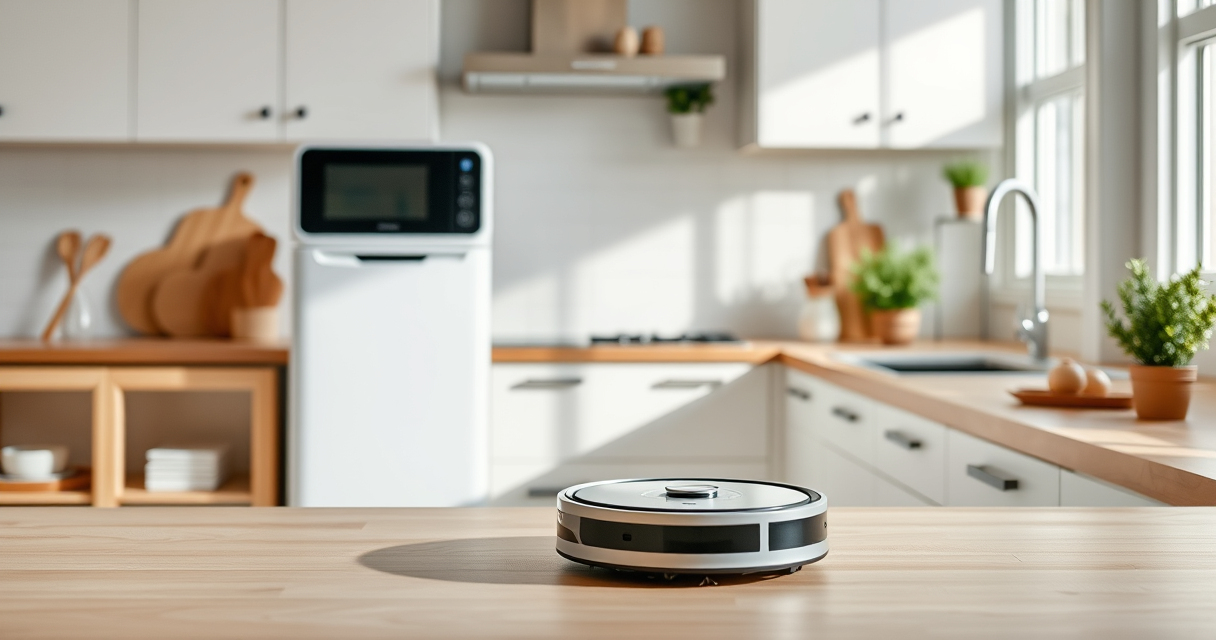
Getting your new Roborock Q7 M5+ robot vacuum ready for action is straightforward, but following the right steps ensures optimal performance and longevity. From unboxing to initial setup and app configuration, this guide walks you through each stage.

Get home appliances delivered free with Prime
- Fast, free delivery on millions of items
- Prime Video, Amazon Music and more included
- Member-only deals all year
Whether you’re a first-time robotic vacuum user or upgrading from an older model, understanding the setup process helps you avoid common pitfalls and get the most out of your device.
Key Takeaways
| Comprehensive Setup | Follow detailed steps for unboxing, charging, and app configuration. |
| Optimal Performance | Properly installing filters and mop pads enhances cleaning efficiency. |
| Safety First | Ensure your environment is clear of obstacles during setup. |
| Maintenance Tips | Regular filter and mop pad replacements keep your robot working like new. |
Unboxing and Inspection
- Carefully remove the Roborock Q7 M5+ from its packaging, making sure all accessories are included: the charging dock, power cord, filters, mop pads, and user manual.
- Inspect the device for any visible damage or missing parts. Confirm that the dust bag is correctly installed inside the vacuum, as the RockDock Plus’s 2.7L sealed dust bag is designed for up to 7-9 weeks of use.
- Place the robot on a flat surface and remove any protective plastic or packaging materials from the brushes and sensors.
Charging and Initial Power-On
- Connect the charging dock to a power outlet and place it against a wall in an open area, ensuring at least 1-2 feet of clearance on each side.
- Place the Roborock Q7 M5+ onto the dock, aligning the charging contacts. The device should automatically power on once docked.
- Allow the vacuum to fully charge, which may take a few hours. The LED indicator will show charging status; ensure it reaches full charge before proceeding.
Downloading and Setting Up the App
- Download the Roborock app from your device’s app store (Google Play or Apple App Store).
- Create an account or log in if you already have one.
- Follow the in-app instructions to add your device. Select the Roborock Q7 M5+ from the list of compatible models.
- Connect the robot to your Wi-Fi network, ensuring it is 2.4GHz for compatibility. The app will guide you through this process.
- Customize your cleaning preferences, such as suction power, mop mode, and scheduled cleaning times.
Installing Filters and Mop Pads
- Remove the existing filter from the dustbin area and replace it with a new washable HEPA filter if needed. The 4 Pack Washable Filter (asin=B0DK99HTQ7) is recommended for easy maintenance.
- Attach the mop pad to the bottom of the robot, ensuring it is securely fastened. For the best cleaning, consider using the VIEWALL 6 Pack Reusable Mop Pads or the 8 Pack Mop Pads designed for compatible models.
- Check that the side brushes and main brush are clean and unobstructed before starting your first cleaning cycle.
First Run and Troubleshooting
- Start your first cleaning cycle via the app, observing the robot as it navigates your space.
- Ensure the robot is detecting boundaries and avoiding obstacles. If it gets stuck, clear the area of clutter and verify sensors are clean.
- Adjust settings in the app if needed, such as cleaning zones or no-go areas.
- If the vacuum does not start or connect properly, reset the device and reattempt pairing via the app.
Maintenance and Tips for Long-Term Use
Regularly empty the dust bag and clean or replace filters to maintain suction power. The RockDock Plus’s self-emptying feature makes this easier, but periodic manual checks are recommended.
Replace mop pads every 1-3 months for optimal mopping performance, especially if you notice streaks or reduced absorption.
Keep sensors and brushes free of hair and debris to prevent tangling and ensure smooth navigation.
The Products in This Guide

roborock Q7 M5+ Robot Vacuum and Mop
- ✔ Self-Emptying: Up to 9 weeks
- ✔ Suction Power: 10,000Pa
- ✔ Navigation: PreciSense LiDAR

4 Pack Washable Filter
- ✔ Pack: 4 filters
- ✔ Material: HEPA
- ✔ Compatibility: Multiple Roborock models
roborock Q7 M5+ Robot Vacuum and Mop
The Roborock Q7 M5+ offers powerful suction, intelligent navigation with PreciSense LiDAR, and a self-emptying dust system, making it a top choice for thorough home cleaning.
Pros:
- Powerful 10000Pa suction
- Self-emptying dust bag for 7-9 weeks
- Dual anti-tangle system
- App control with customizable settings
Cons:
- Requires Wi-Fi setup
- Can be complex for tech novices
- Price may be higher than basic models
Best for: Pet owners and busy households seeking consistent, hands-free cleaning
Not ideal for: Users with very small or cluttered spaces that need manual intervention
Bottom line: A high-performance robot vacuum ideal for pet owners and large homes.
4 Pack Washable Filter
This 4-pack of washable HEPA filters ensures your Roborock Q7 M5+ maintains optimal suction and air quality, making filter replacement quick and eco-friendly.
Pros:
- Easy to wash and reuse
- Compatible with multiple models
- Maintains high filtration efficiency
- Cost-effective over time
Cons:
- Not OEM, may vary slightly in fit
- Requires periodic washing
- Not suitable for non-compatible models
Best for: Long-term filter maintenance and allergy sufferers
Not ideal for: Owners of non-compatible Roborock models
Bottom line: A cost-effective, eco-friendly way to keep filters performing at their best.
Frequently Asked Questions
How often should I empty the dust bag?
The RockDock Plus’s sealed 2.7L dust bag can last up to 7-9 weeks before needing to be emptied, depending on usage.
Can I use regular mop pads for mopping?
Yes, compatible microfiber mop pads like the VIEWALL 6 Pack or 8 Pack are designed for easy installation and effective cleaning.
What should I do if the robot doesn’t connect to Wi-Fi?
Ensure your Wi-Fi is 2.4GHz, close other devices that may interfere, and restart both your router and the robot before reattempting pairing.
How do I maintain the cleaning brushes?
Regularly remove hair and debris from the side brushes and main brush, and wash or replace mop pads as needed.
Is the navigation system reliable?
Yes, the PreciSense LiDAR navigation ensures precise room mapping and obstacle avoidance for efficient cleaning.
Getting Your Roborock Q7 M5+ Ready for Action
Setting up your Roborock Q7 M5+ is a straightforward process that, when done correctly, ensures optimal cleaning performance and long-term reliability. From unboxing to app configuration, each step is designed to integrate the robot seamlessly into your home. Remember to keep filters and mop pads maintained for the best results, and enjoy a cleaner, more convenient home environment.
Affiliate disclosure: As an Amazon Associate we earn from qualifying purchases. Prices and availability are accurate as of the time of publishing.
Halloween Picks

DomKom 6 ft Halloween Inflatable Ghosts Roasting Marshmallows

Spirit Halloween 4 Ft. 6 In. Scary Sitting Scarecrow Animatronic

9 ft Halloween Inflatable Haunted Castle with Dragon and Ghost
As an affiliate, we earn on qualifying purchases.