
If your Keurig K-Mini isn’t brewing properly or you want to keep it running smoothly, proper troubleshooting and regular care are essential. This guide provides practical, step-by-step instructions to diagnose common issues, perform maintenance, and ensure your coffee maker stays in excellent condition. Whether it’s descaling, cleaning, or fixing minor glitches, our tips are accurate, safe, and easy to follow.

Get home appliances delivered free with Prime
- Fast, free delivery on millions of items
- Prime Video, Amazon Music and more included
- Member-only deals all year
Having your Keurig functioning perfectly means better-tasting coffee and longer device lifespan. Let’s explore how to troubleshoot common problems and maintain your Keurig K-Mini efficiently.
Key Takeaways
| Regular Cleaning Prevents Malfunctions | Consistent cleaning and descaling extend the life of your Keurig. |
| Descaling is Critical | Mineral buildup can cause brewing issues; descale every 3 months. |
| Proper Water Reservoir Maintenance | Empty and refill the reservoir for each brew to prevent clogs. |
| Check for Blockages | Clogged needles or filters can hinder brewing; inspect regularly. |
| Use Compatible Accessories | Reusable filters like My K-Cup improve versatility and reduce waste. |
Diagnosing Common Keurig K-Mini Problems
Many issues with your Keurig K-Mini can be traced to simple causes. For example, if your coffee isn’t brewing or the machine is making noises, start with basic checks. Ensure the water reservoir is filled to the appropriate level and seated correctly. If the brewer isn’t turning on, verify that it’s plugged in and the power switch is activated. For inconsistent brewing, mineral deposits might be affecting water flow.
Inspect the needle area for blockages, as grounds or debris can prevent proper brewing. If your coffee flow is slow or stops mid-brew, descaling may be necessary. Also, check for any error messages or blinking lights, which can indicate specific issues like a clogged needle or need for reset.
Step-by-Step Cleaning and Descaling
- Unplug the machine and remove any remaining water from the reservoir.
- Clean the exterior with a damp cloth to remove dust and coffee splashes.
- Remove and clean the water reservoir with warm, soapy water, then rinse thoroughly.
- Descale your Keurig every 3 months using a descaling solution like the Keurig 3-Month Brewer Maintenance Kit. Fill the reservoir with the descaling solution mixed with water, then run a brew cycle without a pod. Repeat with fresh water to rinse.
- Clean the needle area with a paperclip or needle cleaning tool to clear any clogs.
- Reassemble and test your machine by brewing a cup of water to check for proper flow.
Regular cleaning prevents mineral buildup and flavor carry-over, ensuring your coffee tastes fresh and your machine functions efficiently.
Troubleshooting Specific Issues
- Machine not turning on: Confirm the power cord is plugged in, the outlet works, and the power button is pressed. Reset by unplugging for 30 seconds then plugging back in.
- Water not flowing: Check for clogs in the needle or filter path. Clean with a needle or use the rinse feature.
- Coffee tastes off or weak: Descale with a descaling solution, and ensure you are using fresh water and compatible coffee pods.
- Leaks or drips: Examine the water reservoir and needle for cracks or blockages. Tighten or replace parts as needed.
- Brewer blinking or error lights: Refer to the user manual for specific error codes, often resolved by cleaning or resetting.
Using Reusable Filters and Accessories
To customize your coffee experience, consider using a reusable filter like the My K-Cup® Reusable Coffee Filter. It allows you to brew ground coffee, giving you control over flavor and strength. Fill the filter with your favorite ground coffee, insert it into the pod holder, and brew as usual.
Always ensure the filter is properly seated to prevent leaks. Regularly clean the reusable filter to prevent buildup and maintain optimal flow. This is a cost-effective and eco-friendly alternative to single-use pods.
Tips and Warnings for Safe Maintenance
- Always unplug your Keurig before cleaning or performing maintenance to avoid electrical hazards.
- Use descaling solutions as directed to prevent damage to internal components.
- Be cautious with needles and small parts to avoid injury or damage.
- Do not use abrasive cleaners or scrubbers on the exterior or internal parts.
- Follow manufacturer instructions for cleaning and descaling to ensure warranty compliance and safe operation.
The Products in This Guide

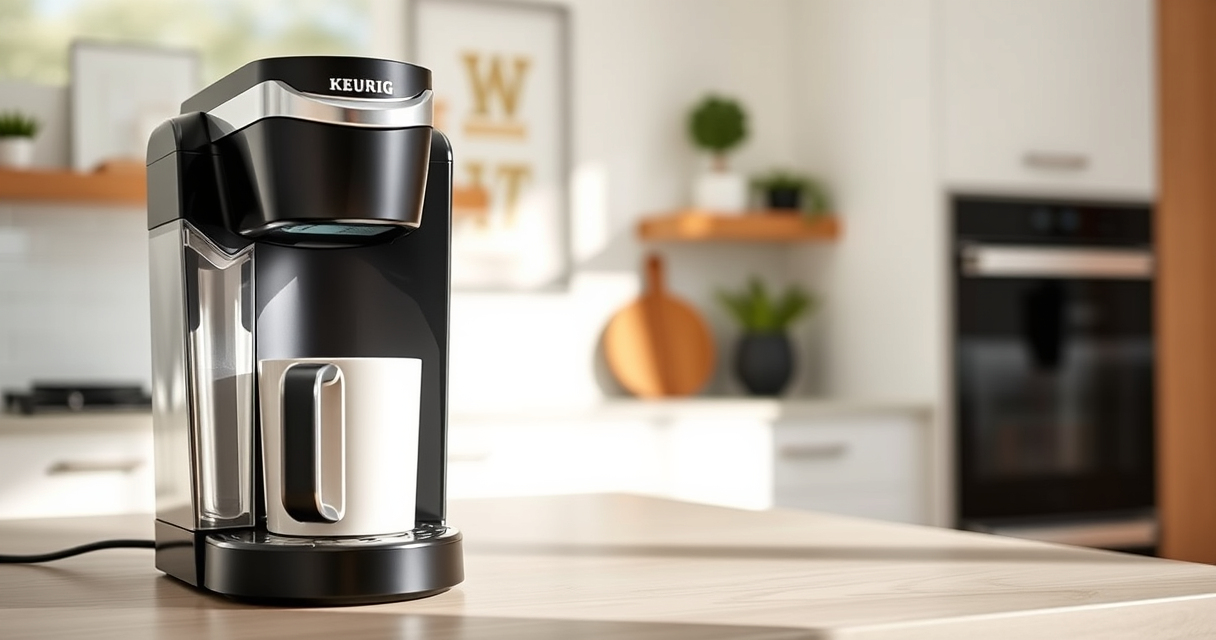
Keurig K-Mini Single Serve K-Cup Pod Coffee Maker
- ✔ Weight: 4.6 lbs
- ✔ Dimensions: Less than 5 inches wide
- ✔ Power: up to 1500W

My K-Cup® Reusable Coffee Filter
- ✔ Weight: 0.2 lbs
- ✔ Dimensions: 2.5 x 2.5 inches
- ✔ Material: Plastic and metal mesh
Keurig K-Mini Single Serve K-Cup Pod Coffee Maker
<p>The Keurig K-Mini is a highly convenient, space-saving coffee maker that offers adjustable brew sizes and quick brewing times. Its simple design makes it easy to clean and maintain, especially with regular descaling and cleaning routines.</p> <p>Ideal for small kitchens, dorms, or offices, this model delivers quality coffee without taking up much counter space.</p>
Pros:
- Compact and lightweight
- Brews 6-12oz cups
- Removable drip tray
- Energy efficient with auto off
Cons:
- No water filter built-in
- Limited brew size options
- Requires frequent descaling in hard water areas
Best for: Small spaces, quick coffee needs, travelers
Not ideal for: Users seeking advanced features or larger capacity
Bottom line: A compact, efficient coffee maker perfect for small spaces and on-the-go brewing.
My K-Cup® Reusable Coffee Filter
<p>The My K-Cup® Reusable Coffee Filter allows you to brew your favorite ground coffee directly in your Keurig K-Mini. It’s easy to use, eco-friendly, and compatible with your machine, giving you control over flavor and strength.</p> <p>Regular cleaning and proper use ensure a great coffee experience and reduce waste from disposable pods.</p>
Pros:
- Reusable and eco-friendly
- Compatible with Keurig models
- Cost-effective
- Easy to clean
Cons:
- Requires hand cleaning
- Need to fill manually
- May need to adjust grind size
Best for: Custom coffee brewing, reducing waste
Not ideal for: For users who prefer quick single-use pods
Bottom line: A practical reusable filter that enhances your brewing options and saves money.
Frequently Asked Questions
How often should I descale my Keurig K-Mini?
It’s recommended to descale every 3 months, especially if you use hard water, to prevent mineral buildup and maintain optimal performance.
Why is my Keurig not brewing properly?
Common causes include clogs in the needle or water pathway, mineral deposits, or a low water reservoir. Cleaning or descaling usually fixes these issues.
Can I use ground coffee instead of K-Cups?
Yes, with a compatible reusable filter like My K-Cup, you can brew ground coffee directly in your Keurig.
What safety precautions should I take during cleaning?
Always unplug the machine before cleaning, avoid abrasive cleaners, and handle needles carefully to prevent injury.
Is the auto shut-off feature reliable?
Yes, it turns off the machine 90 seconds after your last brew, helping to save energy and prevent overheating.
Keep Your Keurig K-Mini in Top Shape
Proper troubleshooting and regular maintenance are key to ensuring your Keurig K-Mini provides delicious coffee for years to come. From descaling to cleaning and using accessories like reusable filters, each step helps maintain optimal performance and flavor. By following this guide, you’ll minimize issues, extend your brewer’s lifespan, and enjoy your favorite brew hassle-free.
Remember, a well-maintained Keurig is a reliable companion for your daily caffeine fix. Happy brewing!
Affiliate disclosure: As an Amazon Associate we earn from qualifying purchases. Prices and availability are accurate as of the time of publishing.