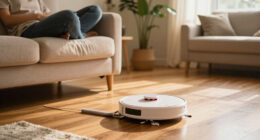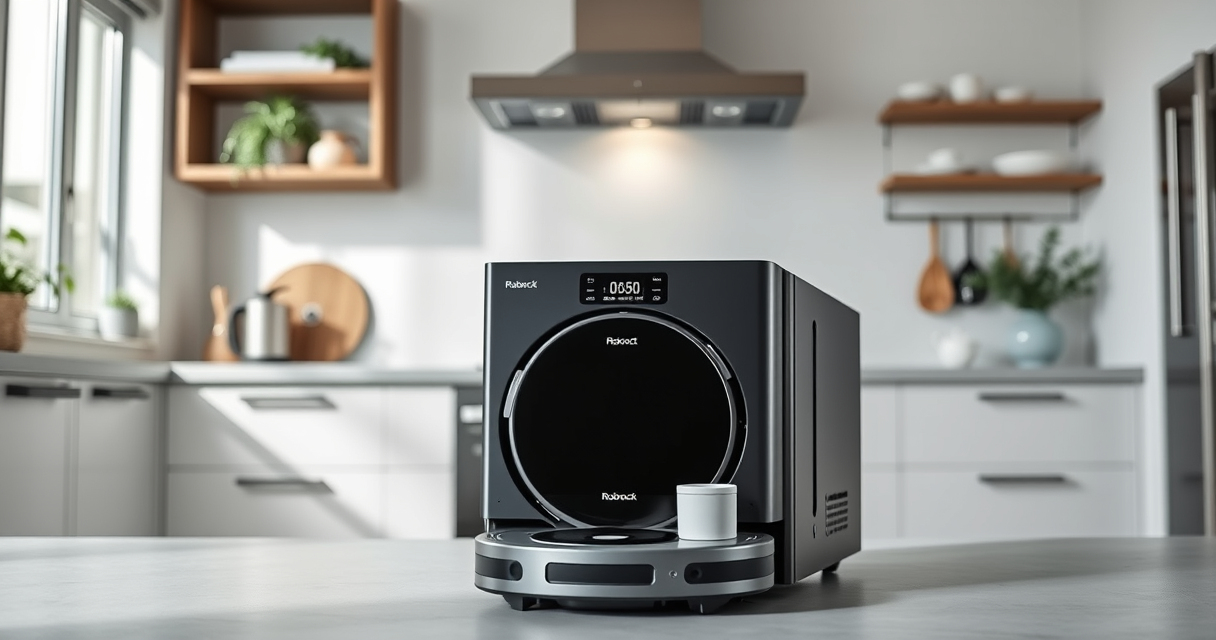
Roborock vacuums, like the Q7 M5+ (ASIN: B0DWX69JVG), are powerful and feature-rich devices. However, like any smart appliance, they can sometimes encounter issues that require troubleshooting or routine care to keep them operating at peak performance. This guide provides clear, step-by-step instructions to help you diagnose and resolve common problems, as well as maintain your Roborock for long-lasting use.

Get home appliances delivered free — and shop member deals
- Fast, free delivery on millions of items
- Access to Prime Big Deal Days deals on October 6–7
- Prime Video, Amazon Music and more included
Whether your vacuum isn’t charging properly, experiencing navigation issues, or needing general cleaning and upkeep, you’ll find practical advice here to get your device back to optimal operation.
Key Takeaways
| Battery & Charging | Ensure proper charging to avoid power issues. |
| Navigation & Sensors | Clean sensors and update firmware for smooth navigation. |
| Cleaning & Maintenance | Regularly clear brushes and filters to prevent performance drops. |
| Self-Empty & Dustbin Care | Check and replace dust bags and empty when full. |
| Troubleshooting Common Problems | Follow step-by-step fixes for typical issues. |
Checking and Troubleshooting Power & Charging
- Ensure the robot is properly seated on the charging dock. Remove it and re-place it firmly.
- Inspect the charging contacts on both the dock and robot for dirt or debris. Clean gently with a dry cloth.
- Verify the power outlet is functional by testing with another device.
- Check the power adapter and cord for any visible damage. Replace if necessary.
- If the robot still doesn’t charge, reset by holding the power button for 3 seconds, then try charging again.
Maintaining Navigation & Sensors
- Power off the robot and locate the PreciSense LiDAR sensor on top. Use a soft, dry cloth to gently wipe dust or smudges.
- Clean the cliff sensors on the bottom with a microfiber cloth to prevent false obstacle detection.
- Ensure there are no obstructions blocking the sensors or wheels.
- Update the Roborock app firmware to the latest version for optimal navigation performance.
- Perform a test run after cleaning to see if the robot navigates smoothly without getting stuck.
Cleaning and Maintaining Brushes & Filters
- Remove the main brush and check for tangled pet hair or debris. Use scissors or a brush to clear any buildup.
- Wash the washable filters (if applicable) or replace them every 1-3 months for best suction.
- Inspect the side brushes for damage or wear, and replace if necessary.
- Clean the mop pads regularly if you use the mopping feature, ensuring they are free of dirt and hair.
- Check and clear the dustbin, especially if the suction power diminishes.
Managing the Self-Empty Dust System
- Open the dust bag compartment and carefully remove the 2.7L sealed dust bag.
- Inspect the bag for fullness; replace if nearly full or after 7-9 weeks of use.
- Ensure the bag is correctly seated to avoid leaks or suction loss.
- Clean the dust dock area to prevent dust buildup.
- Replace the bag with a compatible 4 Pack Washable Filter set (ASIN: B0DK99HTQ7) for optimal filtration and hygiene.
Resolving Connectivity & App Issues
- Ensure your Wi-Fi network is stable and the robot is within range of your router.
- Restart your smartphone and relaunch the Roborock app.
- Reboot the robot by holding the power button for 3 seconds, then re-connect via the app.
- Update the app and firmware to the latest version.
- If problems persist, reset network settings in the app and re-pair the device.
The Products in This Guide

roborock Q7 M5+ Robot Vacuum and Mop
- ✔ Suction Power: 10000Pa
- ✔ Dust Capacity: 2.7L
- ✔ Navigation: PreciSense LiDAR

4 Pack Washable Filter
- ✔ Pack Size: 4 filters
- ✔ Material: HEPA
- ✔ Compatibility: Multiple Roborock models
roborock Q7 M5+ Robot Vacuum and Mop
The Roborock Q7 M5+ Robot Vacuum and Mop offers solid suction, advanced navigation, and a self-emptying dust system that minimizes maintenance. Ideal for pet owners and busy households, it combines powerful performance with convenience.
Pros:
- Powerful 10000Pa suction
- Up to 7-9 weeks of self-emptying
- Dual anti-tangle system
- PreciSense LiDAR navigation
Cons:
- Price might be high for some
- Requires regular filter replacement
- Can be complex to troubleshoot for beginners
Best for: Pet owners, large homes, busy households
Not ideal for: Users seeking budget-friendly options or simple models
Bottom line: Roborock Q7 M5+ combines power and convenience for demanding cleaning needs.
4 Pack Washable Filter
This 4 Pack Washable Filter set provides reliable HEPA-grade filtration for your Roborock, ensuring clean air and optimal suction. Easy to install and reuse, they help maintain your vacuum’s performance over time.
Pros:
- Effective HEPA filtration
- Reusable and washable
- Compatible with various models
- Easy to install
Cons:
- Must be washed regularly
- Not OEM, but performs equally
Best for: Long-term maintenance, allergy sufferers
Not ideal for: Users seeking OEM parts exclusively
Bottom line: Reliable HEPA filters to keep your Roborock vacuum performing at its best.
Frequently Asked Questions
Why is my Roborock not charging?
Check the connection between the robot and dock, clean the charging contacts, verify the outlet, and inspect the power cord. Reset the robot if needed.
How often should I clean the brushes?
It’s recommended to clean the main brush and side brushes weekly, especially if you have pets. Replace brushes if they are worn or damaged.
What should I do if the robot gets stuck or cannot navigate?
Clean the sensors and wheels, ensure there are no obstacles blocking its path, and update the firmware via the app. Re-mapping may help if navigation issues persist.
How often should I replace the dust bag?
Replace the 2.7L sealed dust bag approximately every 7-9 weeks or when it’s full to maintain optimal suction and hygiene.
Can I use non-original filters or mop pads?
Yes, compatible washable filters and mop pads are available, but ensure they are designed for your model to avoid damage or poor performance.
Maintaining Your Roborock for Peak Performance
Regular maintenance and troubleshooting are key to keeping your Roborock Q7 M5+ running smoothly. By following the steps outlined here—cleaning sensors, inspecting brushes, managing the dust system, and updating firmware—you can extend the lifespan of your device and ensure it continues to deliver excellent cleaning results. With proper care, your robotic vacuum will remain a reliable household helper for years to come.
Affiliate disclosure: As an Amazon Associate we earn from qualifying purchases. Prices and availability are accurate as of the time of publishing.
Fall yard work Picks
leaf blowers
As an affiliate, we earn on qualifying purchases.