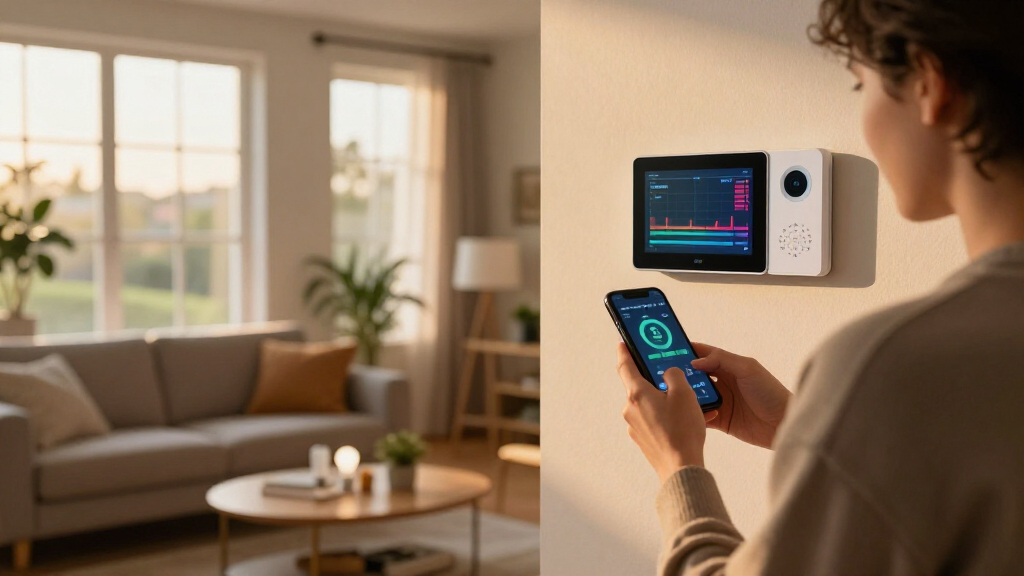

Smart home energy monitors clamp onto your electrical panel and show exactly where every kilowatt-hour goes, and the gap between the best and worst options in this category is wider than most buyers expect. Emporia’s Vue 3 takes the top spot for its blend of real-time accuracy, a polished app, and whole-home plus circuit-level tracking at a fair price. Siemens Inhab stands out as the premium pick for buyers who want professional-grade hardware and deeper circuit intelligence, while Refoss’s no-cloud model is the strongest choice for privacy-minded users running Home Assistant. The main tradeoffs you’ll face are between whole-home simplicity and per-circuit detail, between cloud convenience and local control, and between upfront cost and ecosystem lock-in. Keep reading for the full breakdown of all 13 monitors and which one fits your home.

Get home appliances delivered free with Prime
- Fast, free delivery on millions of items
- Prime Video, Amazon Music and more included
- Member-only deals all year
Complete the kit


Key Takeaways
- Emporia‘s Vue 3 appears three times in this roundup because its bundle variations (base unit, expansion packs, retailer-exclusive kits) undercut most rivals on price-per-circuit — but its cloud dependency is a real limitation for Home Assistant users.
- Circuit-level monitoring separates the serious picks from the casual ones: the Refoss 16-sensor and Siemens Inhab models can attribute usage to individual appliances, while dual-clamp units like the Eyedro 200A only show whole-home totals.
- Local-control support became the biggest differentiator in 2026: the Refoss open-API, no-cloud model and several Home Assistant-compatible units let you keep your energy data off someone else’s servers, which most budget monitors don’t allow.
- Sensor amperage ratings matter less than buyers assume — 50A circuit sensors cover nearly every household branch circuit, and only the main feed lines actually need 200A-rated clamps.
- Two of the thirteen products are near-identical generic WiFi monitors (the 3×80A and 2×80A dual-channel units), and neither matches the app reliability or software support of brand-name options at a similar price.
| Leviton LWHEM-2R Whole Home Energy Monitor with One Pair of CTs |  | Best Ecosystem Pick | Model: LWHEM-2R | Connectivity: Wi-Fi | Included Sensors: 1 pair of CTs | VIEW LATEST PRICE | See Our Full Breakdown |
| SIEMENS Inhab Smart Home Energy Monitor with Circuit Sensors |  | Best Premium Whole-Home System | Circuit Sensors: 16–50A | Main Sensors: 2 × 200A | Region: US and Canada | VIEW LATEST PRICE | See Our Full Breakdown |
| WiFi Energy Monitor with 2 x 120A Clamps, Real-Time Electricity Tracking, Smart Home Power Management | 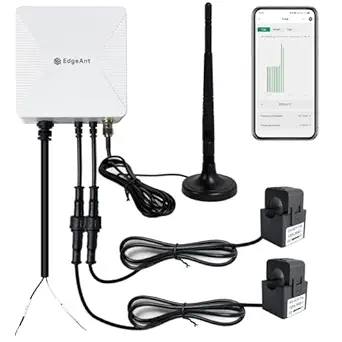 | Best Budget Whole-Home Tracker | Current Sensors: 2 × 120A clamp sensors | Connectivity: Wi-Fi 2.4 GHz | Accuracy: ±2% | VIEW LATEST PRICE | See Our Full Breakdown |
| Emporia Vue 3 Home Energy Monitor – Real-Time Electricity Usage and Power Consumption Meter |  | Best Overall | Certification: UL Listed | Supported Systems: Single phase, single-split phase, 2-wire, 3-wire, 3-phase, 4-wire Wye | Connectivity: 2.4 GHz Wi-Fi | VIEW LATEST PRICE | See Our Full Breakdown |
| WiFi Home Energy Monitor with 3 80A CT Clamps |  | Best for Targeted Circuit Control | CT Clamps: 3 × 80A | AC Voltage: 100–240V | Relay Control: Up to 15A per channel | VIEW LATEST PRICE | See Our Full Breakdown |
| Eyedro Smart Home Energy Monitor 200A WiFi/Ethernet |  | Best for Solar and Net Metering | Current Rating: 200A | Connectivity: WiFi (2.4 GHz) and Ethernet | Included: Two 200A sensors, Ethernet cable, power adapter | VIEW LATEST PRICE | See Our Full Breakdown |
| Refoss Smart Home Energy Monitor with 16 60A Circuit Sensors |  | Best for Circuit-Level Analytics | Number of Sensors: 16 | Sensor Capacity: 60A | Supported Systems: Single-phase, split-phase, 3-phase 4-wire Wye | VIEW LATEST PRICE | See Our Full Breakdown |
| Emporia Vue 3 Home Energy Monitor – Real-Time Electricity Usage and Power Consumption Meter |  | Best Overall | Certification: UL Listed | Sensors Included: Sixteen 50A branch sensors | Supported Systems: Single phase, single-split phase, 2-wire, 3-wire, 3-phase, 4-wire Wye | VIEW LATEST PRICE | See Our Full Breakdown |
| Emporia Vue 3 Home Energy Monitor |  | Best Value Pick | Certification: UL Listed | Sensor Type: Clamp-on sensors | Supported Systems: Single phase, single-split phase, 2-wire, 3-wire, 3-phase, 4-wire Wye | VIEW LATEST PRICE | See Our Full Breakdown |
| Refoss Smart Home Energy Monitor with Open API, Home Assistant, No Cloud |  | Best for Smart Home Automation | Model: EM16P | Control: Local Web UI, Open API, MQTT | Compatibility: Home Assistant, OpenClaw AI | VIEW LATEST PRICE | See Our Full Breakdown |
| Smart Home Energy Monitor with 16 50A Circuit Sensors, Real-Time Power and Cost Tracking, Compatible with Home Assistant |  | Best for Whole-Home Circuit-Level Tracking | Sensors: 16 × 50A circuit sensors | Supported Voltages: Single-phase up to 240VAC; split-phase 120/240VAC; three-phase up to 415Y/240VAC | Connectivity: WiFi 2.4GHz, MQTT, LAN | VIEW LATEST PRICE | See Our Full Breakdown |
| Smart Home Energy Monitor with 8 50A Circuit Level Sensors, Compatible with Home Assistant |  | Best Value for Privacy-Minded Tinkerers | Sensors: 8 × 50A circuit sensors | Sensor Current Rating: 50A | Supported Voltages: Up to 415Y/240VAC (single-phase and three-phase) | VIEW LATEST PRICE | See Our Full Breakdown |
| Smart Home Energy Monitor 2×80A, Dual-Channel WiFi Electricity Usage Tracker with App Control |  | Easiest Entry Point for App-Based Monitoring | Channels: 2 | Current per Channel: 80A | Connectivity: WiFi 2.4GHz | VIEW LATEST PRICE | See Our Full Breakdown |
| smart home energy monitor | Connectivity |
|---|---|
| Leviton LWHEM-2R Whole Home En | Wi-Fi |
| SIEMENS Inhab Smart Home Energ | — |
| WiFi Energy Monitor with 2 x 1 | Wi-Fi 2.4 GHz |
| Emporia Vue 3 Home Energy Moni | 2.4 GHz Wi-Fi |
| WiFi Home Energy Monitor with | — |
| Eyedro Smart Home Energy Monit | WiFi (2.4 GHz) and Ethernet |
| Refoss Smart Home Energy Monit | Wi-Fi, Open API, MQTT, WebSocket |
| Emporia Vue 3 Home Energy Moni | 2.4 GHz WiFi |
| Emporia Vue 3 Home Energy Moni | 2.4 GHz WiFi |
| Refoss Smart Home Energy Monit | — |
| Smart Home Energy Monitor with | WiFi 2.4GHz, MQTT, LAN |
| Smart Home Energy Monitor with | WiFi 2.4GHz |
| Smart Home Energy Monitor 2×80 | WiFi 2.4GHz |
More Details on Our Top Picks
Leviton LWHEM-2R Whole Home Energy Monitor with One Pair of CTs
Most energy monitors stop at observation, but the Leviton LWHEM-2R goes a step further by adding circuit-level control — provided you pair it with Leviton’s 2nd Gen Smart Circuit Breakers. That control capability is what separates it from observation-only rivals like the Emporia Vue 3, which shows you exactly where power goes but can’t act on it. Through the My Leviton app, this option supports remote scheduling, automation, and even integration with backup power systems via a compatible transfer switch. The tradeoff is real, though: without Leviton’s smart breakers, you’re paying a premium for a monitor that can’t do circuit-level tracking the way the Vue 3 or SIEMENS Inhab can out of the box. It’s also light on third-party smart home integrations, so Alexa or Home Assistant households may feel boxed in.
Pros:- Combines monitoring with actual remote control of circuits via smart breakers
- Integrates with Leviton Automatic Transfer Switch for backup power management
- Supports scheduling and automation natively in the My Leviton app
- Real-time whole-home data without a subscription
Cons:- Full feature set requires Leviton 2nd Gen Smart Circuit Breakers, adding real cost
- Weak compatibility with third-party smart home platforms
- Professional installation is often needed, especially for breaker integration
Best for: Homeowners building or upgrading a panel with Leviton smart breakers who want monitoring and remote circuit control in one ecosystem
Not ideal for: Anyone with an existing non-Leviton panel — full functionality depends on Leviton smart breakers, and the closed ecosystem frustrates Home Assistant users
- Model:LWHEM-2R
- Connectivity:Wi-Fi
- Included Sensors:1 pair of CTs
- Compatibility:Leviton 2nd Gen Smart Circuit Breakers, Automatic Transfer Switch
- App:My Leviton
- Installation:In-panel, professional recommended
Our verdict“This pick makes the most sense for Leviton households who want to control circuits, not just watch them — everyone else should start with the Emporia Vue 3.”
SIEMENS Inhab Smart Home Energy Monitor with Circuit Sensors
The SIEMENS Inhab sits at the professional end of this lineup, with UL-listed hardware, 200A main sensors, and per-circuit sensors spanning 16–50A. Where the budget WiFi Energy Monitor (B0DR7YDTNR) gives you two clamps for whole-home totals, the Inhab covers individual circuits with personalized alerts, which is the difference between knowing your bill is high and knowing which appliance caused it. This model is better suited to buyers who want a polished, safety-certified system that works with both new and existing panels in the US and Canada. The drawbacks are regional limits and a price that climbs quickly as you add circuit sensors — and unlike the Refoss monitors elsewhere in this guide, there’s no Home Assistant-friendly open API for tinkerers.
Pros:- UL-listed and CE-marked hardware from a major electrical manufacturer
- Circuit-level sensors (16–50A) plus 200A mains for true whole-home coverage
- Works with existing panels, not just new Siemens installations
- Personalized alerts help catch anomalies before they become bills
Cons:- Limited to the US and Canada market
- In-panel installation typically requires an electrician
- Higher total cost than plug-and-play budget monitors
Best for: Owners of US or Canadian homes who want a certified, professionally-grade monitor with per-circuit detail and smart alerts
Not ideal for: Tinkerers and Home Assistant enthusiasts — no open API or local control, and it’s unavailable outside North America
- Circuit Sensors:16–50A
- Main Sensors:2 × 200A
- Region:US and Canada
- Certification:UL Listed, CE marked
- Monitoring:Real-time whole home and per-circuit
- App Features:Mobile app, personalized alerts, energy management
Our verdict“A premium, safety-first choice for North American homeowners who want circuit-level insight without DIY ecosystems — skip it if you want open APIs or live outside the region.”
WiFi Energy Monitor with 2 x 120A Clamps, Real-Time Electricity Tracking, Smart Home Power Management
For straightforward whole-home numbers at a low price, this WiFi Energy Monitor with 120A clamps is the value play. Its standout capability is bidirectional measurement, which the similarly affordable WiFi Home Energy Monitor (B0GV3TS3CY) doesn’t offer — that matters if you have solar panels or a grid-tied battery, since you can see export as well as consumption. Accuracy is rated at ±2%, and the clamps handle split-phase and three-wire Wye setups common in North American homes. The tradeoff versus the Emporia Vue 3 is expandability: two clamps means whole-home data only, no per-appliance breakdown unless you buy hardware with more channels. It also demands a 2.4 GHz network, so mesh-router owners with 5 GHz-only bands will hit setup friction.
Pros:- Bidirectional measurement supports solar and net-metering setups
- ±2% accuracy at a budget price point
- Broad electrical system support including split-phase and Wye
- Flexible hourly, daily, monthly, and yearly data export
Cons:- No circuit-level monitoring with only two clamps included
- Requires 2.4 GHz Wi-Fi, which complicates modern mesh setups
- Incompatible with Delta electrical systems
Best for: Budget-conscious homeowners, especially with solar, who want accurate whole-home totals and data export without subscription fees
Not ideal for: Buyers who want appliance-level breakdowns — two clamps only cover mains, so skip this for a multi-sensor option like the Refoss
- Current Sensors:2 × 120A clamp sensors
- Connectivity:Wi-Fi 2.4 GHz
- Accuracy:±2%
- Supported Systems:Single-phase, split-phase, 2-wire, 2-phase, 3-wire Wye
- Measurement:Bidirectional (consumption and export)
- Data Export:Hourly, daily, monthly, yearly
Our verdict“The smart pick if you want reliable whole-home (and solar) numbers for the least money — look elsewhere for per-appliance detail.”
Emporia Vue 3 Home Energy Monitor – Real-Time Electricity Usage and Power Consumption Meter
The Emporia Vue 3 earns the top spot because it balances price, safety certification, and expandability better than anything else here. It’s UL-listed like the pricier SIEMENS Inhab, but the real advantage is growth: the base unit covers your mains, and you can add up to 16 branch sensors later for appliance-level tracking. Compared with the WiFi Energy Monitor (B0DR7YDTNR), you give up nothing on whole-home accuracy but gain a path to per-circuit detail, plus native solar and net-metering support and a polished app with indefinite hourly data retention. The catch is that those branch sensors cost extra, so the sticker price understates the fully-equipped cost, and three-phase configurations can push installation beyond DIY territory.
Pros:- UL-listed hardware at a mid-range price
- Expandable to 16 branch circuit sensors (added as budget allows)
- Native solar and net-metering support
- Indefinite hourly data retention with no subscription
Cons:- Branch circuit sensors sold separately, inflating true cost for full coverage
- Requires constant 2.4 GHz Wi-Fi for live monitoring
- Three-phase and unusual configurations may need professional installation
Best for: Most homeowners who want to start with whole-home monitoring today and expand to 16-circuit detail over time
Not ideal for: Buyers who want everything in one box for one price — branch sensors are sold separately, and complex 3-phase installs need an electrician
- Certification:UL Listed
- Supported Systems:Single phase, single-split phase, 2-wire, 3-wire, 3-phase, 4-wire Wye
- Connectivity:2.4 GHz Wi-Fi
- Data Retention:Minute data 7 days, hourly data indefinite
- Sensor Capacity:Up to 16 branch sensors (sold separately)
- Solar Support:Yes, with net metering
Our verdict“The best starting point for most homes: certified, solar-ready, and expandable — just budget for branch sensors if you want appliance-level insight.”
WiFi Home Energy Monitor with 3 80A CT Clamps
This option stands out for a rare combination at its price: three 80A monitoring channels plus remote ON/OFF relay control through the Smart Life/Tuya app. That means you can not only watch a heavy-load circuit — a water heater, well pump, or mini-split — but also shut it off remotely, something neither the Emporia Vue 3 nor the budget dual-clamp monitor can do without extra hardware. Add a temperature alert above 50°C and you have basic equipment protection built in. The tradeoff is scope: three channels can’t cover a whole panel the way the Vue 3’s 16-sensor capacity can, and the 15A relay limit means it can switch smaller loads but not the big circuits you might most want to control. Compared to the Leviton LWHEM-2R, it’s far cheaper control — but far less robust.
Pros:- Combines monitoring with remote ON/OFF relay control per channel
- Three independent 80A channels cover multiple heavy circuits
- Temperature alerts above 50°C add equipment protection
- Works with the widely supported Smart Life/Tuya app ecosystem
Cons:- Only three channels, so no whole-home visibility
- Relay limited to 15A, restricting which loads can actually be switched
- Panel wiring generally requires a qualified electrician
Best for: Small-business owners and homeowners who want to monitor and remotely switch two or three specific high-draw appliances
Not ideal for: Whole-home analysts — three clamps can’t map an entire panel, and the 15A relay can’t switch major loads like HVAC compressors
- CT Clamps:3 × 80A
- AC Voltage:100–240V
- Relay Control:Up to 15A per channel
- App Compatibility:Smart Life, Tuya
- Temperature Alert:Yes, above 50°C
- Data:Real-time and historical consumption
Our verdict“Choose this when you want to monitor and remotely kill a few specific circuits on a budget — not when you want a whole-home picture.”
Eyedro Smart Home Energy Monitor 200A WiFi/Ethernet
For homeowners producing their own power, this option stands out for its dual support of solar, grid, and net metering — a combination the standard Emporia Vue 3 handles, but with less flexible wiring options. The Ethernet fallback is a genuine advantage over WiFi-only rivals like both Emporia entries, giving a stable connection in panel locations where 2.4 GHz signal is spotty. The free MyEyedro cloud with no subscription keeps long-term costs at zero, which matters if you’re tracking production data over years. Compared with the Refoss EM16P, this model trades circuit-level granularity for simpler whole-home insight — you see the big picture, not individual circuits. The tradeoff: full net metering requires two devices, and the installation assumes some comfort with electrical panels, so non-technical buyers may want an electrician.
Pros:- Monitors solar, grid, and net metering in one platform
- Ethernet plus WiFi connectivity for reliable placement
- Free cloud access with no subscription required
- Handles both 200A service mains out of the box
Cons:- Full net metering setup requires purchasing and configuring two devices
- No circuit-level breakdown, unlike Refoss or Emporia sensor bundles
- Setup can be confusing for users without electrical experience
Best for: Solar homeowners who want to track production, consumption, and net metering without subscription fees
Not ideal for: Renters or non-technical users — panel installation and possible two-device setups demand wiring comfort
- Current Rating:200A
- Connectivity:WiFi (2.4 GHz) and Ethernet
- Included:Two 200A sensors, Ethernet cable, power adapter
- Compatibility:Solar, grid, net metering
- Cloud Access:MyEyedro cloud, no subscription required
- Standards:North American safety standards
Our verdict“Solar households that want whole-home production and consumption tracking with a dependable wired connection should pick this over more granular but cloud-centric alternatives.”
Refoss Smart Home Energy Monitor with 16 60A Circuit Sensors
This option takes the opposite approach from the Eyedro: instead of whole-home totals, it delivers per-circuit precision across up to 18 monitored lines, making it the pick for buyers who want to know exactly which appliance is draining the budget. The standout feature is fully local control via Web UI, Open API, and MQTT — your data never leaves the house, a privacy stance that distinguishes it sharply from the cloud-dependent Emporia Vue 3. Five years of onboard storage also beats Emporia’s seven-day minute-level retention by a wide margin. The price of that depth is complexity: unlike the plug-and-play feel of Emporia’s app, getting MQTT or automation running demands technical skill, and several users report the installation itself is fiddly. It fits best for someone who already runs Home Assistant or similar tooling and wants raw, private data.
Pros:- Monitors up to 18 circuits with 60A sensors for granular insight
- Local control with no cloud dependency protects data privacy
- Five years of data storage for long-term trend analysis
- Smart fault alerts catch circuit problems early
Cons:- Setup and integration require real technical knowledge
- Installation is more involved than simpler two-clamp monitors
- No native cloud service for users who want remote access without configuration
Best for: Tech-savvy homeowners and Home Assistant users who want per-circuit data stored locally
Not ideal for: Casual users who just want an app with a monthly bill estimate — the setup and API learning curve will frustrate them
- Number of Sensors:16
- Sensor Capacity:60A
- Supported Systems:Single-phase, split-phase, 3-phase 4-wire Wye
- Data Storage:5 years
- Connectivity:Wi-Fi, Open API, MQTT, WebSocket
- Dimensions:4.5 x 3.5 x 1.1 inches
- Warranty:2 years
Our verdict“Buy this if you want the most detailed, private circuit-level data in the lineup and have the skills to manage it; skip it for a simpler app-first experience.”
Emporia Vue 3 Home Energy Monitor – Real-Time Electricity Usage and Power Consumption Meter
This package earns the top spot because it balances whole-home monitoring with 16 branch circuit sensors in one box, wrapped in an app that anyone can navigate on day one. The UL listing gives it a safety credential the Refoss units match with ETL certification, but Emporia’s polished mobile experience is where it pulls ahead — automation features let you cut standby loads without touching a single line of code. Compared with the Refoss 16-sensor model, you sacrifice local control and long data retention, but you gain a setup most homeowners can finish in an afternoon. The tradeoffs are real: real-time data depends on a stable 2.4 GHz WiFi connection, second-by-second data only streams while the app is open, and three-phase systems need an extra sensor. For most houses on a standard split-phase service, though, this covers everything a bill-watcher needs.
Pros:- UL-listed for safety and reliability
- 16 branch sensors included for circuit-level visibility
- Mobile app with automation to cut wasted energy
- Supports solar and net metering alongside standard monitoring
Cons:- Real-time data requires constant WiFi and app activity for 1-second updates
- 3-phase systems need an additional sensor purchase
- Cloud reliance means no fully local data option
Best for: Most homeowners who want detailed, app-driven energy monitoring with minimal technical overhead
Not ideal for: Privacy-focused tinkerers — the cloud dependence and short second-level data retention will disappoint Home Assistant enthusiasts
- Certification:UL Listed
- Sensors Included:Sixteen 50A branch sensors
- Supported Systems:Single phase, single-split phase, 2-wire, 3-wire, 3-phase, 4-wire Wye
- Connectivity:2.4 GHz WiFi
- Data Retention:Minute data 7 days, hourly data indefinite
- Warranty:1 year
Our verdict“The most complete package for the typical homeowner — grab this if you want branch-level insight with the easiest setup in the roundup.”
Emporia Vue 3 Home Energy Monitor
Identical platform to the flagship Emporia Vue 3 sensor bundle, but positioned here as the lower-cost entry point for buyers who mainly want whole-home totals rather than per-circuit detail. You keep the UL certification, the clean mobile app, solar and net metering support, and remote automation — the core Emporia experience costs meaningfully less this way, and extra sensors can be added later. Compared with the two-clamp WiFi monitors elsewhere in this roundup, this model’s app ecosystem and system compatibility (2-wire through 4-wire Wye) are far broader, making it the smarter budget choice for unusual panels. The drawbacks mirror its sibling: WiFi is mandatory, one-second data is retained only three hours, and 3-phase-with-neutral setups require an added sensor. If budget is tight and whole-home numbers are enough, this beats paying for sensors you may never install.
Pros:- Same UL-certified platform and app as the pricier sensor bundle
- Broad compatibility from single-phase to 4-wire Wye systems
- Solar and net metering support at a lower price point
- Expandable with additional sensors later
Cons:- Limited out-of-box circuit-level monitoring compared with sibling bundle
- 1-second data retained for only 3 hours
- Extra sensor required for 3-phase systems with neutral
Best for: Budget-conscious homeowners who want reliable whole-home tracking and may add circuit sensors later
Not ideal for: Detail-oriented users who want appliance-level breakdowns immediately — buy the sensor bundle instead
- Certification:UL Listed
- Sensor Type:Clamp-on sensors
- Supported Systems:Single phase, single-split phase, 2-wire, 3-wire, 3-phase, 4-wire Wye
- Connectivity:2.4 GHz WiFi
- Data Retention:1 second active/3 hours retained, 7 days minute data, indefinite hourly
- Warranty:1 year
Our verdict“The smart money pick for whole-home monitoring — start here and expand only if you find yourself needing circuit-level data.”
Refoss Smart Home Energy Monitor with Open API, Home Assistant, No Cloud
This model is built for a different buyer than everything above it: the person whose house already runs on Home Assistant. Where the Emporia Vue 3 funnels data through Emporia’s cloud, the EM16P keeps everything local while still delivering ±1% accuracy across 2 main and 16 branch circuits — precision on par with utility-grade metering. Compared with the other Refoss unit in this lineup, this version adds native OpenClaw AI integration and leans harder into solar optimization, with peak management logic that can shift loads automatically when production is high. Five years of local storage and ETL/UL 61010 certification round out a serious tinkerer’s toolkit. The cost is steep in time: API configuration, MQTT setup, and automation building all assume competence, and homeowners who just want a bill estimate on their phone will find this overkill.
Pros:- Fully local operation with no cloud dependency
- Native Home Assistant and OpenClaw AI integration for advanced automation
- ±1% measurement accuracy with circuit-level detail
- Solar optimization and peak load management built in
Cons:- API and automation setup requires genuine technical skill
- Capped at 2 main plus 16 branch sensors — no expansion path
- Installation complexity may require an electrician for non-DIYers
Best for: Smart home enthusiasts running Home Assistant who want to automate loads around solar production
Not ideal for: Anyone wanting a simple app-and-go experience — the local-control architecture demands configuration work
- Model:EM16P
- Control:Local Web UI, Open API, MQTT
- Compatibility:Home Assistant, OpenClaw AI
- Accuracy:±1%
- Current Range:200A main, 1-60A branch
- Data Storage:Up to 5 years
- Certification:ETL, UL 61010
- Warranty:2 years
Our verdict“If your home runs on Home Assistant and you want your energy monitor to actually act on its data, this is the automation workhorse of the roundup.”
Smart Home Energy Monitor with 16 50A Circuit Sensors, Real-Time Power and Cost Tracking, Compatible with Home Assistant
For buyers who want to know exactly which circuit is driving their electric bill, this 16-sensor option stands out for sheer coverage. Compared with the 8-sensor Home Assistant monitor, it doubles the number of circuits you can watch individually, which matters in larger homes where HVAC, a well pump, and an EV charger all compete for attention. Like the Refoss 16-channel model, it supports local MQTT operation, so your data stays on your LAN instead of a cloud server. The tradeoff is real: getting the most out of it means configuring MQTT and Home Assistant yourself, and accuracy sits at the 1% range rather than lab-grade precision. Customizable billing rates are a nice touch for landlords or roommates splitting costs by circuit.
Pros:- 16 independent circuit sensors for granular whole-home tracking
- Local network operation with no cloud dependency
- Customizable billing rates for tenant or roommate cost splitting
- Supports single, split, and three-phase electrical systems
Cons:- Requires technical setup for MQTT and Home Assistant integration
- 1% accuracy range lags dedicated revenue-grade meters
- Ecosystem support beyond Home Assistant is unclear
Best for: Homeowners and rental property owners who want per-circuit billing and run a Home Assistant setup
Not ideal for: Non-technical buyers who want a plug-and-play app experience — the MQTT and Home Assistant configuration requires real effort
- Sensors:16 × 50A circuit sensors
- Supported Voltages:Single-phase up to 240VAC; split-phase 120/240VAC; three-phase up to 415Y/240VAC
- Connectivity:WiFi 2.4GHz, MQTT, LAN
- Smart Home Compatibility:Home Assistant
- Data Storage:90 days hourly data; permanent day/month/year data
- Warranty:1 year
Our verdict“If you already run Home Assistant and want circuit-by-circuit accountability across a large panel, this is the most capable option in this batch.”
Smart Home Energy Monitor with 8 50A Circuit Level Sensors, Compatible with Home Assistant
This 8-channel monitor makes the most sense for buyers who want circuit-level insight without paying for 16 sensors they may never use. Compared with the 16-sensor model above, it covers the circuits that actually matter in a typical home — HVAC, water heater, kitchen, laundry — at a lower cost, and it keeps the same privacy-first approach with LAN and MQTT support and zero cloud reliance. It also handles solar and net metering, which the dual-channel Tuya tracker only partially addresses. The catch is that half the sensor count means guessing on anything left unmonitored, and installation still means opening the panel. Notifications and detailed statistics round out a package that rewards a bit of setup patience.
Pros:- 8 circuit-level sensors covering the appliances that drive most bills
- No cloud dependency — data stays local via LAN/MQTT
- Solar and net-metering support for bi-directional setups
- Works across single-phase and three-phase systems
Cons:- Fewer channels than the 16-sensor alternative limits whole-home coverage
- 2.4GHz WiFi only, no 5GHz or wired option listed
- App configuration required to unlock notifications and statistics
Best for: DIY-minded homeowners with solar who want key-circuit monitoring and local data at a midrange price
Not ideal for: Renters without panel access, or anyone unwilling to do their own electrical-panel installation
- Sensors:8 × 50A circuit sensors
- Sensor Current Rating:50A
- Supported Voltages:Up to 415Y/240VAC (single-phase and three-phase)
- Connectivity:WiFi 2.4GHz
- App Compatibility:Android, Apple
- Dimensions:3.1 x 1.2 x 4.2 inches
- Weight:2.8 pounds
- Warranty:1 year
Our verdict“A smart middle ground between basic two-channel trackers and full 16-circuit systems — pick it if you value local data privacy over total coverage.”
Smart Home Energy Monitor 2×80A, Dual-Channel WiFi Electricity Usage Tracker with App Control
This dual-channel tracker is better suited to buyers who want simple answers fast rather than a full circuit-by-circuit audit. Where the 8-sensor Home Assistant monitor demands configuration and technical comfort, this one pairs with the familiar Tuya and Smart Life apps in minutes, and its clamp-style sensors attach externally without wiring changes. The 80A-per-channel rating is generous enough for a main feed or a single high-draw appliance, and bi-directional tracking makes it workable for solar homes measuring export versus consumption. The compromises are structural: two channels can’t tell you which appliance inside a circuit is the culprit, and anyone invested in Home Assistant or other platforms may hit compatibility walls. Think of it as a gateway drug to energy awareness, not a forensic tool.
Pros:- Fast setup with clamp-on sensors and no wiring modifications
- Works with widely used Tuya and Smart Life apps
- 80A per channel handles whole-feed or high-power appliances
- Bi-directional monitoring for solar export tracking
Cons:- Only 2 channels — no circuit-level breakdown
- Locked into the Tuya/Smart Life ecosystem
- Requires 2.4GHz WiFi for setup
Best for: Beginners and casual users who want quick app-based insights into one or two heavy loads
Not ideal for: Power users and Home Assistant households — two channels and Tuya-only integration cap its usefulness
- Channels:2
- Current per Channel:80A
- Connectivity:WiFi 2.4GHz
- App Compatibility:Tuya, Smart Life
- Installation:Clamp-style external sensors, no wiring changes
- Monitoring Features:Real-time data, historical records, bi-directional energy tracking
Our verdict“The right pick if you want low-effort, app-driven energy visibility on a budget — skip it if you need granular circuit data.”

How We Picked
I ranked these monitors on four factors that directly affect long-term satisfaction. Monitoring granularity came first: a unit that only tracks whole-home consumption tells you that you’re spending too much, but circuit-level sensors tell you why, which is what actually drives behavioral change and bill savings. Software quality was weighted almost as heavily — a monitor lives or dies by its app, its data retention, and whether the company actually ships updates years after purchase.
Data ownership was the third criterion, because cloud-dependent monitors can become paperweights if a company shuts its servers down; models with open APIs, Home Assistant support, or offline operation earned a clear edge. Finally, I weighed value per circuit monitored, which explains why similar-looking hardware lands at very different positions: the Emporia bundles and Refoss 16-sensor units deliver far more actionable data per dollar than generic dual-clamp trackers. Products with unresolved app complaints or confusing ecosystem lock-in were pushed down even when their hardware specs looked competitive on paper.
Factors to Consider When Choosing Smart Home Energy Monitors
Before picking a specific model, it helps to understand what actually drives satisfaction with smart home energy monitors — and where buyers most often go wrong.Whole-Home vs. Circuit-Level Monitoring
The single biggest decision is whether you need two clamps on your main feeds or individual sensors on branch circuits. Whole-home monitoring is cheaper and installs in minutes, but it produces a single number that spikes mysteriously when the AC kicks on — you’re left guessing which appliance caused it. Circuit-level monitoring costs more upfront and takes longer to install, but it transforms the data from trivia into a diagnostic tool: you can see that the garage fridge uses $14 a month or that the pool pump is the real reason summer bills double. A common mistake is buying whole-home first, finding the data too vague to act on, and upgrading within a year — which costs more than buying a circuit-capable system initially. If your budget forces a choice, prioritize circuits on the feeds you suspect are expensive rather than trying to cover everything.
Cloud Dependence and Data Ownership
Many monitors route every reading through the manufacturer’s cloud servers, meaning the app stops working entirely during an internet outage and the product dies if the company goes under. This has happened before in this category, and it’s why I gave a ranking boost to models with local control, open APIs, or documented Home Assistant integration. Cloud-based systems do offer genuine advantages — easier setup, automatic firmware updates, and typically better-designed mobile apps — so this isn’t a pure privacy question, it’s a longevity question. Ask yourself how you’d feel if the data disappeared tomorrow; if the answer is ‘I’d throw the thing away,’ lean toward local-first options. Renters and casual users can reasonably accept cloud dependency, but anyone building a broader smart home around their energy data should not.
Installation Requirements and Safety
Every monitor in this roundup attaches current transformers to live wires inside your electrical panel, and that means the breaker must be off and the panel cover removed. Technically inclined homeowners complete most installs in 30–60 minutes, but a professional electrician visit typically costs $100–$200 and is genuinely worthwhile if you’re uncomfortable around a panel. Check two things before buying: whether your panel has physical room for the sensors, and whether your breakers are standard-width — some slim and tandem breakers leave no space for clamp-on CTs. Also verify the CT opening size fits your main lugs; large-gauge service cables on 200A panels occasionally need larger clamps than budget kits include. Skipping this check is the most common cause of returns in this category.
App Quality and Ecosystem Fit
The hardware is arguably the smaller half of the product — the app determines whether you’ll actually check your usage in month three or forget the device exists. Look for features like historical data retention beyond a few months, cost estimation based on your actual utility rate, and push alerts when consumption spikes. Buyers already invested in Home Assistant, SmartThings, or another hub should treat native integration as non-negotiable, because a monitor that works through a third-party bridge or IFTTT workaround will feel sluggish and unreliable. Read recent app store reviews, not just product listings: software quality varies wildly between brands with nearly identical hardware, and a beautiful clamp is worthless behind a crash-prone app. Companies with a track record of firmware updates deserve preference over no-name listings with no support history.
Realistic Savings Expectations
Manufacturers love implying a monitor ‘pays for itself,’ and it can — but only if you act on the data. Studies on home energy feedback suggest typical savings of 5–10%, mostly from finding one or two problem loads rather than daily behavior change. The realistic wins are identifying a failing appliance, catching a heater left running in a workshop, or shifting EV charging to off-peak rates if your utility uses time-of-use pricing. If your monthly bill is under $100, even a 10% reduction takes years to recoup a $300 system, so budget accordingly. Higher-consumption households — pools, EVs, home offices, older HVAC — get far more value from monitoring, and circuit-level detail matters most for exactly these users.
Solar, Net Metering, and Utility Rates
If you have solar panels or plan to add them, verify the monitor supports bidirectional measurement — standard CTs can’t distinguish energy flowing out to the grid from energy flowing in, and some monitors simply display nonsense for net-metered homes. Solar-compatible models use directional sensing or dedicated solar channels to show production, consumption, and export separately, which changes the math on which model is cheapest for your situation. Similarly, check whether the app supports time-of-use rate schedules; a monitor that assumes a flat rate will misstate your costs by a wide margin in California and other TOU markets. These capabilities are usually buried in spec sheets, so confirm before buying rather than discovering the limitation after installation. It’s one of the few spec differences that can’t be fixed with a software update.
Frequently Asked Questions
Do I need an electrician to install a smart home energy monitor?
Not necessarily, but it depends on your comfort level with electrical work. The sensors clamp around wires inside your panel, which requires killing the main breaker and removing the panel cover — a routine job for an electrician but genuinely dangerous if you’re unfamiliar with panel safety. Most DIY-capable homeowners finish a basic two-clamp install in under an hour; circuit-level installs take longer since each sensor attaches to an individual breaker wire. If you have any hesitation, budget $100–$200 for an electrician, which is cheap insurance. Some utilities also require licensed installation for anything mounted inside the meter or service section, so check local rules first.
Are circuit-level sensors worth the extra cost over whole-home monitoring?
For most buyers, yes — this is where the actionable insights live. Whole-home monitoring shows a single total, which tells you your bill is high but not which device is responsible, so the data often becomes background noise within weeks. Circuit-level sensors attribute consumption to specific loads, letting you spot a dying refrigerator, an inefficient water heater, or a teenager’s space heater, and those findings are what actually reduce bills. The exception is renters or minimalists who just want a general awareness number, for whom a basic two-clamp unit is perfectly adequate. If cost is the concern, start with circuit sensors on your four or five biggest suspected loads instead of covering the whole panel.
Will my energy monitor stop working if the company goes out of business?
Cloud-dependent monitors genuinely can — if the servers shut down, the app goes dark and the hardware becomes useless, a fate that has already befallen several products in this space. That risk is why models with local control, open APIs, or Home Assistant integration rank higher in this roundup: they keep functioning on your own network regardless of the manufacturer’s fortunes. Before buying, check whether the product works offline, whether it exposes a documented API, and whether it integrates with a platform you could run yourself. If you’re buying from an established electrical brand like Siemens or Leviton, the longevity risk is lower, though cloud features can still be sunset. The safest setup is a monitor whose core data path never touches the internet.
How accurate are these monitors compared to my utility meter?
Quality clamp-on monitors typically land within 1–3% of your utility meter over a month, which is accurate enough for decision-making but not billing. Short-term readings can drift more, especially for loads that cycle on and off quickly, because most monitors sample every second rather than continuously. Installation quality affects accuracy too: a CT that’s loosely clamped, mounted backwards, or on the wrong wire will produce systematically wrong numbers. If your totals diverge from your utility bill by more than about 5%, reseat the clamps and verify the voltage setting in the app matches your service. Circuit-level sensors have the same accuracy story per circuit, which is why a single misconfigured sensor can skew your whole-home total.
Can an energy monitor save money without smart plugs or automation?
Yes, though the savings come from knowledge rather than automatic control. The typical pattern is discovering one or two expensive surprises — an old freezer costing $20 a month, a well pump running constantly, or a heater in an unused room — and fixing them, which alone can offset the monitor’s cost in the first year. Ongoing savings tend to be smaller, in the 5% range, driven by changed habits and informed decisions about when to run major appliances. Where automation helps is on time-of-use rates: shifting EV charging or laundry to off-peak windows manually works fine, but you need to know your consumption pattern first, which is exactly what the monitor provides. Treat automation as an optional second step, not a prerequisite.
Conclusion
For best overall, the Emporia Vue 3 lineup wins on the strength of its app, accuracy, and aggressive price-per-circuit — it’s the safest choice for the largest number of homes. The Siemens Inhab is my best premium pick for buyers who want professional-grade hardware and the most capable circuit intelligence, and it makes sense if monitoring is part of a larger electrical upgrade. For best value, the Refoss 16-sensor monitor delivers per-circuit data at a price others charge for whole-home only. Privacy-focused users and Home Assistant owners should choose the Refoss no-cloud model as their best for local control pick — it’s the clear winner if your data should never leave your house. Beginners and renters are better served by a simple dual-clamp unit like the Eyedro 200A or Leviton LWHEM-2R, which install quickly and answer the basic question of how much power the home uses. Whatever your choice, buy for the data you’ll actually act on: granular circuits if you want answers, simple totals if you just want awareness.
Fall yard work Picks
leaf blowers
As an affiliate, we earn on qualifying purchases.