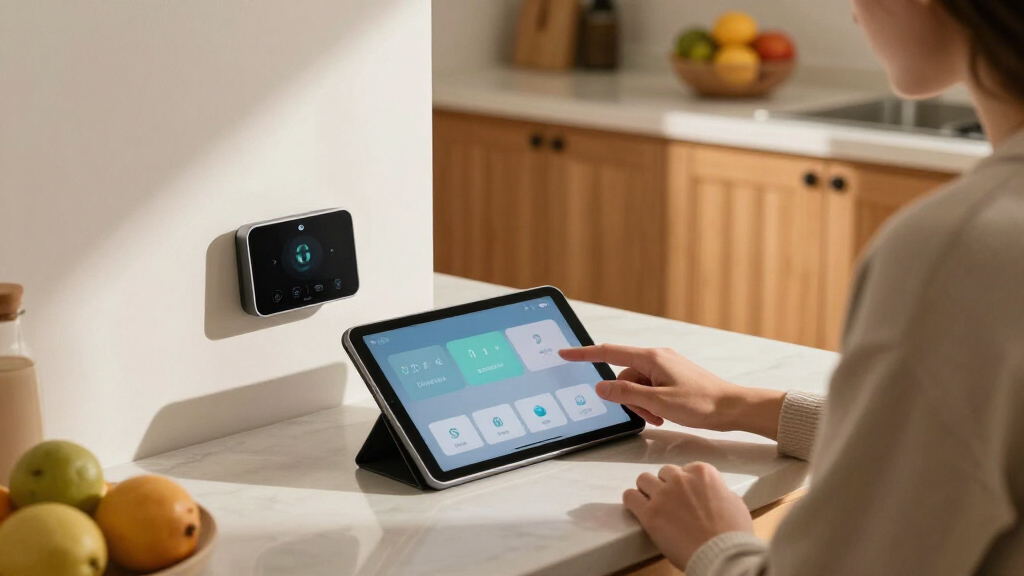

Smart home energy monitors clamp onto your electrical panel and show exactly where every kilowatt-hour goes, and the gap between a good one and a mediocre one comes down to sensor coverage, accuracy, and whether you control your data. The Emporia Energy Monitor Super Bundle earns my best overall pick because it pairs whole-home monitoring with 16 circuit-level sensors and smart plugs in one package, covering nearly every monitoring use case out of the box. For buyers who refuse to depend on a cloud connection, the Refoss monitor with Open API and Home Assistant support is the strongest local-control option, while the Emporia Vue 3 with solar monitoring stands out for net-metering households. The main tradeoffs you’ll face: more sensors mean more panel clutter and installation effort, cloud-based apps are easier to use but depend on the manufacturer staying online, and premium hardware like the SIEMENS Inhab costs more without always adding features a typical home needs. Keep reading for the full ranking, including which monitors to skip entirely.

Get home appliances delivered free with Prime
- Fast, free delivery on millions of items
- Prime Video, Amazon Music and more included
- Member-only deals all year
Complete the kit



Key Takeaways
- Emporia dominates value: four of the 14 products are Emporia variants, and the Super Bundle wins best overall because it’s the only kit combining whole-home data, 16 circuit sensors, and smart plugs at a mid-range price.
- Cloud dependency is the biggest dividing line: Refoss and the Home Assistant automation module offer local control and open APIs, while Meross and standard Emporia units rely entirely on the manufacturer’s cloud — a real risk if a server goes down or the company exits the market.
- Sensor count matters more than amperage for most homes: 16-sensor units (Emporia bundle, the Home Assistant-compatible 50A kit, Refoss 16×60A) track individual circuits, while dual-CT models like the 2×120A and 2×80A units only give whole-home totals.
- Solar owners should only shortlist three options: the EdgeAnt 3×80A, the Emporia Vue 3 solar variant, and the Emporia Vue 3 base unit that supports solar add-ons — the rest can’t handle net metering.
- The SIEMENS Inhab is the premium pick but not the best pick: its brand-name reliability and build quality are excellent, yet its price per monitored circuit is roughly double the Emporia bundle’s, making it sensible mainly for new-build or professionally installed systems.


| smart home energy monitor | Connectivity |
|---|---|
| Meross Smart Home Energy Monit | WiFi, Open API, Web Control |
| Emporia Energy Monitor with 16 | Wi-Fi |
| Smart Home Energy Monitor with | WiFi 2.4GHz, MQTT, LAN |
| WiFi Home Energy Monitor with | WiFi 2.4 GHz |
| Smart Home Energy Monitor 2×80 | Wi-Fi with app control |
| SIEMENS Inhab Smart Home Energ | — |
| Smart Home Energy Monitor with | — |
| Emporia Vue 3 Home Energy Moni | — |
| Emporia Vue 3 Home Energy Moni | — |
| Refoss Smart Home Energy Monit | — |
| Refoss Smart Home Energy Monit | Wi-Fi, WebSocket, MQTT, Open API |
| Eyedro Smart Home Energy Monit | WiFi 2.4 GHz, Ethernet |
| Emporia Vue 3 Home Energy Moni | 2.4 GHz Wi-Fi |
| Home Energy Monitor for Home A | Wi-Fi and Ethernet |
More Details on Our Top Picks
Meross Smart Home Energy Monitor, Real-Time Power & Cost Tracking
Among whole-panel monitors, Meross nails the balance of capability and privacy that most competitors miss. Circuit-level monitoring at up to 200A mains and 60A branches covers virtually any US home, and its local data storage with a five-year history means your usage patterns never leave the house — a sharp contrast to the Emporia bundle, which leans heavily on cloud services and Wi-Fi reliability. Home Assistant integration puts it on par with the MQTT-driven monitor below, but Meross adds Open API and web control that feel more polished for less technical buyers. Compared with the Refoss units elsewhere in this roundup, Meross matches the no-cloud philosophy while offering broader electrical system support.
The tradeoff is panel installation, which realistically means an electrician for most households, and a handful of users report Wi-Fi connectivity hiccups that undercut the real-time promise. It is also US-system-only.
Pros:- Circuit-level monitoring with detailed cost tracking
- Local storage up to 5 years — no cloud required
- Works with Home Assistant, Open API and web control
- Supports single-split and 3-phase Wye systems up to 200A
Cons:- Installation typically requires an electrician
- US home electrical systems only
- Some users report Wi-Fi connectivity issues
Best for: Privacy-minded homeowners who want whole-home, circuit-level insight without cloud dependency
Not ideal for: Renters or anyone unwilling to open their electrical panel — installation is invasive and complex
- Certification:ETL, UL 61010
- System Compatibility:Single-phase 2-wire, single-split phase 3-wire, 3-phase 4-wire Wye
- Max Current:200A main circuits, 60A branch circuits
- Data Storage:Up to 5 years, local
- Connectivity:WiFi, Open API, Web Control
- Warranty:2 years
- Dimensions:4.5 x 3.48 x 1.1 inches
- Weight:3.19 pounds
Our verdict“The strongest all-around pick for homeowners who want deep, private, circuit-level energy data and don’t mind professional installation.”
Emporia Energy Monitor with 16 Sensors + 4 Smart Plugs Super Bundle
Where Meross focuses on monitoring alone, Emporia’s bundle pairs 16 circuit sensors with 4 smart plugs, so you can not only see which circuits waste power but immediately act on it with remote control and automations. That closed loop of measure-then-fix is something no other pick here offers out of the box. Solar owners get net metering support, and the app works across iOS, Android, and Alexa. Compared with the standalone Emporia Vue 3 later in this roundup, this bundle is the better buy if you want device-level control, not just visibility.
The catch: it is cloud-dependent, the opposite philosophy of Meross and the MQTT monitor, so remote features die with your Wi-Fi. Compatibility with broader smart home systems like Home Assistant is murkier, and initial setup of 16 sensors takes patience.
Pros:- 16 sensors cover whole-home and individual circuits
- 4 smart plugs close the loop with remote control and automation
- Solar net metering support built in
- Polished app for iOS, Android and Alexa
Cons:- Cloud- and Wi-Fi-dependent for remote features
- Limited documented compatibility with other smart home platforms
- Configuring 16 sensors takes real setup time
Best for: Homeowners who want monitoring and device control in one package, especially solar households using Alexa
Not ideal for: Home Assistant tinkerers or privacy-focused buyers — the cloud dependency and murky third-party integration will frustrate them
- Circuit Sensors:16
- Smart Plugs:4 Wi-Fi plugs included
- Compatibility:iOS, Android, Alexa
- Key Features:Whole-home monitoring, real-time control, solar net metering
- Control:Emporia app with automations
- Connectivity:Wi-Fi
Our verdict“The best choice if you want to control energy waste, not just observe it — as long as a cloud-based system doesn’t bother you.”
Smart Home Energy Monitor with 16 50A Circuit Sensors, Compatible with Home Assistant
This monitor is built for one audience: people already running Home Assistant or an MQTT broker. Its fully local MQTT control with zero cloud dependency makes it the DIY automator’s answer to Emporia’s closed ecosystem — your data and your automations stay on your LAN. Clamp-on 50A sensors make installation less intimidating than the Meross, and support for single, split, and three-phase systems (up to 415Y/240VAC) makes it a fit for rental properties and international-style wiring that Meross cannot touch. Landlords monitoring multiple units will appreciate the multi-circuit coverage.
But it demands technical comfort: without MQTT knowledge, setup is a wall. Its 50A branch limit sits below Meross’s 60A, and Delta electrical configurations are unsupported. The one-year warranty is also the shortest here.
Pros:- Local MQTT control with no cloud reliance
- Clamp-on sensors simplify installation
- Supports single, split, and three-phase systems
- Excellent for multi-circuit rental management
Cons:- Requires Home Assistant/MQTT technical setup
- No Delta connection support; 50A branch limit
- Only a 1-year warranty
Best for: Home Assistant users, landlords, and rental-property managers who want local, cloud-free circuit monitoring
Not ideal for: Non-technical buyers wanting a polished app experience — MQTT setup will overwhelm them
- Sensors:16 x 50A circuit sensors
- Supported Voltages:Single-phase up to 240VAC, split-phase 120/240VAC, three-phase up to 415Y/240VAC
- Connectivity:WiFi 2.4GHz, MQTT, LAN
- Local Control:MQTT, no cloud dependency
- Warranty:1 year
- Dimensions:3.1 x 1.2 x 4.18 inches
- Weight:4.05 pounds
Our verdict“The clear pick for automation hobbyists who want raw local data — everyone else should choose Meross or Emporia instead.”
WiFi Home Energy Monitor with 2 x 120A CTs and Power Tracking
Of the two dual-channel monitors in this batch, this one edges out the 80A model for solar households thanks to bi-directional measurement and higher-capacity 120A clamps that handle panel feed and solar input simultaneously. Its split-core CTs and pluggable terminals make it one of the easiest installs here — a genuine advantage over the 16-sensor units, which require clamping a dozen-plus circuits. The Smart Life app delivers live data suitable for sizing battery charge cycles and spotting export waste. Compared with Meross, it trades circuit-level detail for solar-focused simplicity.
That simplicity is also its ceiling: single-phase 3-wire only means split-phase North American homes won’t get whole-home accuracy from mains clamps, and it monitors just two points, not sixteen. Wi-Fi is mandatory for any data at all.
Pros:- Bi-directional tracking ideal for solar export and battery monitoring
- 120A clamps handle high-power feeds
- Easy installation with split-core CTs and pluggable terminals
- Smart Life app provides real-time data and automation
Cons:- Single-phase 3-wire systems only
- Just 2 monitoring channels — no circuit-level insight
- Fully dependent on Wi-Fi for functionality
Best for: Solar and battery system owners who need bi-directional flow tracking at two key points
Not ideal for: North American split-phase homeowners wanting whole-home circuit detail — this single-phase unit can’t deliver it
- Current Transformers:2 x 120A CTs
- Phase Support:Single-phase 3-wire
- Tracking:Live energy use, bi-directional power
- Connectivity:WiFi 2.4 GHz
- Control:Smart Life app on smartphone
- Measured Values:Voltage, current, power, total energy
Our verdict“A focused, solar-first monitor for two-point bi-directional tracking — skip it if you need whole-home circuit coverage.”
Smart Home Energy Monitor 2×80A, Dual-Channel WiFi Electricity Usage Tracker with App Control
For a first step into energy monitoring, this dual-channel 80A tracker keeps things cheap, simple, and low-commitment. Clamp-style sensors install without wiring modifications, so a cautious homeowner can monitor a main feed and one heavy appliance — say, an EV charger or HVAC circuit — in an afternoon. Unlike the 120A model above, it adds native Alexa and Google Home compatibility alongside Tuya and Smart Life, and its bi-directional sensing still covers basic solar flow. Historical data in the app helps build usage awareness before committing to a 16-sensor system like Emporia’s.
The 80A per-channel ceiling rules out whole-home monitoring on many larger services, and two channels cannot answer which circuit is the energy hog — only how much two chosen points consume. Wi-Fi plus app setup is unavoidable.
Pros:- Low-effort clamp installation with no wiring changes
- Works with Alexa, Google Home, Tuya and Smart Life
- Real-time plus historical usage data in the app
- Bi-directional monitoring covers basic solar setups
Cons:- 80A per-channel limit excludes larger whole-home feeds
- Only 2 channels — no circuit-level attribution
- Requires Wi-Fi and app-based setup
Best for: First-time buyers who want inexpensive, no-wiring insight into two specific loads like an EV charger or HVAC unit
Not ideal for: Homeowners wanting whole-home or per-circuit breakdowns — two 80A channels can’t provide that granularity
- Channels:Dual channel, 80A each
- Minimum Operating Voltage:110 volts
- Measurement Type:Ammeter / energy tracking
- Compatibility:Tuya, Smart Life, Amazon Alexa, Google Home
- Connectivity:Wi-Fi with app control
- Power Source:Corded electric
- Installation:Clamp-style sensors, no wiring modifications
Our verdict“A sensible, low-cost entry point for tracking two specific circuits before graduating to a full 16-sensor system.”
SIEMENS Inhab Smart Home Energy Monitor with Circuit Sensors
The Siemens Inhab stands out for treating energy monitoring as part of a larger electrical management strategy rather than simple tracking. With 16–50A circuit sensors plus dual 200A main sensors, it captures both granular branch usage and total consumption, then layers on peak demand management and net metering tools that most rivals treat as afterthoughts. Compared with the Emporia Vue 3, which is excellent at showing what you’re using, the Inhab goes further by helping you shift when you use it — a real advantage for households on time-of-use rates. The tradeoff is accessibility: installation realistically needs an electrician, and app support is limited to the USA and Canada. For homeowners who want monitoring tied into serious load management, this option makes sense; casual users chasing a lower bill through awareness alone will find the EdgeAnt simpler and cheaper to deploy.
Pros:- Real-time monitoring directly at the electrical panel with both circuit and main-level sensors
- Peak demand management and net metering go beyond passive tracking
- Works with both new and existing electrical panels
- Mobile app enables remote tracking and alerts
Cons:- Wi-Fi app support limited to USA and Canada
- Installation generally requires electrical expertise
Best for: Homeowners on time-of-use or demand-based utility rates who want to actively shift consumption, not just observe it
Not ideal for: Renters or casual tinkerers — it demands panel access, professional installation comfort, and a US/Canada location for the app
Our verdict“Buy this if you want a professional-grade energy management platform rather than a simple usage display, and skip it if you just want a quick DIY dashboard.”
Smart Home Energy Monitor with 3 80A Clamps EdgeAnt, Real-Time Energy Consumption Tracking, Solar Net Metering
What makes the EdgeAnt appealing is its simplicity paired with bidirectional measurement, which is the feature solar owners actually need to see production versus consumption in one view. Its ±2% accuracy and tracking of voltage, current, and power factor put it ahead of bare-bones clamp meters, though it sits a notch below the Refoss EM16P’s ±1% specification and lacks that model’s local-control privacy. Compared with the sensor-stacked Emporia Vue 3, the three 80A clamps mean whole-home totals and solar feed rather than sixteen-way circuit breakdowns — a genuine limitation if you want to identify which appliance is the energy hog. Setup is refreshingly quick for a panel device, but the 2.4 GHz Wi-Fi requirement and incompatibility with Delta electrical systems narrow its fit. For a solar household that mainly wants generation and usage at a glance, this pick makes the most sense.
Pros:- Bidirectional measurement handles solar production and net metering
- Tracks voltage, current, and power factor with ±2% accuracy
- Easy installation into most home circuit panels
- Real-time data via mobile app
Cons:- Only three clamps — no circuit-level breakdown
- Requires 2.4 GHz Wi-Fi and excludes Delta electrical systems
Best for: Solar homeowners who want a straightforward, low-cost way to monitor net metering without circuit-level complexity
Not ideal for: Detail-oriented users who want per-circuit data — three clamps can’t tell you which room or appliance is driving usage
Our verdict“A solid budget choice for solar households that need production and consumption visibility, not a per-appliance diagnostic tool.”
Emporia Vue 3 Home Energy Monitor – Real-Time Electricity Usage and Solar Monitoring
This version of the Emporia Vue 3 earns the top slot because it ships with sixteen 50A branch sensors included, meaning you get whole-home totals and per-circuit detail out of one box — something the EdgeAnt simply cannot match and the sensor-less Vue 3 variant charges extra for. The UL listing matters more than it sounds: this device lives inside your breaker panel, and certified safety construction is a real differentiator against uncertified imports. Broad system support spanning single-split phase through 3-phase 4-wire Wye also means fewer compatibility surprises than the EdgeAnt’s Delta exclusion. The compromises are software-side: 1-minute data is only retained for 7 days, so anyone wanting long-term historical analysis will want to export to Home Assistant — an area where the Refoss EM16P, with up to 5 years of local storage, has a clear edge. Still, for the balance of safety, coverage, and app polish, this is the most complete package.
Pros:- Sixteen branch sensors included, covering circuits out of the box
- UL-certified for safe installation inside the breaker panel
- Solar and net metering support built in
- Works across an unusually wide range of electrical systems
Cons:- 1-minute resolution data only kept for 7 days
- Some 3-phase setups require an additional sensor
Best for: Homeowners who want full circuit-level visibility in one purchase, with solar monitoring and a polished app experience
Not ideal for: Data historians and privacy-focused users — 7-day minute-level retention and cloud reliance push them toward the Refoss EM16P
Our verdict“The most well-rounded pick for buyers who want everything included and certified — just know your detailed history disappears after a week unless you export it.”
Emporia Vue 3 Home Energy Monitor – Real-Time Electricity Usage and Power Consumption Meter
This Vue 3 configuration is the entry point into Emporia’s ecosystem: same UL-certified hardware, same real-time monitoring, same solar and net metering support as the sensor-included version, but with branch sensors sold separately. That makes it the smarter buy for someone uncertain how deep they want to go — start with whole-home totals, add circuit sensors later only if the data suggests it. Compared with the bundled Vue 3, the lower upfront cost comes at the price of immediate granularity, and by the time you buy sixteen sensors separately, you may have spent more than the inclusive package. Against the EdgeAnt, it wins on certification and broader system compatibility, though the app’s habit of limiting data access when it isn’t actively open will frustrate anyone used to the Refoss‘s always-available local data. This model is better suited to first-time buyers testing the waters than to committed optimizers.
Pros:- UL-certified hardware identical to the higher-tier Vue 3
- Lower entry price into a mature app ecosystem
- Solar and net metering support included
- Automation features help reduce energy costs
Cons:- Branch sensors sold separately — circuit-level detail costs extra
- Data access restricted when the app isn’t actively open
- Some electrical systems need additional sensors for full compatibility
Best for: First-time energy monitor buyers who want whole-home data now and the option to expand to circuit-level monitoring later
Not ideal for: Buyers who already know they want per-apartment or per-circuit detail — buying sensors separately costs more than the bundled version
Our verdict“A sensible on-ramp for cautious buyers, but committed users should pay up for the sensor-bundled Vue 3 instead.”
Refoss Smart Home Energy Monitor with Open API, Home Assistant, No Cloud
The Refoss EM16P is built for a different buyer than everything else here: one who refuses to let their energy data live on someone else’s servers. With full local control, an open API, and native Home Assistant integration, it enables automations — like pushing solar surplus into a water heater or EV charger — that cloud-dependent rivals such as the Emporia Vue 3 can’t reliably execute. Its ±1% accuracy beats both the EdgeAnt and Emporia on paper, and storing up to 5 years of data locally solves Emporia’s 7-day retention problem entirely. The catch is the audience: without Home Assistant (or a willingness to learn it), much of this capability goes unused, and OpenClaw AI automation assumes technical comfort. Installation into the panel also demands more know-how than a plug-and-play smart plug approach. For tinkerers, this option stands out as the most capable; for everyone else, it’s overengineered.
Pros:- No cloud dependency — data and control stay local for privacy
- Native Home Assistant integration and open API enable deep automation
- ±1% accuracy with 2×200A main and 16 branch sensors
- Stores up to 5 years of energy data on-device
Cons:- Requires technical knowledge to install and to unlock its automation potential
- Branch sensors capped at 60A may not suit high-amperage circuits
Best for: Home Assistant users and solar homeowners who want local control, long-term data storage, and automation without cloud dependency
Not ideal for: Non-technical buyers who just want a friendly app — the local-first design and API focus will feel like unused complexity
Our verdict“The clear pick for smart home hobbyists and privacy-minded solar owners; everyone else will get more value from the Emporia Vue 3.”
Refoss Smart Home Energy Monitor with 16 60A Circuit Sensors
Most whole-home monitors give you a single number for the entire house, which tells you that you’re wasting electricity but not where. The Refoss solves that with 16 individual 60A sensors, letting you trace consumption down to specific circuits — the EV charger, the HVAC, the water heater. Compared with the Eyedro 200A, which reads only two main feeds, this option trades simplicity for granularity, and that granularity is what actually changes behavior. It also stands out for its local-first architecture: Web UI, MQTT, and an open API mean your data stays on your network, a sharp contrast to the cloud-dependent Emporia Vue 3. The tradeoff is real, though — getting the most out of it assumes comfort with home automation platforms and local network configuration. Buyers who want a plug-and-play app experience will find it demanding.
Pros:- 16 circuit-level sensors pinpoint exactly where energy is consumed
- Local control via Web UI, MQTT, and open API with no cloud dependency
- Five years of stored data supports long-term trend analysis
- Works with single-phase, split-phase, and 3-phase Wye systems
Cons:- Setup and integration require technical knowledge
- No built-in cloud storage, so remote access needs local network work
Best for: Homeowners running Home Assistant or similar automation platforms who want per-circuit data and strong privacy
Not ideal for: Non-technical buyers who want a polished app and zero configuration — this leans on local setup skills
- Circuit Sensors:16 x 60A
- Supported Systems:Single-phase, Split-phase, 3-phase 4-wire Wye
- Data Storage Duration:5 years
- Connectivity:Wi-Fi, WebSocket, MQTT, Open API
- Warranty:2 years
- Dimensions:4.5 x 3.5 x 1.1 inches
- Weight:4.27 pounds
- Included Components:Monitor, WiFi antenna, current transformers, insulation plugs, wires, manual
Our verdict“This pick makes the most sense for automation-savvy homeowners who want granular, private, circuit-by-circuit energy data.”
Eyedro Smart Home Energy Monitor 200A WiFi/Ethernet
Where the Refoss counts individual circuits, the Eyedro takes a different approach: two 200A sensors on the main feeds, with built-in logic for solar production, grid draw, and net metering. That focus matters for homeowners with panels on the roof — seeing production and consumption side by side is what makes time-of-use optimization possible. The dual WiFi/Ethernet connectivity is a genuine advantage over Wi-Fi-only rivals like the Emporia Vue 3, since a wired link avoids the dropout issues that plague monitors installed inside metal breaker panels. This model is better suited to solar households than to renters or anyone seeking circuit-level breakdowns.
Pros:- Native support for solar, grid, and net metering tracking
- Both WiFi and Ethernet connectivity for reliable placement
- Cloud access included with no subscription fee
Cons:- Some net metering setups require purchasing a second unit
Best for: Solar owners and net-metering customers who want production and consumption tracked in one dashboard
Not ideal for: Buyers who want appliance-level detail — two whole-home sensors can’t attribute usage to individual circuits
- Sensor Count:2 x 200A sensors
- Connectivity:WiFi 2.4 GHz, Ethernet
- Power Source:AC adapter
- Weight:1.54 pounds
- Dimensions:8 x 8 x 3 inches
- Compatibility:North American standards, solar, grid, net metering
- Included Components:Sensor module, two 200A sensors, power adapter, Ethernet cable, quick start guide
Our verdict“A sensible choice for solar households prioritizing net metering over circuit-level analytics, provided they accept its mixed track record.”
Emporia Vue 3 Home Energy Monitor
For most people, an energy monitor should answer one question quickly: what is my house using right now, and what did it cost? The Emporia Vue 3 does that with the least friction in this lineup. Its UL Listed certification is a meaningful safety marker that budget monitors often lack, and its app delivers second-by-second data without any technical configuration — a striking contrast to the Refoss, which assumes you’ll tinker with MQTT and APIs. Compared with the Eyedro, the Vue 3’s Wi-Fi-only connection is less robust inside a metal panel, and its data retention is stingier: minute-level history vanishes after seven days, though hourly data persists indefinitely. Support for solar and net metering keeps it competitive, but buyers with certain electrical systems will need an extra sensor. This option stands out for low-effort setup rather than maximum flexibility.
Pros:- UL Listed for verified safety and reliability
- Real-time second-level data through a polished, beginner-friendly app
- Supports solar, net metering, and a wide range of electrical systems
- Enables remote control and automation from the app
Cons:- Wi-Fi only — signal can be unreliable inside metal breaker panels
- Minute-level data retained for just 7 days
- Some system types require purchasing an additional sensor
Best for: First-time buyers who want an easy app experience with safety certification and no technical setup
Not ideal for: Data-driven users who want long-term minute-level history or local API access — the cloud-only model won’t suit them
- Certification:UL Listed
- System Support:Single phase, split phase, 2-wire, 3-wire, 3-phase, 4-wire Wye
- Sensor Type:Clamp-on (additional sensor required for some systems)
- Connectivity:2.4 GHz Wi-Fi
- Data Retention:Minute data 7 days, hour data indefinite, 1-second data in app
- Warranty:1 year
Our verdict“The easiest path into home energy monitoring for non-technical buyers who value safety certification and a straightforward app.”
Home Energy Monitor for Home Assistant – eMonHub Real Time Electricity Usage & Automation Module
This is the specialist of the group. While the Refoss offers local control as a feature, the eMonHub treats Home Assistant integration as its entire identity — voltage, current, and power flow straight into your dashboards and automations with no middleman. What sets it apart even from the Refoss is support for solar, V2G, and BESS battery systems, making it the only pick here that can orchestrate a bidirectional EV or home battery setup intelligently. The dual Wi-Fi and Ethernet option adds reliability that the Wi-Fi-only Emporia Vue 3 can’t match, and its compact 4.73-inch frame fits tight panel enclosures. None of that comes cheap: this is the most demanding and likely the priciest option in the roundup, and it’s effectively useless without a Home Assistant instance already running. Beginners should start elsewhere.
Pros:- Native, seamless Home Assistant integration with real-time voltage, current, and power data
- Unique support for solar, V2G, and BESS battery systems
- Wi-Fi and Ethernet connectivity for dependable networking
- Compact, space-saving installation with FCC, CE, and UL/IEC compliance
Cons:- Demands technical setup and ongoing configuration
- Higher price point than mainstream alternatives
- Limited to North American power systems without software workarounds
Best for: Home Assistant enthusiasts with solar, battery storage, or V2G setups who want native, real-time automation data
Not ideal for: Anyone not running Home Assistant — the hardware’s value collapses without the platform, and the price is hard to justify
- Model:eMonHub-HNA0A HA
- Weight:2.8 pounds
- Dimensions:4.73 x 3.15 x 1.22 inches
- Connectivity:Wi-Fi and Ethernet
- Supported Systems:North American split-phase, single-phase, three-phase
- Certifications:FCC, CE, UL/IEC compliant
- Included Components:Energy monitor, current transformers, wire harness, WiFi antenna and cable
Our verdict“A purpose-built tool for Home Assistant power users managing complex solar, battery, or V2G systems — everyone else should pick a simpler monitor.”
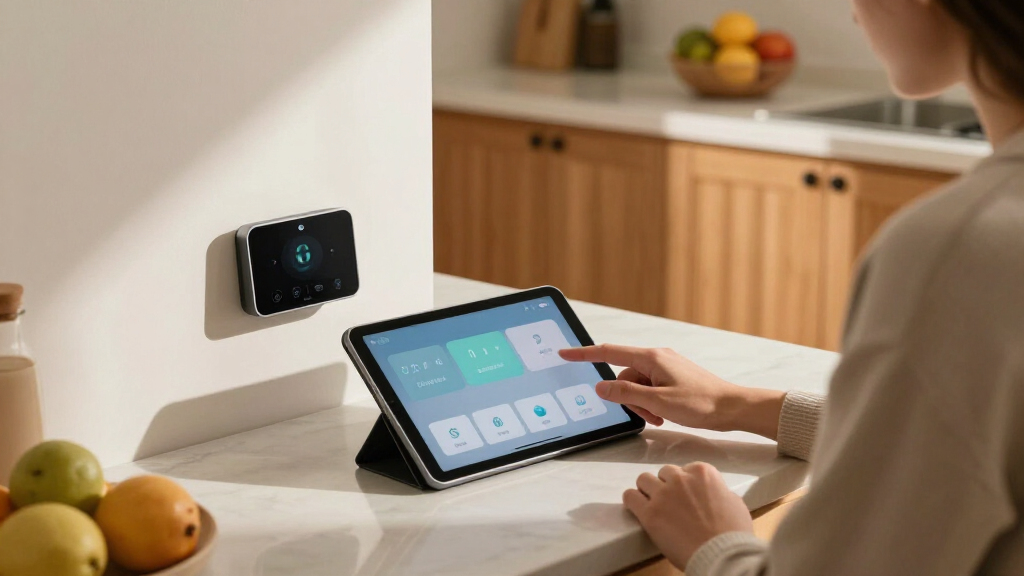
How We Picked
I ranked these monitors on five factors that actually change the buying decision. Circuit-level visibility came first: a monitor that only reads your whole home’s total tells you little about which appliance is driving the bill, so multi-sensor kits scored higher than dual-CT models unless they offered something distinct like solar net metering. Accuracy and sampling rate mattered next — a monitor that updates once a minute can miss short appliance cycles like a well pump or AC compressor startup. Data ownership was the third filter: cloud-dependent monitors lost points because they stop working if the manufacturer’s servers do, while units with local control, open APIs, or Home Assistant compatibility earned credit for longevity.
From there I weighed installation complexity and ecosystem fit. Whole-panel CT clamps are simple for most homeowners, but 16-sensor kits require opening the panel and positioning clamps on individual breakers — a job some buyers will need an electrician for, which changes the true cost. Finally, price per monitored circuit separated the value plays from the overpriced: a kit that costs twice as much per circuit needs to justify it with build quality, software, or support. That’s why Emporia’s bundles cluster at the top, the local-control Refoss units sit just behind them, and the simpler dual-channel monitors fill specific niches rather than competing head-on.
Factors to Consider When Choosing Smart Home Energy Monitors
Before picking a specific monitor, it helps to understand the decisions that shape this category. The differences between these 14 products mostly trace back to a handful of choices manufacturers make — and knowing those tradeoffs will save you from buying the wrong architecture for your home.Whole-Home vs. Circuit-Level Monitoring
The most common mistake buyers make is assuming every energy monitor tells you what’s using power. It doesn’t. Dual-CT models like the 2×120A and 2×80A units only measure your home’s total consumption — useful for tracking trends and verifying your utility bill, but useless for finding the appliance that’s quietly costing you $30 a month. Circuit-level kits with 8 to 16 sensors attach to individual breakers, so you can see that the water heater spikes every morning or the garage fridge is failing. The tradeoff is real: circuit-level kits cost more, take longer to install, and in a crowded panel you may not have room to clamp every breaker you care about. My advice is to count the circuits you actually want to watch before buying — if it’s fewer than six, a whole-home monitor plus a couple of smart plugs often costs less and answers the same question.
Cloud Dependency and Data Ownership
Most budget monitors route every reading through the manufacturer’s cloud servers, which means your energy data lives on someone else’s infrastructure and dies if the company shuts it down. This isn’t hypothetical — several energy monitor brands have discontinued cloud services, turning expensive hardware into a plastic box on your wall. Local-control options like the Refoss Open API model and Home Assistant-focused units keep data on your network, work during internet outages, and let you build automations without a subscription or API limits. The compromise is convenience: cloud apps are generally more polished, easier to set up, and accessible from anywhere without configuration. If you’re not technical, a cloud monitor with a strong brand behind it is a reasonable choice; if you already run Home Assistant or care about privacy, insist on local control from day one.
Solar and Net Metering Support
Solar owners need a monitor that measures power flowing in and out of the house, and most of these products simply can’t. A standard consumption monitor will show your net usage but can’t distinguish between the 5 kW your panels produced and the 2 kW you drew from the grid — which makes it impossible to verify your net metering credits or spot an underperforming array. In this lineup, only the EdgeAnt 3×80A and the solar-capable Emporia Vue 3 handle bidirectional measurement properly. If you’re planning to add solar later, buying a solar-ready monitor now avoids replacing hardware in two years. Also check whether the monitor can track production separately from consumption; seeing both curves overlaid is what actually helps you shift usage — running the dishwasher at solar noon instead of grid-peak evening.
Installation Reality and Electrical Safety
Every monitor here attaches current transformers to live wires inside or around your electrical panel, and that shapes both cost and feasibility. Two-CT whole-home installs are genuinely DIY-friendly for a confident homeowner — the clamps go around the main feeder cables without touching bare conductors. Sixteen-sensor kits are a different job: you’re working near exposed bus bars, routing thin sensor wires, and positioning clamps on individual breakers, which many people should not attempt. Factor a $150–$300 electrician visit into the price of any multi-sensor kit, because it changes the value math considerably — a professionally installed Emporia bundle can cost more than the SIEMENS. Also check your panel’s physical layout: tandem breakers, subpanels, and crowded boxes can make full circuit coverage impossible, so measure before you buy the biggest kit available.
App Quality, Integrations, and Ecosystem Lock-In
Hardware is only half the product — the app determines whether you’ll actually check your energy data after week two. Emporia’s app is the most complete in this lineup, combining historical charts, bill forecasting, and direct control of its smart plugs for automated savings. Smaller brands often have functional but clunky apps with limited history, no export options, and infrequent updates, which matters if you want to analyze a year of data or contest a high bill. Integration support is the second question: if you use Alexa, Google Home, or Home Assistant, verify compatibility before purchasing, because several cloud-only models here offer no voice or platform integrations at all. Lock-in cuts both ways — Emporia’s ecosystem is convenient but proprietary, while open-API monitors like Refoss keep your options open at the cost of doing more setup yourself.
Real Cost of Ownership Over Five Years
Sticker price is the wrong way to compare these monitors. A $70 whole-home unit that doesn’t change your behavior saves you nothing; a $200 circuit-level kit that reveals a failing appliance or shifts your usage off-peak can pay for itself within a year. Add the hidden costs: electrician installation for multi-sensor kits, possible subscription fees for cloud history (some brands gate data beyond 30 days), and replacement risk if a cloud-only product loses server support. Cost per useful insight is the metric that matters — the Emporia Super Bundle works out cheaper per monitored circuit than most standalone dual-CT units. Also consider your time: a monitor that needs constant re-pairing or has a buggy app costs you in frustration even if the hardware is technically fine. The best purchase is the one you’ll still be using in year three, not the cheapest box on day one.
Frequently Asked Questions
Can I install one of these energy monitors myself, or do I need an electrician?
It depends entirely on sensor count and your comfort level. Whole-home monitors with two CT clamps — like the 2×120A unit or the Eyedro 200A — are reasonable DIY projects for most homeowners, since the clamps close around the main cables without touching bare conductors. Sixteen-sensor kits are a different story: you’re routing thin sensor wires past live bus bars and clipping clamps onto individual breakers, which carries genuine shock risk if the panel isn’t de-energized. If you have any doubt, budget $150–$300 for an electrician, and note that this cost is why some buyers choose a whole-home monitor plus smart plugs instead of a full circuit-level kit. Also check local code, because some jurisdictions require a licensed electrician for any work inside a panel.
What happens to my energy monitor if the company’s cloud service shuts down?
For cloud-only monitors, the honest answer is that they become nearly useless — the hardware can still measure, but without the app and servers there’s no way to see the data. This has happened before in this category, which is why local-control options like the Refoss Open API model and Home Assistant-compatible units exist and rank highly in this guide. If you buy a cloud-dependent monitor like a standard Meross or Emporia unit, choose a company with a large installed base and active development, since those are less likely to abandon their servers. A middle path is monitors that offer local API access as a fallback, letting you scrape data into your own system even if the official app degrades. Solar owners should be extra cautious, because losing historical production data can complicate warranty claims on panels and inverters.
How many circuit sensors do I actually need for a typical home?
Most homeowners get full value from monitoring six to ten circuits: HVAC, water heater, clothes dryer, oven, refrigerator, well pump or pool equipment, and an EV charger if you have one. Buying a 16-sensor kit for circuits you don’t care about wastes money and panel space, since lighting circuits and bedroom outlets rarely produce actionable insights. The practical constraint is your panel itself — tandem breakers and crowded boxes physically limit how many clamps you can fit, so open the panel door and count before ordering. If your target list is short, a two-CT whole-home monitor paired with two or three smart plugs on specific appliances often answers the same questions for less money and a fraction of the installation effort. Reserve the 16-sensor kits for homes with high bills, solar systems, or genuinely mysterious consumption.
Are these monitors accurate enough to replace my utility meter?
No monitor in this lineup is revenue-grade, and none should be used to dispute your utility bill directly. Good CT-based monitors are typically accurate to within one to two percent of your utility meter, which is plenty for spotting trends, comparing appliances, and catching waste — the things you’d actually buy one for. Accuracy degrades with cheap clamps, poor positioning, and unbalanced split-phase loads, so a unit that reads five percent off your bill is more common than the marketing suggests. The Emporia and SIEMENS units have the best reputation for calibration consistency among these picks, while some generic models drift over time. Use the monitor’s own baseline for comparisons rather than expecting it to match your bill to the dollar, and recalibrate the offset in the app if it consistently reads high or low against your meter.
Do I need a solar-capable monitor if I don’t have panels yet?
If solar is on your roadmap within the next few years, yes — buying a solar-ready monitor like the Emporia Vue 3 solar variant or the EdgeAnt 3×80A now avoids replacing hardware later, since standard consumption monitors can’t measure power flowing back to the grid. The price premium for solar capability is modest, and the bidirectional CTs also let you monitor a subpanel, generator, or EV charger feed, which some buyers find useful even without panels. However, if solar isn’t in your plans, don’t pay for the feature — a consumption-only monitor like the Emporia Vue 3 base unit or a dual-CT model will do everything you need for less. One caution: verify the specific kit includes the extra CT clamps for solar, because some brands sell solar monitoring capability and the required hardware separately.
Conclusion
Matching the right monitor to your situation is easier than it looks once you know your priorities. For best overall, the Emporia Energy Monitor Super Bundle is the clear choice — it’s the only kit here that combines whole-home data, 16 circuit sensors, and smart plugs for automated savings, at a price that undercuts most standalone competitors. The best value pick is the Emporia Vue 3 base model, which delivers the same core app and accuracy as the bundle for buyers who only need whole-home totals. For best premium, the SIEMENS Inhab offers brand-name build quality and reliability suited to new construction or professionally designed systems, though you’re paying roughly double per monitored circuit. Beginners should start with the Meross Real-Time Power & Cost Tracker or the 2×120A WiFi monitor — simple two-CT installs with straightforward apps that answer the basic question of what your home consumes.
For specific needs: solar owners should choose the EdgeAnt 3×80A or the Emporia Vue 3 solar variant, the only options here with proper net-metering support. Privacy-focused and Home Assistant users get the Refoss Open API model or the dedicated Home Assistant automation module, both of which keep data local and cloud-free. If you want maximum circuit detail without the Emporia ecosystem, the 16×50A Home Assistant-compatible kit and the Refoss 16×60A are strong alternatives. Whatever you choose, buy for the circuits you’ll actually monitor — not the biggest number on the box — and the right monitor will pay for itself in found savings within the first year.
NFL season / tailgating Picks
team gear
As an affiliate, we earn on qualifying purchases.