If your Roborock Q7 M5+ robot vacuum keeps getting stuck during cleaning, it can be frustrating and hinder your home maintenance. Fortunately, most issues are fixable with some simple troubleshooting steps. This guide provides clear, practical instructions to help you identify and resolve common causes of the problem, ensuring your vacuum runs smoothly and efficiently.

Get home appliances delivered free with Prime
- Fast, free delivery on millions of items
- Prime Video, Amazon Music and more included
- Member-only deals all year
Follow these steps carefully, and remember to prioritize safety while working with your device. Proper maintenance and understanding of your vacuum’s features can extend its lifespan and improve its performance.
Key Takeaways
| Identify obstacles | Check for and remove objects blocking the vacuum’s path. |
| Inspect wheels & brushes | Ensure wheels and brushes are clean and free of tangles. |
| Update firmware | Keep your device’s software up-to-date for optimal navigation. |
| Adjust cleaning area | Map out or restrict problematic zones for better navigation. |
1. Clear the Path and Check for Obstacles
- Power off the Roborock and remove it from its charging dock.
- Inspect the floor for objects, cables, or clutter that could block the vacuum’s sensors or wheels.
- Remove any small objects, cords, or rugs that may be causing it to get stuck.
- Ensure the area is free of loose rugs or uneven surfaces that can trip the device.
2. Clean the Wheels, Sensors, and Brushes
- Turn the vacuum over and examine the wheels; remove hair, string, or debris tangled around them.
- Clean the dual anti-tangle main brush and side brushes with a brush or scissors if needed.
- Wipe the sensors on the bottom and front of the device with a soft, dry cloth to improve navigation.
3. Check and Update Navigation Settings
- Open the Roborock app and ensure your device’s firmware is current. Update if necessary.
- Use the app to re-map your home if the map is outdated or inaccurate.
- Set no-go zones or restricted areas to prevent the vacuum from entering problematic spaces.
4. Reset and Test the Device
- Perform a soft reset by turning the vacuum off and on again.
- Run a short, targeted cleaning cycle to observe if it still gets stuck.
- If problems persist, consider a factory reset following the manufacturer’s instructions.
Tips and Warnings
- Always disconnect the vacuum from power before cleaning components.
- Be cautious when removing tangled hair or debris to avoid damaging brushes or wheels.
- Regular cleaning and software updates help prevent navigation issues.
- If issues continue despite troubleshooting, contact Roborock customer support for assistance.
The Products in This Guide

roborock Q7 M5+ Robot Vacuum and Mop
- ✔ Self-Emptying: Yes
- ✔ Pet Hair Handling: Yes
- ✔ App Control: Yes

4 Pack Washable Filter
- ✔ HEPA Filter: Yes
- ✔ Pack: 4-pack
- ✔ Washable: Yes
roborock Q7 M5+ Robot Vacuum and Mop
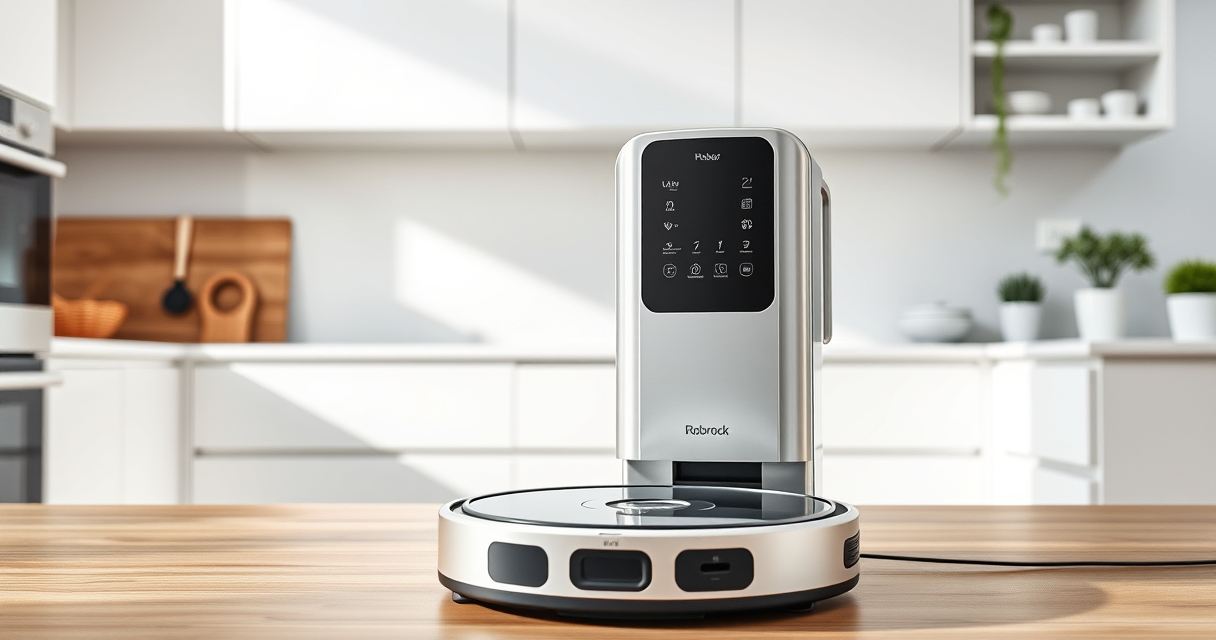
The Roborock Q7 M5+ offers powerful suction and advanced PreciSense LiDAR navigation, making it highly effective at avoiding and recovering from getting stuck. Its dual anti-tangle system is especially helpful for pet owners.
Pros:
- Powerful 10000Pa suction
- Up to 9 weeks of self-emptying
- Advanced navigation with LiDAR
- Pet hair and carpet friendly
Cons:
- Price may be higher than basic models
- Requires regular maintenance
- Can be complex to troubleshoot without app
Best for: Pet owners and homes with complex floor plans
Not ideal for: Users seeking a budget-friendly option
Bottom line: A smart, powerful vacuum ideal for pet-friendly homes with complex layouts.
4 Pack Washable Filter
Replacing filters regularly ensures optimal suction and air quality. This 4-pack of washable filters for Roborock models is a cost-effective way to maintain your vacuum’s performance.
Pros:
- Affordable replacement option
- Washable & reusable
- Compatible with multiple models
- True HEPA filtration efficiency
Cons:
- Requires regular washing
- Not OEM, but high quality
- May need replacement every few months
Best for: Maintaining peak vacuum performance
Not ideal for: Users seeking OEM-specific filters
Bottom line: A reliable, cost-effective way to keep your vacuum running at its best.
Frequently Asked Questions
Why does my Roborock keep getting stuck on rugs?
Rugs with thick pile or uneven edges can disrupt navigation. Try setting no-go zones or adjusting the cleaning height via the app.
How often should I clean the brushes and wheels?
For optimal performance, clean the brushes and wheels weekly, especially if you have pets or high-traffic areas.
Can I manually reset the navigation system?
Yes, perform a factory reset through the app or device controls to recalibrate the navigation if issues persist.
What should I do if my vacuum still gets stuck after troubleshooting?
Contact Roborock customer support for further assistance or consider professional repair if necessary.
Keep Your Roborock Running Smoothly
By following these troubleshooting steps, you can resolve most issues causing your Roborock Q7 M5+ to get stuck. Regular maintenance, keeping the floor clear of obstacles, and updating firmware are key to ensuring your robot vacuum performs at its best. Don’t hesitate to use app features to customize cleaning zones and improve navigation, and reach out to support if problems persist. A well-maintained vacuum means less hassle and cleaner floors for longer.
Affiliate disclosure: As an Amazon Associate we earn from qualifying purchases. Prices and availability are accurate as of the time of publishing.
NFL season / tailgating Picks
team gear
As an affiliate, we earn on qualifying purchases.