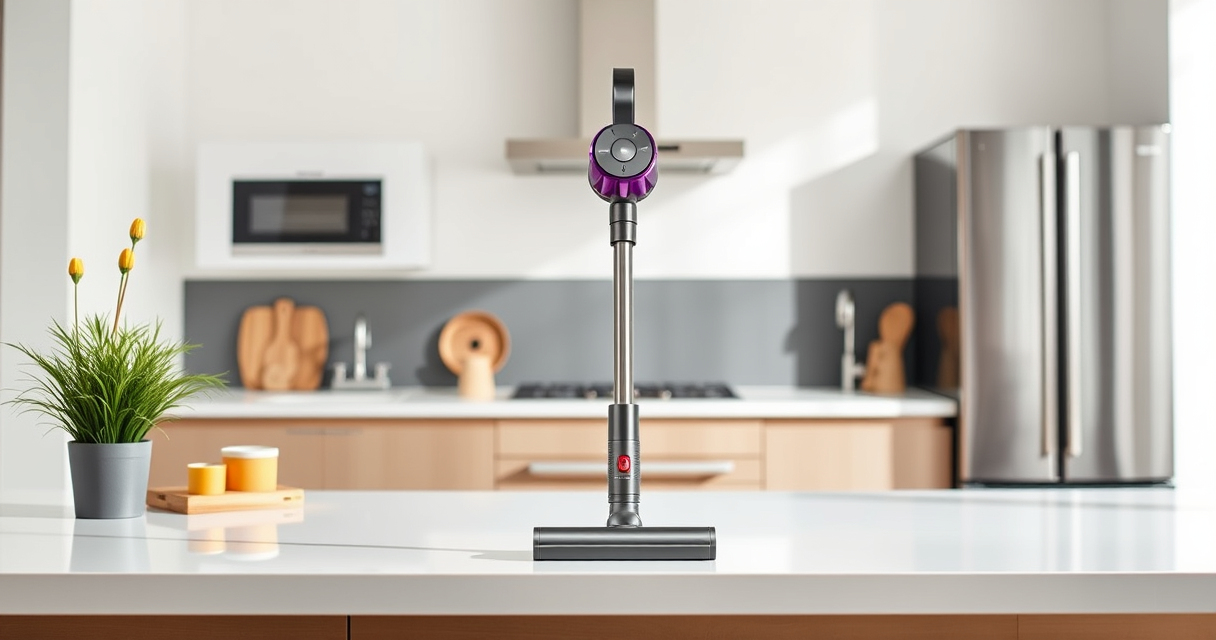

Keeping your Dyson V12 Detect in top condition ensures optimal performance and longevity. Regular cleaning of the vacuum’s filters, brushes, and attachments is essential. Follow this detailed guide for safe, effective maintenance that will help your vacuum operate smoothly and efficiently.

Get home appliances delivered free with Prime
- Fast, free delivery on millions of items
- Prime Video, Amazon Music and more included
- Member-only deals all year
Before starting, gather necessary supplies and ensure the vacuum is unplugged or powered off to prevent accidents.
Key Takeaways
| Regular Maintenance | Clean filters and attachments frequently to maintain suction and performance. |
| Use Proper Tools | Use designated cleaning tools and attachments for safe and thorough cleaning. |
| Avoid Water Damage | Never immerse electrical components in water; use damp cloths for cleaning. |
| Replace Worn Parts | Replace filters and brushes as recommended to keep the vacuum working effectively. |
Power Off and Prepare
- Ensure the Dyson V12 Detect is turned off and unplugged or disconnected from charging.
- Remove the main stick and detach any accessories or attachments.
Clean the Main Body and Attachments
- Wipe the exterior of the vacuum with a damp, lint-free cloth to remove dust and debris.
- Use a dry brush or microfiber cloth to clean around the LCD screen and vents.
- Wash attachments like the crevice tool with warm water and mild detergent if necessary, then dry thoroughly.
Replace and Clean the Filters
- Remove the pre-filter and main filter from the vacuum according to the user manual.
- Rinse the filters under cold water until the water runs clear. Do not use soap or detergents.
- Allow filters to air dry completely for at least 24 hours before reinstalling to prevent moisture damage.
Check and Maintain the Brush Bar
- Remove the brush bar from the cleaner head if accessible.
- Clear any hair, string, or debris wrapped around the brush using scissors or a cleaning tool.
- Wipe the brush bar and housing with a damp cloth, then dry before reassembling.
Reassemble and Test
- Reinstall filters, attachments, and the main body components.
- Power on the vacuum and run it briefly to ensure everything is functioning correctly.
The Products in This Guide
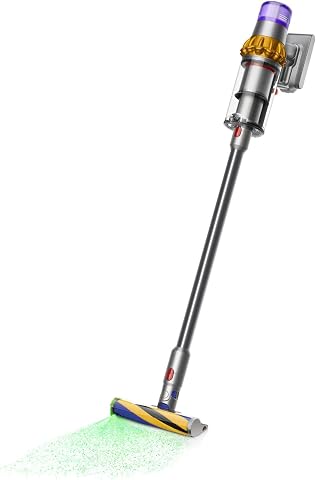
Dyson V15 Detect Total Clean Extra
- ✔ Runtime: 60 minutes
- ✔ Power: 100% more power
- ✔ Display: LCD screen for real-time info

LANMU Crevice Tool Vacuum Attachments Compatible
- ✔ Compatibility: Multiple Dyson models
- ✔ Material: Durable plastic
- ✔ Design: Slim and flexible
Dyson V15 Detect Total Clean Extra
<p>The Dyson V15 Detect Total Clean Extra is a refurbished premium model that offers powerful suction and advanced features like detecting invisible dust and showing particle counts on its LCD screen. Proper cleaning and maintenance are key to keeping it performing at its best.</p>
Pros:
- Powerful cleaning performance
- Intelligent debris detection
- Long battery life
- Easy to maintain
Cons:
- Filters require regular washing
- Attachments may need replacement over time
- Can be heavy for extended use
Best for: Whole-home deep cleaning and detailed maintenance
Not ideal for: Light or occasional use; users seeking a lightweight, simple vacuum
Bottom line: Regular cleaning ensures your Dyson V15 Detect stays at peak performance.
LANMU Crevice Tool Vacuum Attachments Compatible
<p>The LANMU Crevice Tool Vacuum Attachments fit Dyson models like the V15 and V12, providing narrow nozzles that reach into tight corners and hard-to-access spaces, perfect for detailed cleaning.</p>
Pros:
- Narrow, flexible nozzle
- Compatible with multiple Dyson models
- Great for corners and car interiors
- Durable construction
Cons:
- Attachment may be slightly stiff initially
- Requires careful detachment to avoid damage
- Limited to crevice and narrow cleaning
Best for: Cleaning tight spaces, sofas, and car interiors
Not ideal for: General cleaning or larger surface cleaning
Bottom line: A versatile attachment for detailed, hard-to-reach cleaning jobs.
Frequently Asked Questions
Can I wash the filters of the Dyson V12 Detect?
Yes, the filters can be rinsed under cold water. Make sure they are completely dry before reinstalling to prevent damage.
How often should I clean the filters?
It is recommended to wash the filters every 1-3 months, depending on usage, to maintain optimal suction and performance.
What should I do if my vacuum isn’t picking up debris properly?
Check and clean the filters, brush bar, and attachments. Ensure the bin isn’t full and that all parts are correctly assembled.
Can I use water to clean the vacuum’s main body?
It’s best to use a damp cloth for cleaning the exterior. Avoid water contact with electrical components to prevent damage.
Keep Your Dyson V12 Detect in Prime Condition
Regular cleaning and maintenance of your Dyson V12 Detect will ensure it continues to provide powerful, efficient cleaning. Follow these steps periodically to keep your vacuum running smoothly and extend its lifespan. Proper care not only maintains performance but also protects your investment in a high-quality cleaning device.
Affiliate disclosure: As an Amazon Associate we earn from qualifying purchases. Prices and availability are accurate as of the time of publishing.
Halloween Picks
halloween
As an affiliate, we earn on qualifying purchases.