
TL;DR
A Matter Alpha report outlines ways to use TV-sync lighting and room lamps for a Vice City-inspired gaming setup when GTA VI is played. HDMI sync boxes capture screen colors directly, while camera-based kits can work with a TV’s built-in apps; Matter can connect some products for basic controls, but does not generally carry their advanced live-sync effects.
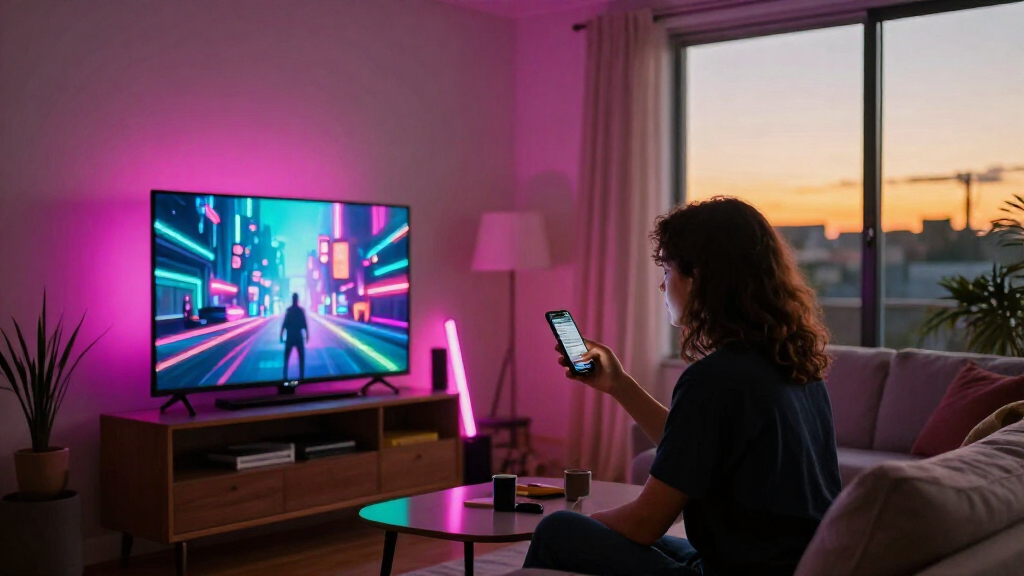
Matter Alpha has published a guide to TV-sync kits and smart lights that can bring some of the neon colors associated with GTA VI’s Vice City into a gaming room. The report compares HDMI-connected and camera-based lighting systems, while stressing that Matter support does not usually include advanced screen-sync effects.

Get home appliances delivered free with Prime
- Fast, free delivery on millions of items
- Prime Video, Amazon Music and more included
- Member-only deals all year
The guide describes the Philips Hue Play HDMI sync box 8K as a direct-capture option. It supports HDMI 2.1 passthrough up to 4K at 120Hz or 8K at 60Hz, and can match compatible Hue lights to colors from an HDMI source. Hue’s Play gradient lightstrip covers the top and sides of a TV, with different sizes for different screen widths. A Hue Bridge can expand the setup and enable Matter integration, but the box, strip and Bridge can make the system comparatively expensive.
For gaming displays, Matter Alpha lists the Govee AI Sync Box Kit 2, which supports passthrough up to 4K at 144Hz or 8K at 60Hz and includes VRR and ALLM support. Its segmented RGBWIC strip can be paired with compatible lights through Govee DreamView. The report says Govee’s AI features can recognize some game content and create effects from text, voice or image prompts. Those features remain within Govee’s own system, even though the kit also supports Matter for basic smart-home control.
Camera-based alternatives include Govee TV Backlight 3 and 3 Pro and Nanoleaf 4D. Because they sample the TV screen with a camera, they do not require a console’s video signal to pass through an HDMI box and can work with built-in TV apps. Matter Alpha says camera systems can be affected by reflections, room lighting and calibration, and may match colors less precisely than direct HDMI capture. Nanoleaf 4D does not support Matter, according to the report.
Choosing the Right Sync Setup
The choice affects more than the color palette: it can determine video connections, setup cost and compatibility. An HDMI box reads the signal directly, but adds hardware and cables to an entertainment center. A camera kit can avoid rerouting a console and can capture built-in TV apps, but its results depend on camera placement and room conditions.
For players who want the effect to extend beyond the television, Matter Alpha recommends adding floor lamps, bars or LED strips around the room. Lamps can wash a wall with color; strips can go behind a sofa or beneath a TV cabinet. The guide names Aqara’s Floor Lamp T1, Govee RGBICWW Floor Lamp Pro and Nanoleaf Floor Lamp as options to explore, while noting that compatibility varies by product and ecosystem.
Products Worth Considering

Dyson Cyclone V10 Origin Cordless Vacuum

Roborock Q7 M5+ Robot Vacuum and Mop with Self-Emptying Dock

Levoit Core 300S-P Smart WiFi Air Purifier for Home and Pets
As an affiliate, we earn on qualifying purchases.
What Matter Controls Here
The report distinguishes smart-home interoperability from live screen effects. In the integrations it describes, Matter generally supports basic controls such as power, brightness, color and color temperature. The more elaborate effects—such as matching different sections of an addressable strip to changing screen colors—typically rely on a manufacturer’s own app, hardware and lighting system.
That distinction matters when combining products from different brands. A Matter-compatible lamp may join a shared smart-home scene without joining another brand’s real-time TV synchronization. Matter Alpha also describes Nanoleaf’s AI scenes as a separate creative tool: a user can enter a phrase such as “Vice City neon nights” to generate a palette and animated scene on compatible lights. The report does not describe this as GTA VI-specific game recognition or as part of Nanoleaf 4D’s screen mirroring.
““That is where Matter becomes useful: compatible lights from different brands can share a smart home scene, even though the live screen effects still depend on each brand’s own system.””
— Matter Alpha report
Limits of Sync and Compatibility
The guide does not provide independent performance testing, prices or a single best choice for every television and console. It also does not establish how any listed product will perform with GTA VI specifically; the described systems react to screen colors or, in some cases, recognize certain game content, rather than being identified as official GTA VI integrations.
Compatibility depends on the exact TV, console, HDMI features, light models and software. The report says camera performance can vary with reflections, ambient light and calibration, while advanced effects may stay tied to a manufacturer’s ecosystem. Buyers should check current device specifications and supported features before purchasing.
Plan Around Your Display
For a setup centered on a console, compare an HDMI sync box’s supported resolution, refresh rate and gaming features with the equipment already in use. For built-in TV apps or a simpler connection, compare camera kits and account for placement, reflections and calibration. Then check whether additional lamps and strips can join the same lighting scene or sync system.
Matter Alpha’s article is a buying guide, not an announcement of a new GTA VI feature. The practical next step is to confirm product compatibility and current pricing as the game and hardware details relevant to each buyer become clear. The source does not specify a GTA VI release date or report a further product milestone.
Key Questions
Does Matter make smart lights sync with GTA VI?
Not by itself, according to Matter Alpha. Matter can provide basic controls and shared scenes for compatible devices, while live screen effects generally depend on the lighting brand’s own system.
What is the difference between an HDMI sync box and a camera kit?
An HDMI box reads color information from a connected video signal. A camera kit samples the TV screen, so it can work with built-in TV apps and avoids routing a console through another device, but reflections and room lighting can affect results.
Which products does the report compare?
The guide covers the Philips Hue Play HDMI sync box 8K, Govee AI Sync Box Kit 2, Govee TV Backlight 3 and 3 Pro, and Nanoleaf 4D. It also discusses adding lamps, bars and LED strips around a room.
Are any of these products officially made for GTA VI?
The source does not identify an official GTA VI lighting integration. The products are presented as ways to react to screen colors or create a themed lighting scene, not as GTA VI-specific accessories.
Source: matteralpha.com