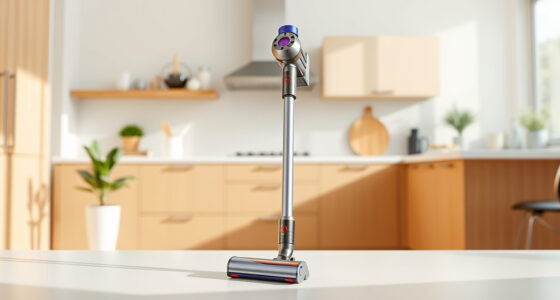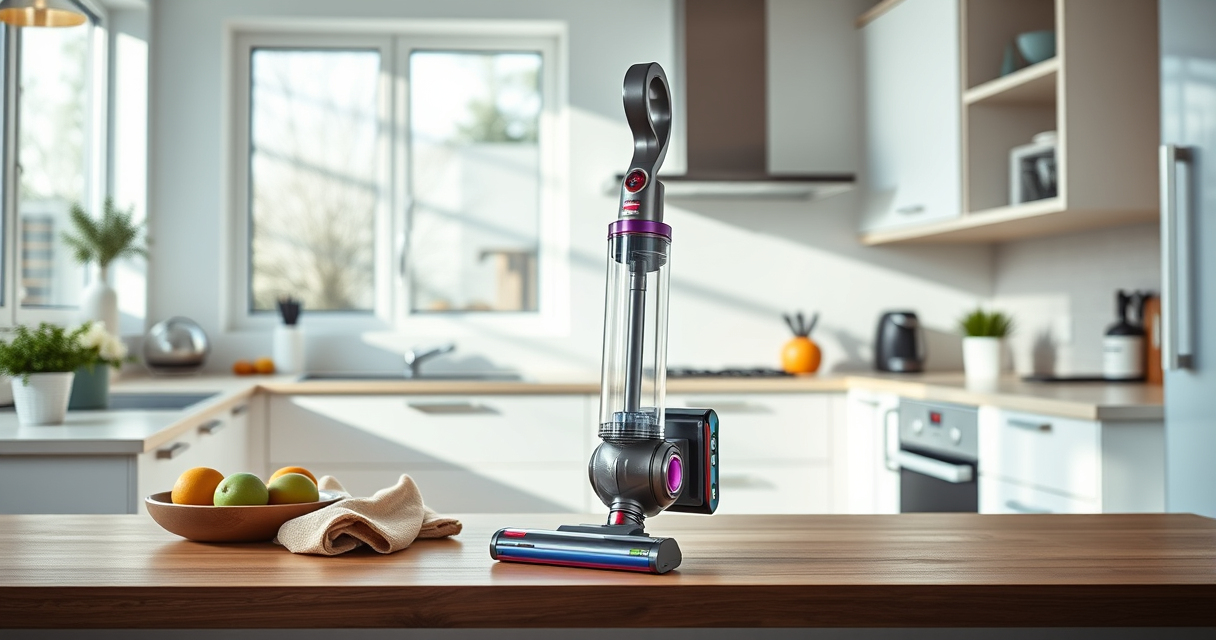
Maintaining your Dyson V15 Detect™ Origin Cordless Vacuum is essential for keeping it performing at its best. Regular cleaning, filter replacement, and timely troubleshooting can extend its lifespan and ensure deep cleaning efficiency. This guide provides clear, safe, and practical steps to help you keep your vacuum in top condition.

Get home appliances delivered free with Prime
- Fast, free delivery on millions of items
- Prime Video, Amazon Music and more included
- Member-only deals all year
Whether you’re dealing with reduced suction, filter issues, or simply want to keep your vacuum running smoothly, follow these step-by-step instructions for effective maintenance and troubleshooting.
Key Takeaways
| Regular filter cleaning | Rinsing filters every 2-3 months maintains suction. |
| Check for blockages | Clear clogs in hoses and cleaner heads for optimal performance. |
| Battery care | Properly charge and store to maximize run time. |
| Replace filters timely | Use compatible replacement filters to restore suction. |
Cleaning the Filter
- Remove the pre-filter from the vacuum as instructed in the user manual.
- Rinse the filter under cold water until the water runs clear.
- Gently squeeze out excess water without twisting or wringing.
- Allow the filter to air dry completely for at least 24 hours before reinstalling.
Checking for Blockages
- Inspect the hose, wand, and cleaner heads for dust or debris clogs.
- Remove any obstructions carefully using a long, thin tool or cloth.
- Ensure all connections are secure before resuming use.
Replacing Filters
Use compatible filters such as the 3Pack Pre Filters Replacement or Replacement V10 Filters for Dyson V10 models to maintain high suction and filtration performance.
- Remove the old filter as per Dyson’s instructions.
- Insert the new filter ensuring it fits snugly.
- Reassemble the vacuum and run it on a low setting for a few minutes to confirm proper operation.
Troubleshooting Common Issues
- If the vacuum loses suction, check and clean all filters and clear blockages.
- For a short run time, ensure the battery is fully charged and not damaged.
- In case of error messages on the LCD, refer to the user manual for specific alerts and solutions.
Battery and Charger Care
- Charge the vacuum fully after each use for best battery health.
- Avoid leaving the battery drained for prolonged periods.
- Use only Dyson-approved chargers to prevent damage.
The Products in This Guide

Dyson V15 Detect™ Origin Cordless Vacuum
- ✔ Weight: 6.8 lbs
- ✔ Charge Time: 3.5 hours
- ✔ Run Time: Up to 60 mins

LANMU Crevice Tool Vacuum Attachments Compatible
- ✔ Color: Black
- ✔ Nozzle Width: 1.2 inches
- ✔ Weight: 0.3 lbs
Dyson V15 Detect™ Origin Cordless Vacuum
<p>The Dyson V15 Detect™ Origin delivers powerful suction, intelligent dust detection, and long-lasting runtime, making it an excellent choice for whole-home cleaning. Its LCD screen keeps you informed about performance and maintenance needs, ensuring optimal operation.</p>
Pros:
- High suction power
- Advanced dust detection
- Long 60-minute runtime
- Multiple cleaning heads
Cons:
- Price may be high for some
- Requires regular filter cleaning
- Battery replacement can be costly
Best for: Deep cleaning homes with pets and hard floors
Not ideal for: Light cleaning or small apartments
Bottom line: A powerful, smart cordless vacuum ideal for comprehensive home cleaning.
LANMU Crevice Tool Vacuum Attachments Compatible
<p>This crevice tool attachment seamlessly fits Dyson models, helping you reach tight corners and narrow spaces in your home or car. Its slim, flexible design makes cleaning those tricky spots effortless.</p>
Pros:
- Narrow nozzle for tight spaces
- Compatible with many Dyson models
- Durable construction
- Easy to maneuver
Cons:
- May be too slim for larger debris
- Requires attachment to vacuum hose
Best for: Cleaning edges, baseboards, and car interiors
Not ideal for: Large debris or heavy-duty cleaning
Bottom line: A versatile tool that simplifies cleaning in hard-to-reach spots.
Frequently Asked Questions
How often should I clean the filters on my Dyson V15?
It is recommended to rinse the filters every 2-3 months to maintain optimal suction and performance.
Can I use any filters with my Dyson V15?
Only use filters that are compatible with your model, such as the Dyson V15-specific filters or universal replacements like the 3Pack Pre Filters or V10 filters if applicable.
What should I do if my vacuum’s suction decreases?
Check and clean the filters, inspect for blockages in the hose or cleaner heads, and ensure the battery is fully charged.
How do I troubleshoot error messages on the LCD screen?
Refer to the user manual for specific error codes; common issues include filter clogging or battery problems which can often be resolved by cleaning or replacing parts.
Keeping Your Dyson V15 Detect™ in Peak Condition
Regular maintenance of your Dyson cordless vacuum ensures it performs at its best and lasts longer. Simple steps like cleaning filters, checking for blockages, and replacing worn parts can prevent common issues and keep your home spotless. With proper care, your Dyson V15 will continue to deliver powerful, intelligent cleaning for years to come.
Affiliate disclosure: As an Amazon Associate we earn from qualifying purchases. Prices and availability are accurate as of the time of publishing.