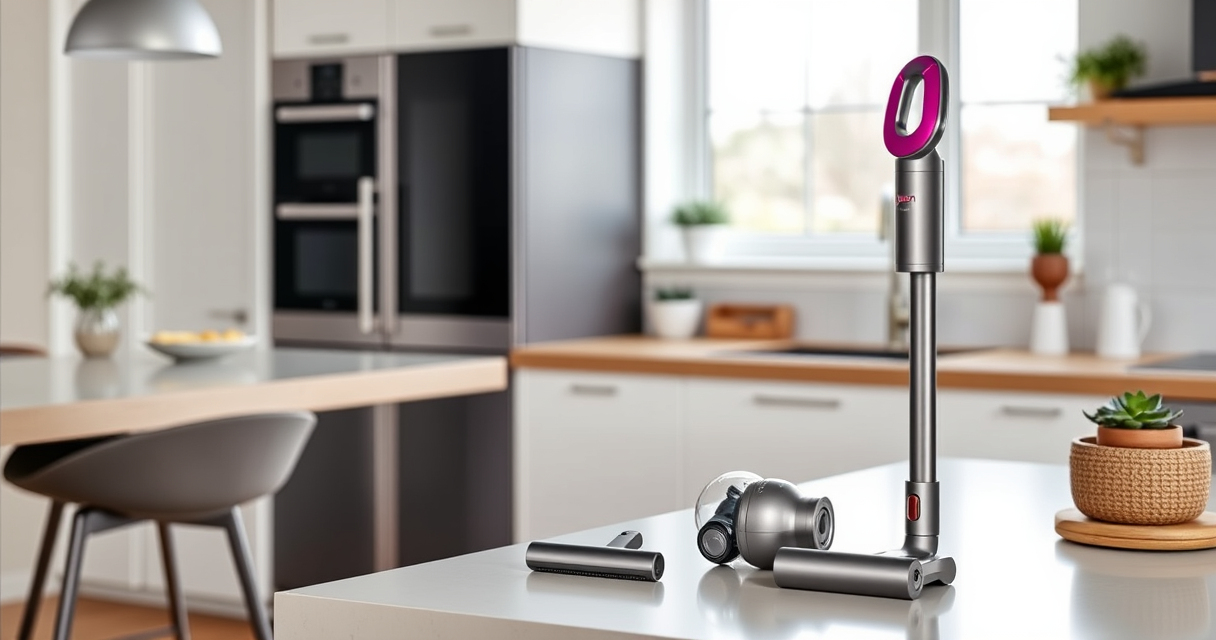
Unboxing and setting up your new Dyson V15 Detect™ Origin cordless vacuum can seem daunting, but with clear steps, you’ll be ready to enjoy powerful, deep cleaning in no time. This guide walks you through the entire setup process, from initial unpacking to attaching accessories, while offering practical tips and safety warnings to ensure a smooth experience.

Get home appliances delivered free with Prime
- Fast, free delivery on millions of items
- Prime Video, Amazon Music and more included
- Member-only deals all year
Whether you’re a first-time Dyson user or upgrading from an older model, following these detailed instructions will help you maximize your vacuum’s performance and longevity. Let’s get started with what you need before beginning the setup process.
Key Takeaways
| Powerful cleaning | The Dyson V15 Detect offers 100% more power with intelligent debris detection. |
| Long-lasting battery | Up to 60 minutes of run time with energy-efficient power trigger. |
| Easy assembly | Simple steps to attach cleaner heads and accessories. |
| Maintenance essentials | Regular filter cleaning and part replacement keep your vacuum performing optimally. |
| Safety first | Follow warnings to avoid damage or injury during setup. |
Unboxing and Initial Inspection
- Carefully open the box and remove all components. You should find the main body, cleaner heads, crevice tool, pre-filters, and charging dock.
- Inspect each part for damage or missing pieces. Confirm that the accessories listed in the product manual are included.
- Read the user manual for specific safety instructions and assembly tips before proceeding.
Charging Your Dyson V15 Detect
- Place the vacuum on the charging dock provided. Ensure the dock is plugged into a power outlet.
- Charge the vacuum fully before first use—this typically takes around 3.5 hours.
- Check the LCD screen during charging for any alerts or errors.
- Once charged, the vacuum is ready for assembly and use.
Attaching the Cleaner Head and Accessories
- To attach the main cleaner head, align the connector with the wand and push until it clicks securely.
- If you need to switch to handheld mode, press the release button to detach the wand from the main body.
- Attach the crevice tool or other accessories like the LANMU Crevice Tool for hard-to-reach areas, ensuring compatibility.
- Use the LCD screen to verify connection and power mode.
Replacing and Maintaining Filters
Filters play a key role in maintaining suction and air quality. The Dyson V15 Detect uses pre-filters that should be cleaned regularly.
- Remove the pre-filters by twisting counterclockwise and rinse with water.
- Let them air dry completely before reinstalling.
- Replace filters every 2-3 months or as indicated on your LCD screen for optimal performance.
Troubleshooting Common Issues
If your vacuum isn’t performing as expected, check the LCD screen for alerts like low battery, filter needs replacing, or blockages.
- Ensure all attachments are correctly installed and clicked into place.
- Clean filters and remove debris from the cleaner head and wand.
- Verify the charging dock is functioning properly and the vacuum is fully charged.
The Products in This Guide

Dyson V15 Detect™ Origin Cordless Vacuum
- ✔ Color: Origin White
- ✔ Warranty: 2 years
- ✔ Weight: 7.2 lbs

LANMU Crevice Tool Vacuum Attachments Compatible
- ✔ Length: 12 inches
- ✔ Compatibility Notes: Not for V6 or canister models
- ✔ Ease of Use: Simple to attach and maneuver
Dyson V15 Detect™ Origin Cordless Vacuum
The Dyson V15 Detect™ Origin Cordless Vacuum is designed for whole-home cleaning with advanced features like debris detection, LCD display, and versatile heads. Its setup process is straightforward, making it easy for new users to get started quickly.
Pros:
- Powerful cleaning with 100% more suction
- Long-lasting 60-minute battery
- Intelligent debris detection
- Multiple accessories included
Cons:
- Initial charging takes time
- Filter maintenance required periodically
- May be heavy for some users
Best for: Deep cleaning hard floors, carpets, and hard-to-reach areas
Not ideal for: For users seeking a lightweight or budget vacuum
Bottom line: A powerful, smart cordless vacuum that’s easy to set up and perfect for deep cleaning.
LANMU Crevice Tool Vacuum Attachments Compatible
The LANMU Crevice Tool Vacuum Attachments are compatible with a wide range of Dyson models, including the V15. Its slim, flexible design makes cleaning tight corners and small spaces effortless.
Pros:
- Narrow nozzle for tight spots
- Compatible with many Dyson models
- Easy to maneuver
- Made of durable materials
Cons:
- Not suitable for large debris
- Additional attachment needed for larger cleaning tasks
Best for: Cleaning edges, corners, car interiors, and furniture gaps
Not ideal for: For heavy-duty cleaning or large debris
Bottom line: A practical attachment that enhances your Dyson’s reach and precision cleaning.
Frequently Asked Questions
How do I know when my filters need replacing?
The LCD screen on your Dyson V15 Detect will display maintenance alerts, including filter replacement reminders. You can also check filters visually for dirt buildup or damage.
Can I use other attachments with my Dyson V15?
Yes, compatible attachments like the LANMU Crevice Tool can be attached to enhance cleaning in tight spots. Ensure they are compatible with your model.
How do I clean the filters properly?
Remove the filters, rinse them under cold water until clean, and let them air dry completely before reinstalling. Do not wash with soap or put in a dryer.
What should I do if the vacuum won’t turn on?
Ensure the vacuum is fully charged. Check that all parts are correctly assembled and that the filters are installed properly. Reset the vacuum if necessary.
How often should I charge the vacuum?
Charge it fully before initial use, and recharge as needed when the LCD indicates low battery. Avoid leaving it on the charger for extended periods after full charge.
Getting the Most Out of Your Dyson V15 Detect™
Setting up your Dyson V15 Detect™ Origin cordless vacuum is straightforward with these step-by-step instructions. Proper assembly, regular maintenance, and understanding your accessories will ensure optimal performance for years to come. Remember to keep filters clean, charge the battery fully, and explore the various heads and tools to tackle every cleaning challenge effectively.
With your new Dyson, you’ll enjoy powerful, smart cleaning that adapts to your home’s needs, making chores easier and more efficient. Happy cleaning!
Affiliate disclosure: As an Amazon Associate we earn from qualifying purchases. Prices and availability are accurate as of the time of publishing.