
TL;DR

Get home appliances delivered free with Prime
- Fast, free delivery on millions of items
- Prime Video, Amazon Music and more included
- Member-only deals all year
Home Depot showcased its Hubspace app at House Beautiful’s Whole Home event in Charleston, where the technology connected compatible household devices through one app. The report describes controls for products including lights, fans, thermostats, outlets and lawn sprinklers, but does not establish that the app works with every brand or appliance.
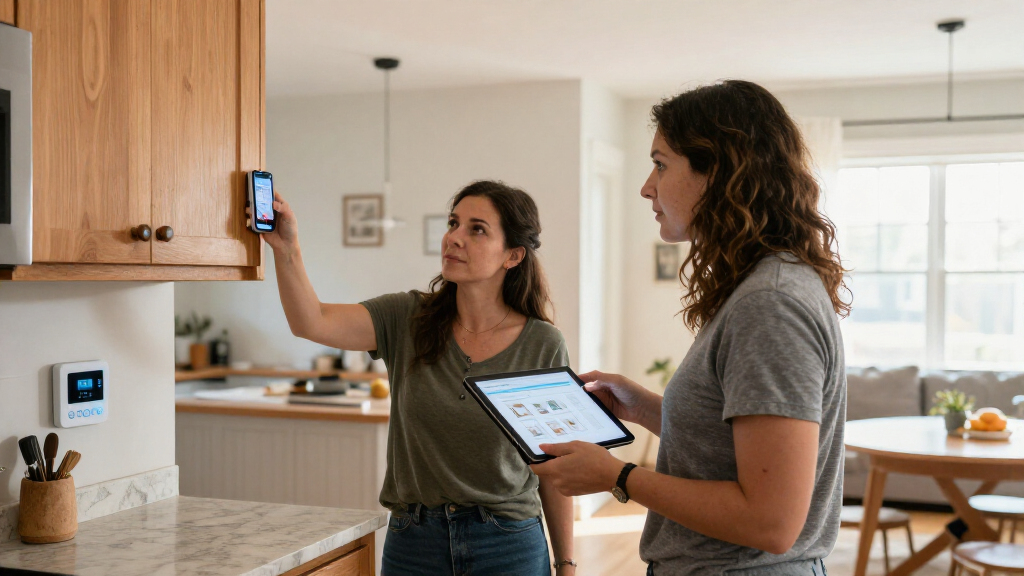
Home Depot demonstrated its Hubspace smart-home app at House Beautiful’s Whole Home showcase in downtown Charleston, presenting a way to control a range of compatible household devices from a smartphone. The demonstration featured connected lighting and other products, putting the retailer’s app forward as a practical option for people seeking to manage parts of their homes from one place.
According to House Beautiful, Hubspace can connect compatible products including lawn sprinklers, indoor outlets, thermostats and holiday lights. The report also describes controls for lights, fans, doors and locks. The app includes a Vacation Mode, which the publication says can simulate occupancy while residents are away. These features depend on using devices that work with Hubspace; the article does not say that every product sold by Home Depot will connect to it.
The demonstration took place as part of the Whole Home project, which challenged designers to turn a luxury condominium in downtown Charleston, South Carolina, into a home shaped by design, texture and personality. Home Depot’s contribution focused on connecting elements of the property with compatible technology. The report says the setup required a smartphone, internet access and compatible devices.
For the event, Home Depot created an installation called “The Color Canopy”, an interactive light display inspired by the Charleston sky. The company used Hubspace’s dimming and lighting controls to create the effect. The pop-up also included demonstrations of connected products, allowing visitors to see how app-controlled lighting, fans, doors and locks might be used in a home.
One App, Compatible Home Devices
Hubspace addresses a common inconvenience of smart-home ownership: devices can come with separate apps and controls. A single interface for compatible products could make routine tasks—such as adjusting a thermostat or switching lights—simpler for households that use multiple connected devices. The Charleston display showed how those functions can also support a designed experience, rather than serving only as practical controls.
The scope of that convenience has limits. The source describes Hubspace as working with compatible products and emphasizes purchases at Home Depot, but it does not provide a full compatibility list or explain how the app handles devices from other retailers. Readers considering the system would need to check specific product compatibility, internet requirements and any setup details before buying.
Products Worth Considering

Philips Hue Bridge Pro Smart Lighting Hub
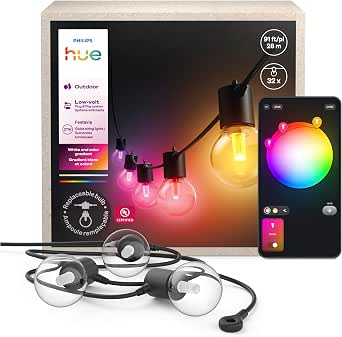
Philips Hue Festavia Globe Outdoor String Lights, 32 Bulbs, 91 ft

LEVOIT Vital 200S-P Smart Air Purifier for Large Rooms
As an affiliate, we earn on qualifying purchases.
From Smart Devices to a Showcase
Smart-home products already allow users to control individual functions such as security monitoring, climate and lighting. The development described in the report is not app-based control itself, but Hubspace’s role as a shared control point for a selection of devices. House Beautiful presents the platform as a way to bring compatible products together, rather than as a replacement for every smart-home system.
The Whole Home project supplied a setting to demonstrate that idea in a fully designed residence. Designers handled the home’s interiors, while Home Depot focused on connecting selected products and building the Color Canopy installation. The report offers an account of that showcase, not an independent technical review or a detailed comparison with competing platforms.
““The challenge for this year’s Whole Home was simple: transform a luxury condo in downtown Charleston, South Carolina, into a bespoke home filled with design, texture, and personality.””
— House Beautiful’s description of the Whole Home project
Compatibility and Costs Not Detailed
The source does not provide a complete list of Hubspace-compatible products, explain whether devices from other retailers can be added, or specify the app’s full internet and account requirements. It also does not give pricing, subscription terms, privacy details or a technical assessment of reliability. The report’s demonstration confirms that selected compatible products were shown working through the app, but not that every household device can be controlled this way.
It is also unclear whether the Charleston installation reflects a standard setup available to customers or a specially arranged event display. House Beautiful describes the showcase and its features but does not report on customer adoption, performance tests or independent comparisons with other smart-home platforms.
Check Devices Before Buying
Homeowners interested in Hubspace can start by checking whether specific products are listed as compatible and reviewing the setup instructions for each device. The source does not announce a new release date, rollout schedule or upcoming Hubspace feature, so no further product milestone is confirmed in the report. More detail about supported devices, account requirements and any ongoing costs would help buyers judge how well the app fits an existing home.
Key Questions
What is Home Depot’s Hubspace?
Hubspace is a Home Depot app for controlling compatible connected-home products from a smartphone, according to House Beautiful’s report.
What devices can Hubspace control?
The report lists compatible lawn sprinklers, outlets, thermostats and holiday lights, and describes demonstrations involving lights, fans, doors and locks. It does not provide a complete compatibility list.
What does Hubspace Vacation Mode do?
House Beautiful says Vacation Mode simulates occupancy while residents are away. The report does not explain which devices it uses or how the feature operates in detail.
Where did Home Depot demonstrate Hubspace?
Home Depot demonstrated the app at House Beautiful’s Whole Home project, a luxury condominium showcase in downtown Charleston, South Carolina. The presentation included the interactive Color Canopy lighting display.
Source: rss