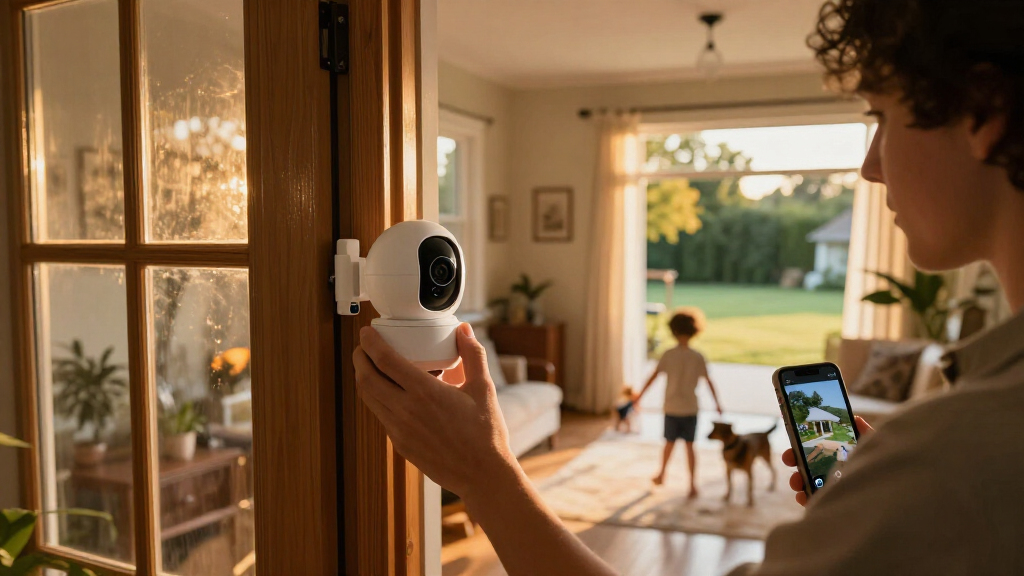

Choosing a smart home security camera often comes down to where its recordings go and what you pay after installation. Local-storage cameras save footage to a memory card, hub, or network video recorder in your home; cloud-based cameras upload it to a provider’s servers, often as part of a paid plan. That difference affects privacy, access during outages, storage limits, and long-term cost more than the camera label or resolution does.

Get home appliances delivered free with Prime
- Fast, free delivery on millions of items
- Prime Video, Amazon Music and more included
- Member-only deals all year

Blink Outdoor 4 Wireless Security Camera System, 3 Cameras
- ✔ Camera count: 3
- ✔ Video resolution: 1080p HD
- ✔ Night vision: Infrared
Blink Outdoor 4 Wireless Smart Security Camera System, 5 Cameras
- ✔ Camera count: 5
- ✔ Video resolution: 1080p HD
- ✔ Field of view: 143° diagonal
Blink Outdoor 4 Wireless Smart Security Camera System, 2-Camera Kit with Sync Module Core
- ✔ Camera count: 2
- ✔ Video resolution: 1080p HD
- ✔ Night vision: Infrared
Local storage suits people who want to avoid recurring fees and keep footage under their control, provided they are willing to manage hardware and backups. Cloud recording is usually easier to review remotely and can preserve clips if a camera is stolen or damaged, but the service may cost more over time and involves uploading footage. The comparison below focuses on those two recording models; actual features vary by brand and plan.
At a Glance
| Criteria | Local-storage smart home security cameras | Cloud-based smart home security cameras | Winner |
|---|---|---|---|
| Ongoing cost | Usually no required monthly recording fee; local hub or recorder may add upfront cost. | Useful recording features often require a recurring plan, sometimes per camera or household. | A |
| Privacy and data control | Footage stays on household hardware unless shared or accessed through a vendor’s service. | Footage is uploaded to a provider, whose policies and account security matter. | Depends |
| Remote access and sharing | Often available through an app, though features vary by camera and ecosystem. | Typically straightforward app access, clip search, and sharing, depending on plan. | B |
| Recording continuity | Recording can continue through an internet outage if the camera and storage remain powered and connected locally. | Off-site clips may remain available if the camera is stolen or local equipment is damaged, assuming upload succeeded. | Depends |
| Setup and maintenance | May require configuring cards, hubs, network storage, or backups. | Often simpler to start; account, app, and plan setup still required. | B |
| Storage and retention | Limited by the installed storage and settings; older clips may be overwritten. | Retention depends on plan limits; cloud capacity and history may be capped. | Depends |
| Reliance on internet | Remote viewing needs internet, but local recording may keep working without it. | Upload and remote access depend on an internet connection; outages can interrupt recording to the cloud. | Depends |
Blink Outdoor 4 Wireless Security Camera System, 3 Cameras
The three camera kit earns our top spot by striking a useful middle ground between the smaller two camera bundle and the broader five camera system. We can assign cameras to a main entrance, a side or back door, and another outdoor approach without buying coverage for every possible corner at once. All three use 1080p HD video, infrared night vision, and two way talk, so the extra camera count expands where we can monitor rather than changing the basic experience.Its up to two year battery rating makes this a comparatively low maintenance choice for places where running power would be awkward, though actual battery life depends on settings, activity, and environment. Alexa compatibility is useful for households already using Amazon’s voice assistant. The tradeoff is the same one facing the other kits: the Sync Module Core does not support local storage, while cloud clip storage and person detection require an optional subscription. Buyers who want maximum coverage immediately should consider the five camera kit; those with just two priority entry points can keep the setup simpler with the two camera version.
Pros:
- Three cameras cover more approaches than the two camera kit without moving to the five camera bundle.
- 1080p live view, infrared night vision, and two way audio are included across the system.
- Batteries are rated for up to two years, depending on use and conditions.
- Alexa compatibility fits homes already using Amazon smart home devices.
Cons:
- The included Sync Module Core does not support local storage.
- Cloud clip storage and person detection require an optional subscription.
- Battery life varies with activity, settings, and environment.
Best for: Households that want to cover three important outdoor areas with one straightforward wireless system.
Not ideal for: Buyers who need local recording without separate equipment, or who only need one or two cameras.
Bottom line: We recommend the three camera kit for a balanced starting setup, provided its subscription based storage model fits our needs.
“We recommend the three camera kit for a balanced starting setup, provided its subscription based storage model fits our needs.”
Blink Outdoor 4 Wireless Smart Security Camera System, 5 Cameras
When we need to watch several sides of a home, the five camera kit is the clearest choice in this group. Its main advantage over the three camera system is straightforward: we can spread cameras across more entry points and outdoor zones from the outset. The cameras retain the same 1080p video, infrared night vision, two way audio, and enhanced motion detection, so this bundle is about wider coverage rather than a higher specification camera.Each camera uses two non rechargeable AA lithium batteries and is rated for up to two years of use; actual runtime depends on activity, settings, and conditions. That wireless design helps when mounting locations lack convenient power, but the included batteries will eventually need replacing. The 143 degree diagonal field of view can help each camera see a broad area, though placement still matters around walls, corners, and overlapping zones. Compared with the three camera kit, this bundle makes sense for larger homes or multiple approaches, while it can leave smaller properties with cameras they do not need. It shares the lineup’s key limitation: its Sync Module Core has no local storage support, and person detection and cloud clip storage require a subscription.
Pros:
- Five cameras provide the broadest coverage of the three bundles.
- 1080p HD video, infrared night vision, and two way audio are included.
- 143 degree diagonal field of view helps each camera cover a wider scene.
- Batteries are rated for up to two years, subject to use and environment.
Cons:
- The non rechargeable batteries need eventual replacement.
- Sync Module Core does not support local storage.
- Cloud clip storage and person detection require a subscription.
Best for: Owners of larger homes or properties with several doors and outdoor approaches to monitor at once.
Not ideal for: People who only need a couple of cameras, want rechargeable power, or require local video storage from the included module.
Bottom line: We’d choose this kit when broad coverage matters more than keeping the camera count compact.
“We’d choose this kit when broad coverage matters more than keeping the camera count compact.”
Blink Outdoor 4 Wireless Smart Security Camera System, 2-Camera Kit with Sync Module Core
The two camera kit is the most focused option here: it suits a home where we have identified two high priority areas, such as the front entrance and a back door. It shares the 1080p live view, infrared night vision, two way talk, enhanced motion detection, and Alexa compatibility found in the larger bundles. Compared with the three camera system, the advantage is a smaller setup to place and manage; the compromise is less flexibility if we later want to watch another approach.Its batteries are rated for up to two years, which helps make wireless placement practical where outlets are inconvenient. That is an estimate rather than a guarantee, since usage and environmental conditions affect runtime. The more consequential limitation is storage: the included Sync Module Core does not provide local storage. Cloud clips and person detection need an optional subscription, and local recording requires separately sold equipment. Buyers who already know they need coverage in three or more places should choose the three or five camera bundle instead, because this kit’s compact scope can mean expanding the system later.
Pros:
- Two cameras make a compact starting system for a small number of priority areas.
- 1080p live view, infrared night vision, and two way audio cover core monitoring needs.
- Rated battery life of up to two years supports flexible wireless placement.
- Works with Alexa and includes enhanced motion detection.
Cons:
- Two cameras offer less coverage than either larger bundle.
- Local storage is not included with the Sync Module Core.
- Person detection and cloud storage require a subscription.
Best for: Apartment residents and smaller households monitoring two specific entry points or outdoor zones.
Not ideal for: Buyers who need broad perimeter coverage immediately or want local recording with the included equipment.
Bottom line: We’d pick the two camera kit for a deliberately small setup, but choose a larger bundle if several approaches need watching.
“We’d pick the two camera kit for a deliberately small setup, but choose a larger bundle if several approaches need watching.”
As an Amazon Associate we earn from qualifying purchases.
Key Differences
The clearest financial difference emerges after purchase. A local setup can cost more at the outset if it needs a hub, recorder, or larger storage device, but it can avoid monthly recording fees. Cloud service spreads the expense into a subscription and can feel inexpensive for one camera. Across several cameras and years, however, recurring charges can outweigh the hardware savings. Check whether a camera still records useful clips without a paid plan before comparing advertised prices.
Control and convenience pull in opposite directions. Local storage keeps footage in the home and can keep recording during an internet outage, but the recordings may be lost if the camera or recorder is stolen, damaged, or misconfigured. Cloud storage makes clips easier to reach away from home and may preserve them when local equipment disappears, but footage leaves the home network and upload interruptions can create gaps. Neither model removes the need for strong account security, sensible retention settings, and a clear understanding of who can access recordings.
For most buyers, choose cloud if easy remote playback and sharing matter more than subscription cost or keeping footage local. Choose local if avoiding recurring fees and limiting off-site storage matter more, and you are comfortable checking storage and backups. A hybrid camera that records locally and offers optional cloud copies can balance these priorities, though it may add cost and setup complexity.
Detailed Comparison
Ongoing cost (Local-storage smart home security cameras wins — moderate)
Local storage usually wins over several years because it avoids a required recording subscription, though a recorder or hub may raise the initial bill. Cloud can be the cheaper entry point, especially for one camera, but fees accumulate and may apply per device. This is a moderate advantage for local storage when you plan to keep multiple cameras for years; compare the full plan cost and hardware before deciding.
Privacy and data control (moderate difference)
Local storage offers more direct control because clips can remain on equipment in the home. Cloud recording requires uploading footage to a provider, so the provider’s retention, access, and account-security practices become part of the decision. The gap is moderate, not absolute: local footage can still be exposed through compromised devices or shared accounts, while cloud providers may offer strong safeguards. Favor local if keeping recordings off provider servers is a priority.
Remote access and sharing (Cloud-based smart home security cameras wins — moderate)
Cloud services generally make it easier to browse clips and share them from an app, so cloud wins by a moderate margin for households that check footage away from home. Local systems can provide remote access too, but the experience depends on the camera, network setup, and companion app. Check which playback and sharing features are included without a subscription; a local camera that hides remote clips behind a plan may not meet the goal of fee-free ownership.
Recording continuity (major difference)
Neither model wins in every failure. Local recording can continue through an internet outage if power, the camera, and the local network are working. Cloud copies can survive theft or damage to the camera or recorder if clips uploaded beforehand. The difference is major for the specific failure you care about: local is stronger against internet loss, while cloud can protect against loss of on-site equipment. A battery backup and a hybrid setup can address more than one risk.
Setup and maintenance (Cloud-based smart home security cameras wins — minor)
Cloud-based cameras usually win by a minor to moderate margin for buyers who want to install a camera, link an account, and review clips in an app. Local systems can involve selecting storage, setting retention, and checking that recording continues. A simple memory card camera may be nearly as easy, while a network recorder can take more attention. Choose based on the particular product rather than assuming all local setups are difficult.
Storage and retention (moderate difference)
This is a tie in practical flexibility, with tradeoffs in limits. Local capacity depends on the card or recorder and may overwrite older footage when full; cloud retention is governed by a plan, which can cap history or camera count. Local users can sometimes expand storage themselves, while cloud users avoid managing disks but may need a higher tier for longer history. Estimate how many days of clips you actually need before paying for extra capacity.
Reliance on internet (Local-storage smart home security cameras wins — moderate)
Local storage has the advantage for recording during internet outages, as long as the local equipment stays powered and connected. Cloud cameras need a working connection to upload footage, although some models may buffer clips or keep limited local recordings. Remote viewing depends on internet under either approach. This is a moderate local advantage in areas with unreliable broadband; confirm offline behavior in the camera’s specifications rather than assuming it.
Local-storage smart home security cameras: Pros and Cons
Pros:
- Avoids required recurring recording fees on many setups.
- Keeps footage on household storage when configured for local-only recording.
- Can record during internet interruptions if local equipment remains powered and connected.
- Storage capacity may be expanded without changing service plans.
Cons:
- Recorder, hub, or storage can increase upfront cost.
- Clips may be lost if on-site equipment is stolen or damaged.
- Storage settings, backups, and remote access can take extra setup.
- Older clips may be overwritten when local capacity fills.
Cloud-based smart home security cameras: Pros and Cons
Pros:
- Convenient remote clip access and sharing through an app on many systems.
- Off-site recordings may survive theft or damage to local camera equipment.
- Less need to manage physical storage devices.
- A lower initial purchase cost may make starting with one camera easier.
Cons:
- Recurring plans can add up, especially across multiple cameras.
- Footage is uploaded to a provider and depends on account and service security.
- Internet interruptions can prevent cloud uploads.
- Retention periods and features may be limited by plan tier.
Who Should Choose What
Choose Local-storage smart home security cameras if:
- You want to avoid ongoing recording fees and expect to keep the cameras for years.
- You prefer recordings to remain on household hardware.
- Your internet service is unreliable and you want local recording to continue during outages.
- You are comfortable checking storage capacity and arranging backups.
Choose Cloud-based smart home security cameras if:
- You want an easy way to review and share clips while away from home.
- You want footage stored off-site in case local camera equipment is stolen or damaged.
- You prefer app-managed storage over maintaining a recorder or memory card.
- You have a small setup and the subscription cost is acceptable for the convenience.
Skip both if: Skip both recording models if you need a camera to work through power, internet, and device failures without a backup plan; consider a system with battery backup, local recording, and optional cloud copies.
Value for Money
Paying more for cloud service is worthwhile when off-site clips and convenient remote review solve a real need, such as checking a second home or sharing an incident recording. For a single indoor camera used mainly for alerts, a subscription may buy little value if free local recording covers the job. Local storage tends to offer better long-term value for several cameras, but include the upfront cost of a recorder, replacement cards, and backup equipment. Compare the total ownership cost over the period you expect to use the system, and verify which features disappear if you cancel a plan.
Final Verdict
For buyers who want a straightforward app and dependable access to clips away from home, cloud-based cameras are the easier recommendation, provided the subscription fits the budget and uploading footage is acceptable. For long-term owners who want to avoid recurring costs or keep recordings at home, local-storage cameras are the better value and can keep recording through internet outages. The deciding factor is what failure matters more: losing remote access during a connection problem, or losing on-site footage with the camera or recorder. If both risks matter, choose a model with local recording and optional cloud backup.
Frequently Asked Questions
Are local-storage security cameras worth it?
They are a good fit if you want to avoid monthly recording charges, keep footage at home, and are willing to manage storage. Check that remote playback and alerts work without a paid plan, since features differ by model.
Do cloud cameras record during an internet outage?
Cloud uploads generally stop when the connection fails. Some cameras buffer clips or save footage locally, but that behavior varies. If outage recording matters, check for local storage and test how the camera handles a lost connection.
Which type is more secure and private?
Local storage keeps recordings off provider servers when configured for local-only access, which gives you more direct control. Cloud services can offer protected accounts and encrypted transfers, but you still rely on the provider’s policies and account security. Use strong unique passwords and limit account access either way.
Is a cloud subscription worth paying for?
It can be worth the fee if you need off-site clip retention, easy remote review, or simple sharing. It is harder to justify when you only want live viewing or alerts and the camera provides those features without a plan. Compare the subscription total across all cameras over several years.